Más de 90 prompts de Nano Banana listos para usar disponibles en GitHub


La generación de imágenes con IA depende de la calidad de los prompts. Un solo prompt bien estructurado puede transformar por completo los resultados, ayudando a los creadores a alcanzar nuevos niveles de detalle, estilo y creatividad. Para facilitarlo, un proyecto de GitHub ha reunido más de 90 prompts de Nano Banana en una sola biblioteca, ofreciendo a artistas, desarrolladores y entusiastas de la IA un recurso listo para usar para experimentar.
Casos reales de uso de prompts de Nano Banana
La biblioteca de prompts de Nano Banana no es solo teoría: se ha aplicado en escenarios prácticos de diferentes ámbitos creativos y profesionales. A continuación, se muestran ejemplos de cómo estos prompts ayudan a desbloquear el potencial de la IA.
Nota: Debido a limitaciones de espacio, aquí solo mostramos los primeros 30 ejemplos de casos. Para acceder a la colección completa de más de 90 casos, visita el repositorio oficial de Nano Banana en GitHub.
Caso 1: De ilustración a figura(por @ZHO_ZHO_ZHO)
Entrada | Salida |
 |  |
entrada: Debes subir una imagen de referencia como objeto para generar la figura
prompt:
turn this photo into a character figure. Behind it, place a box with the character's image printed on it, and a computer showing the Blender modeling process on its screen. In front of the box, add a round plastic base with the character figure standing on it. set the scene indoors if possibleEntrada | Salida |
 |  |
 |  |
 |  |
entrada: Debes subir una imagen de Google Maps que contenga una flecha roja
prompt:
draw what the red arrow sees / draw the real world view from the red circle in the direction of the arrow.Caso 3: Información de RA del mundo real(por @bilawalsidhu)
Salida |
 |
entrada: Debes subir una imagen de referencia
prompt:
you are a location-based AR experience generator. highlight [point of interest] in this image and annotate relevant information about it.Nota
Debes introducir en el prompt el punto de interés que se anotará [POI]
Caso 4: Extraer edificios 3D/crear modelos isométricos(por @Zieeett)
Entrada | Salida |
 |  |
 |  |
entrada: Debes subir una imagen que contenga el objeto correspondiente
prompt:
Make Image Daytime and Isometric [Building Only]Nota
Modifica la información entre [corchetes] según sea necesario (puede configurarse para vehículos, personas, etc.)
Caso 5: Fotos tuyas en diferentes épocas(por @AmirMushich)
Entrada | Salida |
 |  |
entrada: Debes subir una foto de una persona
prompt:
Change the characer's style to [1970]'s classical [male] style
Add [long curly] hair,
[long mustache],
change the background to the iconic [californian summer landscape]
Don't change the character's face
Nota
Cambia el texto entre [corchetes] por información sobre tu época y sus detalles
Entrada | Salida |
 |  |
entrada: Debes subir varias imágenes de referencia
prompt:
A model is posing and leaning against a pink bmw. She is wearing the following items, the scene is against a light grey background. The green alien is a keychain and it's attached to the pink handbag. The model also has a pink parrot on her shoulder. There is a pug sitting next to her wearing a pink collar and gold headphones.Nota
El prompt debe describir en detalle e incluir varios objetos de referencia
Caso 7: Edición automática de fotos(por @op7418)
Entrada | Salida |
 |  |
entrada: Debes subir una imagen que necesite corrección
prompt:
This photo is very boring and plain. Enhance it! Increase the contrast, boost the colors, and improve the lighting to make it richer,You can crop and delete details that affect the composition.Entrada | Salida |
 |  |
entrada: Debes subir imágenes de personajes y bocetos dibujados a mano
prompt:
Have these two characters fight using the pose from Figure 3. Add appropriate visual backgrounds and scene interactions,Generated image ratio is 16:9Caso 9: Generación de imágenes entre vistas(por @op7418)
Entrada | Salida |
 |  |
entrada: Debes subir una foto tomada desde el suelo
prompt:
Convert the photo to a top-down view and mark the location of the photographer.Caso 10: Stickers de personajes personalizados(por @op7418)
Entrada | Salida |
 |  |
entrada: Debes subir una imagen de referencia de sticker y una imagen de personaje
prompt:
Help me turn the character into a white outline sticker similar to Figure 2. The character needs to be transformed into a web illustration style, and add a playful white outline short phrase describing Figure 1.Caso 11: De anime a cosplayer real(por @ZHO_ZHO_ZHO)
Entrada | Salida |
 |  |
entrada: Debes subir una imagen de ilustración
prompt:
Generate a photo of a girl cosplaying this illustration, with the background set at ComiketCaso 12: Generar diseño de personaje(por @ZHO_ZHO_ZHO)
Entrada | Salida |
 |  |
entrada: Se necesita subir una imagen de referencia del personaje
prompt:
Generate character design for me (Character Design)
Proportion design (different height comparisons, head-to-body ratio, etc.)
Three views (front, side, back)
Expression design (Expression Sheet) → like the image you sent
Pose design (Pose Sheet) → various common poses
Costume design (Costume Design)
Caso 13: Dibujo lineal a color con paleta de colores(por @ZHO_ZHO_ZHO)
Entrada | Salida |
 |  |
entrada: Se necesita subir una imagen de dibujo lineal y una imagen de paleta de colores
prompt:
Accurately use the color palette from Figure 2 to color the character in Figure 1Caso 14: Infografía de artículo(por @黄建同学)
Salida |
 |
entrada: Se necesita subir un blog/artículo
prompt:
Generate an infographic for the article content
Requirements:
1. Translate the content into English and extract key information from the article
2. Keep the content in the image concise, only retaining the main title
3. Use English text in the image
4. Add rich and cute cartoon characters and elements
Caso 15: Cambiar múltiples peinados(por @balconychy)
Salida |
 |
entrada: Se necesita subir una imagen de retrato a la que se le deban cambiar los peinados
prompt:
Generate avatars of this person with different hairstyles in a 3x3 grid formatCaso 16: Diagrama explicativo de anotaciones de modelos(por @berryxia_ai)
Salida |
 |
Precaución
Hay una cantidad considerable de errores en los resultados de las anotaciones ⚠️. Ten en cuenta que las anotaciones de Nano-Banana no son completamente precisas y debes verificar cuidadosamente la exactitud de la información antes de utilizarla.
prompt:
Draw [3D human organ model display example heart] for academic presentation, with annotations and explanations, suitable for showcasing its principles and [each organ's] functions, very realistic, highly detailed, with extremely fine design.Nota
Cambia el texto entre [corchetes] por el modelo que deseas mostrar
Caso 17: Escultura de mármol personalizada(por @umesh_ai)
Salida |
 |
entrada: Se necesita subir una imagen de referencia
prompt:
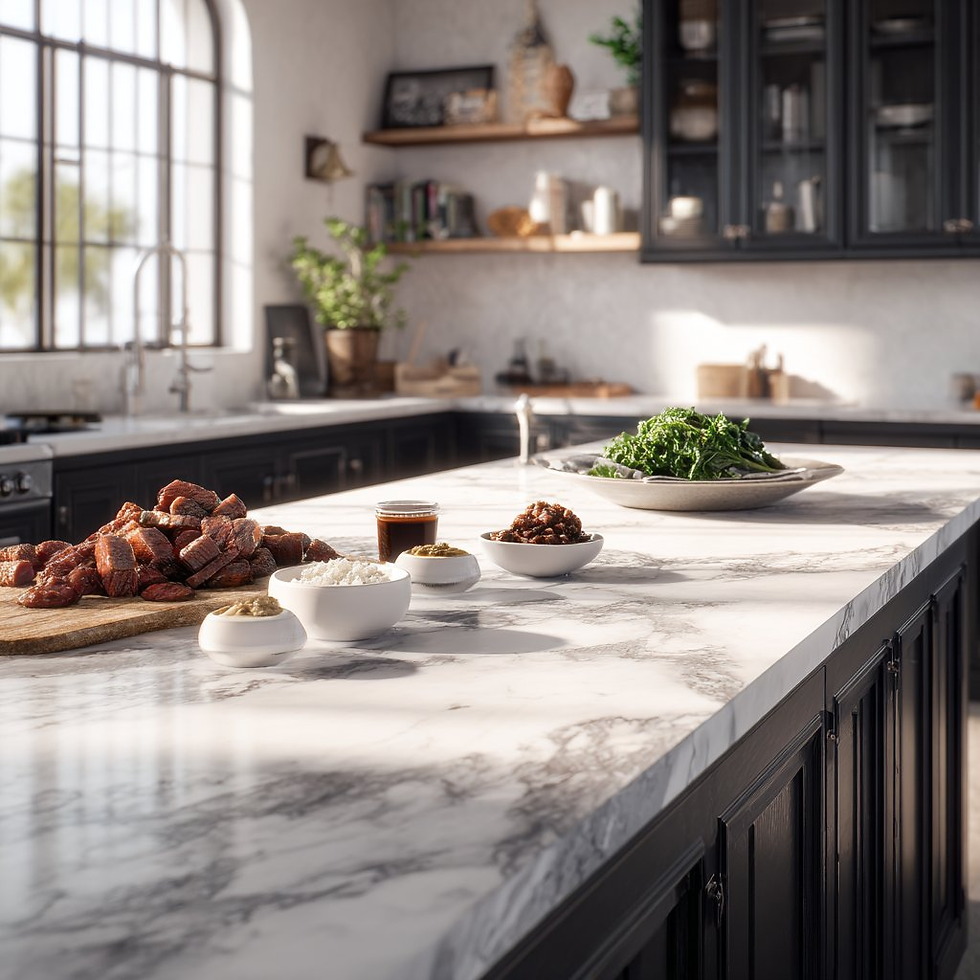
A photorealistic image of an ultra-detailed sculpture of the subject in image made of shining marble. The sculpture should display smooth and reflective marble surface, emphasizing its luster and artistic craftsmanship. The design is elegant, highlighting the beauty and depth of marble. The lighting in the image should enhance the sculpture's contours and textures, creating a visually stunning and mesmerizing effectCaso 18: Cocinar según los ingredientes(por @Gdgtify)
Entrada | Salida |
 |  |
 |  |
 |  |
entrada: Se necesita subir una foto con varios ingredientes
prompt:
make me a delicious lunch with these ingredients, and put it on a plate , zoomed in view of the plate, remove the other plates and ingredients.Caso 19: Razonamiento de problemas matemáticos(por @Gorden Sun)
Entrada | Salida |
 |  |
entrada: Se necesita subir un problema matemático
prompt:
Write the answer to the problem in the corresponding position based on the questionCaso 20: Colorización de fotos antiguas(por @GeminiApp)
Entrada | Salida |
 |  |
entrada: Se necesita subir una foto antigua que necesite restauración
prompt:
restore and colorize this photo.Caso 21: Conjunto OOTD(por @302.AI)
Entrada | Salida |
 |  |
entrada: Se necesita subir una imagen de una persona y una imagen de ropa
prompt:
Choose the person in Image 1 and dress them in all the clothing and accessories from Image 2. Shoot a series of realistic OOTD-style photos outdoors, using natural lighting, a stylish street style, and clear full-body shots. Keep the person's identity and pose from Image 1, but show the complete outfit and accessories from Image 2 in a cohesive, stylish way.Caso 22: Cambio de ropa del personaje(por @skirano)
Entrada | Salida |
 |  |
entrada: Se necesita subir una imagen de una persona y una imagen de ropa
prompt:
Replace the person's clothing in the input image with the target clothing shown in the reference image. Keep the person's pose, facial expression, background, and overall realism unchanged. Make the new outfit look natural, well-fitted, and consistent with lighting and shadows. Do not alter the person's identity or the environment — only change the clothes.Caso 23: Generación de resultados multivista(por @Error_HTTP_404)
Entrada | Salida |
 |  |
entrada: Se necesita subir una imagen de referencia
prompt:
Generate the Front, Rear, Left, Right, Top, Bottom views on white. Evenly spaced. Consistent subject. Isometric Perspective Equivalence. Caso 24: Guion gráfico de película(por @GeminiApp)
Entrada | Salida |
 |  |
entrada: Se necesita subir una imagen de referencia
prompt:
Create an addictively intriguing 12 part story with 12 images with these two characters in a classic black and white film noir detective story. Make it about missing treasure that they get clues for throughout and then finally discover. The story is thrilling throughout with emotional highs and lows and ending on a great twist and high note. Do not include any words or text on the images but tell the story purely through the imagery itself.Caso 25: Modificación de la pose del personaje(por @arrakis_ai)
Entrada | Salida |
 |  |
entrada: Se necesita subir una imagen de referencia
prompt:
Have the person in the picture look straight aheadCaso 26: Generar imagen a partir de un dibujo lineal(por @ZHO_ZHO_ZHO)
Entrada | Salida |
 |  |
Entrada: Se necesita subir dibujos lineales e imágenes de referencia
Prompt:
Change the pose of the person in Figure 1 to that of Figure 2, and shoot in a professional studioCaso 27: Añadir marca de agua a la imagen(por @AiMachete)
Entrada | Salida |
 |  |
Entrada: Es necesario cargar una imagen de referencia
Prompt:
Watermark the word ‘TRUMP’ over and over again across the whole image.Resultado |
 |
 |
Prompt:
Make me an infographic of 5 tallest buildings in the world / Make a colorful infographic of the sweetest things on EarthCaso 29: Anotaciones con bolígrafo rojo(por @AiMachete)
Entrada | Resultado |
 |  |
Entrada: Es necesario cargar una imagen de referencia
Prompt:
Analyze this image. Use red pen to denote where you can improve.Caso 30: Comida explosiva(por @icreatelife)
Resultado |
 |
 |
Entrada: Es necesario cargar una imagen de referencia
Prompt:
Photograph this product in a dramatic modern scene accompanied by explosive outward dynamic arrangement of the key ingredients fresh and raw flying around the product signifying its freshness and nutritional value. promo ad shot, without text, product is emphasized, with the key brand colors as background.Uso de remio para guardar prompts automáticamente

remio facilita la captura, organización y recuperación de prompts al combinar la extracción automatizada con su modelo de lenguaje de gran tamaño (LLM). Esta función garantiza que tus prompts más valiosos nunca se pierdan y puedan reutilizarse sin problemas en todos los proyectos.
Así puedes guardar prompts en tu biblioteca con Remio:
Usa la extensión de Google Chrome y haz clic en “Añadir a colecciones” para guardar un prompt directamente en la colección deseada.
Ve a la interfaz de inicio de remio y utiliza la función @ para mencionar el nombre de una colección específica.
El LLM de remio buscará entonces los documentos almacenados en esa colección y te permitirá recuperar el prompt adecuado simplemente preguntando en lenguaje natural.
Al seguir estos pasos, los prompts se almacenan automáticamente en tu biblioteca personal de prompts, lo que facilita gestionarlos, organizarlos y reutilizarlos siempre que sea necesario.
Conclusión
La Biblioteca de Prompts de Nano Banana en GitHub proporciona un potente recurso de más de 90 prompts cuidadosamente diseñados, que ayuda a los usuarios a explorar casos de uso creativos, técnicos y centrados en la productividad. Aunque este artículo destaca solo los primeros 30 casos, la colección completa está disponible directamente en GitHub para quienes quieran profundizar.
Al combinar esta biblioteca con el flujo de trabajo automatizado de guardado de prompts de remio, los usuarios pueden crear una Biblioteca de Prompts personalizada que crece de forma natural con el tiempo. Ya sea mediante la extensión de Chrome o la función @collections de la aplicación, Remio garantiza que los prompts no solo se guarden, sino que también puedan recuperarse inteligentemente cuando se necesiten.
En resumen, la biblioteca de Nano Banana te da la inspiración y Remio la hace práctica: juntos, te permiten impulsar al máximo tu recorrido en la ingeniería de prompts.


