学习如何使用 OpenDream AI Art Generator 创建令人惊叹的图像


OpenDream AI Art Generator 是一个基于云的创意工具,可以将文本描述转化为图像,让从爱好者到专业人士的任何人都能通过几行输入生成视觉效果。在本指南中,您将了解 OpenDream 的功能、背后的技术、逐步使用说明、高级提示和后期处理技术、安全与法律注意事项,以及获得一致、高质量结果的实用建议。
AI 图像生成如今很重要,因为 AI art generator market 正在快速扩张——企业和创作者正将生成式视觉内容整合到营销、产品设计和社交内容中——而 OpenDream 是该领域中一个易于使用的参与者。请参阅 OpenDream 的主页以了解产品详情和最新功能更新,以及更广泛的市场分析以理解 AI art generator market 的增长驱动因素。OpenDream homepage 和 AI art and painting generator market report
本文的结构旨在帮助您按顺序学习:功能与用例、技术背景、动手教程、提示和后期处理技术、安全与政策问题、隐私和法律要点、行业趋势与未来,以及简短的常见问题解答。如果您正在搜索“how to use OpenDream AI Art Generator”,请先阅读“入门”和“技巧”部分以快速上手,并在项目规模扩大时返回技术和法律部分。
快速路线图:从简单提示开始,使用模板迭代,并在“技巧”部分应用提示工程技巧来优化输出。
What Is OpenDream AI Art Generator, Features and Use Cases

OpenDream 是一个用于 text‑to‑image generation 的网络平台——它接受书面提示并使用生成式深度学习模型生成图像。该平台提供模板驱动的工作流、风格预设和导出选项,使其适用于快速视觉原型设计和最终资产制作。OpenDream guide 概述了这些功能,第三方演练提供了加速新用户学习的实用技巧。OpenDream guide • How to use OpenDream tutorial
OpenDream AI Art Generator 的主要功能:
Text to image 转换,带有风格和构图控制。
常见格式的模板库(社交帖子、横幅、概念艺术)。
可调参数(宽高比、迭代次数、随机性/种子)。
以常见格式(PNG、JPEG)和网络/社交使用预设导出高分辨率图像。
谁在使用 OpenDream?目标用户包括:
设计师,用于原型设计概念和情绪板。
营销人员,快速制作活动视觉和社交内容。
独立游戏开发者和概念艺术家,探索创意想法。
爱好者和教育工作者,尝试 creative AI。
使用 OpenDream 为设计师生成的成品图像类型示例包括产品模型、插画风格的主视觉、cinematic concept art 和风格化的社交图形。“使用 OpenDream 创建”可品牌化的社交视觉、专辑封面、情绪概念和游戏资产,然后迭代成可用于生产的文件。
OpenDream 的定位:该产品强调速度、模板和简易性,与更偏向代码的工具相比。官方 OpenDream guide 详细说明了已记录的功能和用户流程;社区教程将 OpenDream 与替代方案进行对比,并突出该平台在控制与易用性之间的平衡。
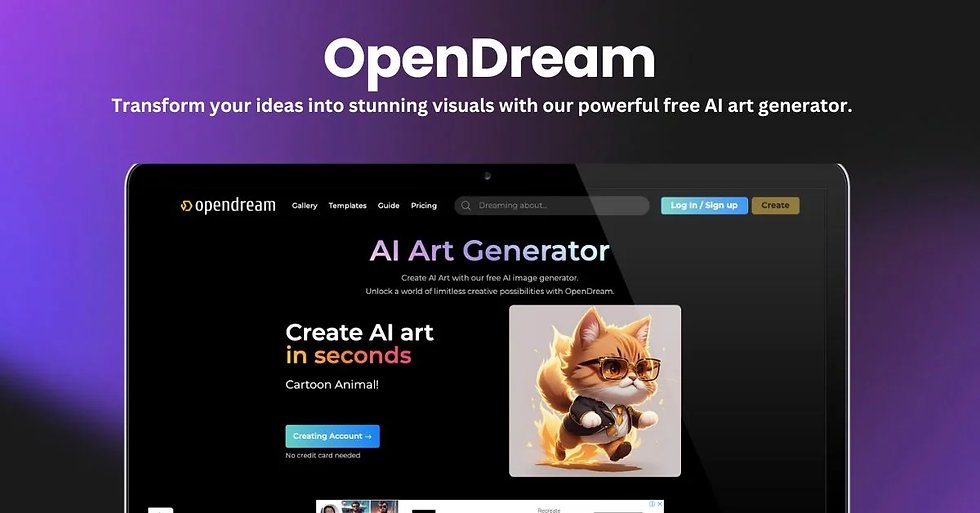
Platform overview and user interface
OpenDream UI 以包含项目、已保存提示和模板的仪表板为中心。典型工作流: 1. 从仪表板创建项目。 2. 输入描述图像的 prompt input。 3. 选择模板或风格预设。 4. 调整高级设置(分辨率、种子、迭代次数)。 5. 渲染、保存并导出。
该 UI 旨在降低新用户的门槛,同时逐步提供高级设置。
Templates, styles and customization options
OpenDream 模板按用例(社交、概念艺术、印刷、产品模型)和风格(写实、绘画风、动漫、矢量等)组织。您可以通过以下方式 customize AI image 生成:
设置宽高比以控制构图。
选择固定种子以重现外观。
增加迭代次数以获得更多细化。
在支持时应用风格标记或参考图像。
这些控制可让您从探索性情绪图像转向一致的品牌资产。
Common use cases and examples
使用 OpenDream 创建:
带有品牌色板的社交媒体横幅。
角色、环境或产品想法的快速概念艺术。
落地页的营销主视觉。
用于客户演示的情绪板和视觉参考。
可操作的见解:从匹配交付渠道的模板开始——这可减少浪费的渲染并加快审批周期。
How OpenDream AI Art Generator Works, Text to Image Technology Explained

OpenDream AI Art Generator 技术基于现代 text to image 生成模型,可将语义提示信息转化为像素输出。从高层次来看,这些工具使用从语言到视觉潜在空间的学习映射,然后将这些潜在空间解码为图像。有关高保真图像生成和扩散技术的学术背景,请参阅 high‑fidelity image generation paper 和 latent diffusion models paper。High fidelity image generation arXiv paper • Latent diffusion models arXiv paper
有几种常见模型方法:
Diffusion models(目前的主流方法)通过迭代去噪潜在表示来形成图像。这些模型为许多商业生成器提供动力,包括 OpenDream 等工具,因为它们能产生高质量、多样化的输出。
基于 Transformer 的条件机制使用文本编码器创建 prompt embeddings 以引导图像生成。
混合方法结合注意力机制和扩散先验来对齐语言和视觉。
这些架构会影响输出对措辞、风格标记和参考图像的敏感度。
Core concepts in text to image synthesis
关键概念(首次提及时定义):
Latent diffusion:一种在解码为像素前先对较低维潜在空间进行去噪的技术,可提高计算效率和图像保真度。
Conditional guidance:将生成引导至目标的方法(例如 CLIP 引导或无分类器引导)。
Prompt embedding:文本提示的编码表示,模型用其影响图像特征。
从概念层面看,text to image synthesis 的工作原理是:文本 → 编码向量 → 通过扩散过程进行引导采样 → 潜在解码 → 最终图像。每一步都在保真度、多样性和控制之间引入设计权衡。
Model training and data considerations
模型在从公开数据集和授权图像编译的大规模图像‑文本对上进行训练。训练选择会驱动风格偏差和模型偏好的图像类型。如果模型的数据集过度代表某些美学(例如西方艺术风格),这种偏差就会出现在输出中。理解训练数据对于预测模型行为和伦理风险至关重要。有关训练和目标选择如何塑造输出,请参阅 high‑fidelity 和 latent diffusion 论文。
Practical implications for users
模型架构塑造了 prompt strategy for OpenDream:
Diffusion models 偏好 specific, layered prompts——包含主体、构图、照明、风格以及参考艺术家或媒体。
使用种子和迭代次数提高可重复性和保真度。
预期会出现瑕疵(例如手部、细小文字)并计划进行修复或后期处理。
实用提示:当需要精确控制(品牌安全输出、精确构图)时,生成多个版本并合成或修复最佳部分,而不是依赖单次渲染。
Takeaway: 理解核心模型机制有助于您制作更好的提示并选择后期处理方法来修复可预测的弱点。
Getting Started with OpenDream AI Art Generator, Step by Step Tutorial
How to use OpenDream AI Art Generator:注册并创建账户,然后使用模板和简单提示生成第一张图像。本节将逐步指导您完成整个过程,附带可操作的项目符号和示例,以便您在 10–20 分钟内完成首次渲染。请参阅 OpenDream 的主页和第三方教程以获取截图和最新 UI 详情,因为平台布局可能会变化。
Create an account and first project
分步操作: 1. 访问 OpenDream homepage 并使用电子邮件或 OAuth 注册。 2. 验证账户并登录仪表板。 3. 点击“新建项目”并命名(使用客户或活动名称以便组织)。Create OpenDream project 并选择默认宽高比(社交用正方形,横幅用 16:9)。 4. 选择与目标匹配的模板(例如“Instagram 帖子 – 极简”“概念艺术 – 电影感”)。
操作:对于第一个项目,选择一个简单主题(例如“金毛猎犬在温馨图书馆里读书”)和风格预设(写实或绘画风)以查看基准行为。
Writing a first prompt and iterating
提示结构:
主体 + 动作:“an astronaut planting a tree”
构图:“close-up, low-angle, centered”
照明与氛围:“rim light, warm golden hour”
风格:“digital painting, Studio Ghibli aesthetic”
技术:“8k, sharp focus, cinematic depth of field”
提示进阶示例:1. 模糊:“a beautiful landscape”——结果会不一致。2. 清晰:“a misty mountain landscape at dawn, soft pastel colors, ultra wide, painterly”——控制更好。3. 精确:“a misty mountain landscape at dawn, soft pastel colors, foreground wildflowers, ultrawide, 50mm lens feel, digital oil painting, 8k”——更接近生产资产。
使用迭代/变体进行优化:
使用相同提示和不同种子运行 3–5 个变体。
选择最佳元素,然后用更严格的约束重新提示或合成所需部分。
可操作的项目符号:
保留提示日志以便重现。
使用反向提示排除不需要的元素(例如“no text, no logos, no extra limbs”)。
将有效提示保存为模板。
Selecting style and adjusting advanced settings
OpenDream 中常用的设置:
Seed:固定随机性以获得可重现的输出。
Iterations/steps:更高的次数通常会产生更详细的图像,但会消耗更多计算/时间。
Aspect ratio and resolution:根据最终用途选择。
Guidance scale:平衡对提示的遵循与创造性。
操作:对于品牌资产,使用固定种子和稍高的步数以获得跨渲染的一致输出。
Exporting and using your images
从 OpenDream 导出:
选择文件格式(PNG 用于透明,JPEG 用于更小文件大小)。
选择导出尺寸(如果计划打印,则选择原生高分辨率)。
对于社交:导出预格式化模板以匹配平台尺寸。
许可基础:发布前请查看 OpenDream 的许可条款,了解商业使用规则和任何署名要求。负责任地使用 OpenDream 图像,并在出售或许可生成艺术品时确认权利。
Post‑processing tips:
快速清理:在 Photoshop 或 Affinity 中使用克隆/图章工具修复小瑕疵。
使用 AI 放大器提升至打印分辨率。
色彩分级以匹配品牌色板。
可操作步骤:导出后,先对一次渲染进行放大和色彩分级处理,测试是否达到交付标准,再投入整个项目。
Tips and Techniques to Create Stunning Images with OpenDream AI Art Generator

要生成一致且引人注目的视觉效果,请练习 prompt engineering OpenDream——撰写能可靠实现预期美学的提示的技巧。结合模板、迭代渲染和轻量后期处理工作流。OpenDream 的指南包含核心提示技巧,而理解扩散行为(参阅 latent diffusion models paper)有助于优化策略。
Prompt engineering best practices
具体化:命名风格、艺术家、照明和相机特征。
使用 style tokens(例如“cinematic”“vintage film”)来锚定美学。
反向提示:明确排除瑕疵或风格(例如“no text, no extra fingers”)。
分层:分阶段构建复杂性——先宽泛,再细化。
关键洞见:迭代优化(渲染 → 评估 → 重新提示)通常优于单一长提示。
Advanced prompt techniques and examples
概念艺术角色的渐进提示示例:1. 基础:“a futuristic knight” 2. 添加细节:“a futuristic knight standing on a rain‑slick rooftop, neon city background, reflective armor” 3. 技术:“dramatic rim light, volumetric fog, cinematic color grade, 35mm lens, concept art, intricate textures”
比较输出并记录添加照明、相机或纹理标记时的变化。将表现最佳的提示保存为模板。
Using templates, style references and visual guides
使用 OpenDream 模板锁定构图和宽高比。在可能时,添加参考图像或 URL 来引导模型的视觉方向。风格参考(例如链接到绘画或摄影师作品)应谨慎使用,以避免版权问题同时引导美学。
Combining multiple renders and masks
合成工作流:
渲染多个聚焦不同元素(背景、主体、照明)的变体。
使用蒙版或修复合并最佳部分——当平台支持局部编辑时,这有时被称为“inpainting with OpenDream”。
最终合成:混合图层、调整颜色并润色细节。
操作:对于复杂场景,将渲染规划为图层(背景、中景、角色、高光)并合成以获得最干净的结果。
Post‑processing strategies
对 OpenDream 图像进行后期处理以提升质量:
使用专用放大器(例如 ESRGAN、Gigapixel)放大 OpenDream 图像。
小幅编辑:修复解剖结构或文字、移除瑕疵、锐化眼睛/焦点。
色彩分级:应用 LUT 或选择性调整以统一氛围和品牌。
Troubleshooting common problems
不需要的瑕疵(手部、扭曲文字):增加迭代次数、使用反向提示或在后期修复。
风格不匹配:明确命名风格/艺术家或使用参考图像。
对标记过拟合:减少对艺术家名称的依赖并使用描述性风格语言。
快速修复:在反向提示中添加“realistic hands”或“no extra fingers”;对于文字瑕疵,包含“no text”作为反向提示。
Takeaway: 建立一个小型提示模式、种子和后期处理配方库,将让您在客户项目中产生可靠的结果。
Safety, Content Moderation and Controversies Around OpenDream AI Art Generator
生成式平台面临真实的安全挑战。已有记录显示图像生成器被用于 produce illicit content; one record lists allegations involving OpenDream and the generation of explicit images. Understanding moderation limitations and platform responses is essential for responsible use. See reporting from incident repositories and news coverage for context, and review OpenDream’s terms for the company’s stated policies.
Safety is a shared responsibility: platforms must build safeguards; users must follow policies and report harmful outputs.
Documented incidents and public reporting
Public reporting highlighted specific incidents where OpenDream was accused of permitting harmful content generation. These incidents typically reveal gaps between automated filters and adversarial prompts that try to evade detection. Third‑party incident logs and journalistic coverage have tracked these events and spurred calls for better controls.
How moderation systems work and where they fail
Typical moderation layers:
Automated filters (keyword and classifier‑based).
Model‑level safety: steering the generation away from certain content.
Human review: escalation for ambiguous or reported outputs.
Failure modes:
Prompt obfuscation or code words that bypass keyword filters.
Edge cases where models hallucinate sensitive content despite constraints.
Latency in human review for fast or viral content.
OpenDream moderation must balance false positives (overblocking benign creative work) and false negatives (allowing harmful outputs). Legal and community expectations are pushing platforms to improve both detection and escalation.
Recommendations for safer use and reporting workflows
For users:
Follow OpenDream’s published content rules and avoid crafting prompts that test filter boundaries.
Use safe prompt practices—explicitly avoid sexual content involving minors, illicit or hateful depictions, and copyrighted characters when not permitted.
If you encounter problematic outputs, use the platform’s reporting tools immediately—report OpenDream content via the dashboard or support channels.
For platform operators:
Implement multi‑layered defenses: stateful context checks, robust keyword lists, and model‑level steering.
Provide transparent reporting channels and record of actions for accountability.
If you encounter illicit content, document it (screenshots, prompt text, timestamps) and report it through OpenDream’s support channels and, where appropriate, to law enforcement or oversight bodies.
Takeaway: Awareness and rapid reporting help reduce misuse. Designers and businesses should include moderation checks in their workflow when using outputs publicly.
Privacy, Terms and Legal Considerations for OpenDream AI Art Generator Users

Before integrating OpenDream into a commercial workflow, understand the platform’s terms, privacy practices, and licensing conditions. OpenDream’s Terms and Conditions and Privacy Policy set the ground rules for permitted content, data handling, and IP—review them before heavy use.
Key clauses in OpenDream Terms and Conditions
Look for clauses that spell out:
Prohibited content: what is not allowed on the platform (sexual content, illicit material, hate speech).
User obligations: correct attribution, compliance with laws, and cooperation during investigations.
Enforcement actions: content removal, account suspension, and data retention related to violations.
Action: Keep a copy of the terms for your records and check for updates quarterly or when starting major projects.
What the privacy policy means for your prompts and images
OpenDream privacy outlines what data they collect (account info, prompts, usage metadata) and how long images and prompts may be retained. Many platforms retain submitted prompts and generated images for a period to improve models unless there’s an explicit opt‑out. Review the privacy page for specifics and to check whether OpenDream uses customer data for model retraining.
Points to verify:
Can you opt out of data reuse?
Are usage logs stored and for how long?
What rights do you have to delete your data?
Legal practicalities for creators and businesses
Checklist for commercial use OpenDream images:
Confirm licensing terms—are images royalty‑free for commercial use or are there restrictions?
Avoid using produced assets that mimic or directly copy living artists’ styles where prohibited.
Maintain records of prompts, seeds, and versions as part of an audit trail for client work.
Practical legal step: For client deliverables, include a clause in contracts that clarifies the use of AI‑generated assets and any indemnity related to IP or content violations.
Takeaway: Know the rules before scaling production. If commercializing outputs, document permissions and check for any required attributions or limitations in OpenDream licensing.
Industry Trends, Market Growth and the Future of OpenDream AI Art Generator

The AI image generator market is growing quickly, driven by demand for fast content creation across advertising, entertainment, and e‑commerce. Market reports forecast expanding adoption and investment into tooling, integrations, and governance. See global market summaries for current forecasts and drivers shaping the space.
Market size and adoption trends
Businesses need scalable visual content for social and paid media.
Game and film studios use generative tools for concepting to reduce iteration time.
The hobbyist market fuels long‑tail creativity and rapid feature testing.
Growth projections anticipate rising demand for integrated tools (API access, plugins for design suites) and enterprise features (team management, versioning, compliance).
Technological innovations to watch
Key innovations likely to affect OpenDream future:
Improved controllability: models that allow precise component control (pose, environment, lighting) without elaborate workarounds.
Multimodal improvements: better alignment between text, image, and even audio or video.
Real‑time generation for interactive applications and streaming workflows.
Research into model improvements, such as better sample efficiency and lower artifact rates, will translate into features like higher quality default renders and specialized modes (e.g., photoreal vs. stylized).
Policy, ethics and industry controls
Regulation and industry standards will shape platform responsibilities—expect:
Stricter content moderation requirements and provenance metadata mandates.
Certification programs or labels for responsibly generated art.
Platform obligations to prevent misuse and provide transparency about data usage.
Practical implications for creators and businesses
Enterprises should plan for auditability: keep prompt logs and usage records.
Invest in skill development: prompt engineering will be a useful in‑house competency.
Monitor policy developments and platform updates: the future of OpenDream may involve API changes, new licensing terms, or stricter moderation.
Strategic move: Consider pilot projects using OpenDream for non‑customer‑facing assets first to test quality, licensing, and moderation workflows.
Takeaway: The market will push OpenDream and peers to balance creative power with safety and compliance—users who prepare now (skills, contracts, governance) will move faster as the space matures.
Frequently Asked Questions About OpenDream AI Art Generator
What is OpenDream and how does it create images? OpenDream is a web‑based text‑to‑image platform that uses diffusion‑style generative models conditioned on text prompts to synthesize images. For technical background, see research on latent diffusion and high‑fidelity generation.
How do I write effective prompts for OpenDream? Be specific: include subject, composition, lighting, style, and technical tags. Use negative prompts to exclude elements and iterate across seeds for variation.
Are OpenDream images free to use commercially? Check OpenDream terms for commercial licensing rules and any attribution requirements; terms and policies are authoritative for permitted uses.
What content is prohibited on OpenDream and how is it enforced? Prohibited content typically includes sexual exploitation, hate speech, and illicit material; enforcement is via automated filters and human review.
How does OpenDream handle user data and privacy? OpenDream’s privacy policy explains data collection, storage, and potential reuse for model training—review it to understand retention and opt‑out options.
What should I do if I encounter problematic outputs? Report the output through OpenDream’s support or reporting tools, save prompt and render metadata, and, if necessary, document the issue for external reporting. See incident repositories and news coverage for context on how these cases are handled publicly.
Conclusion, Actionable Insights and What Comes Next for OpenDream AI Art Generator

Try OpenDream AI Art Generator with a simple project: pick a template, write a concise prompt using the prompt anatomy above, render 3–5 variations, and composite the best elements. Practice prompt engineering and keep a prompt library—this is one of the highest‑leverage actions for better images.
Forward‑looking recommendations:
Monitor OpenDream terms and privacy updates because platform policies evolve quickly as regulators and markets respond to incidents.
Invest in small experiments for your team to define workflows, licensing checks, and moderation safeguards before scaling.
Track technological improvements—model innovations and industry regulation will define the future of OpenDream and its peers.
Final thought: The future of OpenDream will depend on balancing creative capability, user control, and responsible governance. Start small, document everything, and expand when you have reliable processes.
Bold next step: Try OpenDream AI Art Generator today with a focused project, and adopt the best practices outlined here to create stunning images while staying safe and compliant.


