Microsoft Phone Activation Is Dead: No More Offline Windows Verification

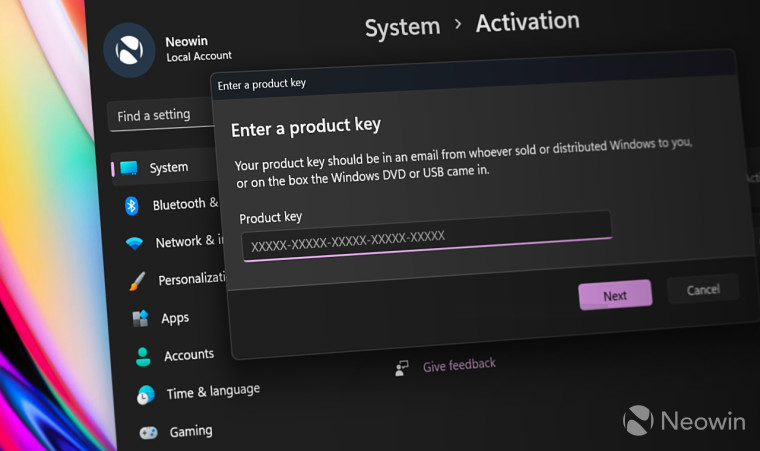
If you tried to activate a copy of Windows 10 or 11 over the telephone recently, you likely hit a wall. As of early January 2026, user reports confirm that Microsoft phone activation is effectively gone. The service, which allowed users to verify their software license without an internet connection, has been replaced by a prerecorded message directing users to a website.
For decades, IT professionals and privacy-conscious users relied on this feature for air-gapped systems or deployments where internet access wasn't possible. The sudden removal of this channel—without an official announcement or updated documentation—has left many scrambling for solutions.
Here is what is happening, how to navigate the new activation landscape, and what the community is doing to bypass these restrictions.
The Death of Slui 4: Current Status

The process known technically as "Telephone Activation" was usually triggered by typing slui 4 into the Windows Run dialog. It generated a long Installation ID that you would read to an automated system, which would then read back a Confirmation ID.
When you dial the toll-free numbers provided by the Windows UI, the automated system no longer accepts Installation IDs. Instead, a voice prompt informs callers that activation support has moved online. The prompt specifically directs users to aka.ms/aoh.
This creates an immediate recursive loop: you are calling because you cannot connect the machine to the internet, but the solution requires you to go to a website.
This change affects:
Windows 11 fresh installs.
Windows 10 re-activations.
Legacy Windows 7 attempts (though support ended years ago, the phone robots previously still worked).
Microsoft has not updated its support articles. The documentation still claims phone activation is a valid path, creating confusion for system builders trying to troubleshoot why their keys aren't working.
Immediate Workarounds and User Solutions

If you are stuck at the activation screen right now, you need actionable steps. Here is how users are currently getting around the blockage of Microsoft phone activation.
The "Smartphone Bridge" Method (Official)
This is the only remaining path supported by Microsoft for offline machines, though it is technically not offline anymore.
Trigger the prompt: Run slui 4 on your offline PC to generate your Installation ID.
Use a secondary device: Grab a smartphone or a laptop that does have internet access.
Visit the portal: Go to aka.ms/aoh (Microsoft's Product Activation portal).
Manual Entry: You must manually type the Installation ID from your offline PC into the browser on your phone.
Get the ID: If the servers validate the key, the website will display the Confirmation ID.
Finish locally: Type that Confirmation ID back into the offline PC.
This method works for home users but poses a massive compliance issue for high-security environments where mobile phones and internet-connected devices are strictly banned from the server room.
The Community Response: MAS Scripts (Unofficial)
The loss of official support has driven a significant portion of the user base toward "grey market" or activator solutions. In the discussion threads identifying this outage, the most frequently cited solution is Massgrave (MAS).
Note: This information reflects current user behavior and community advice found in technical forums. It is important to understand the distinction between official licensing and community scripts.
Technical users express a preference for MAS because it is open-source and transparent. Unlike older "crack" tools that installed shady binaries or background miners, MAS uses Microsoft's own logical processes to apply a digital license.
HWID Activation: Users report this creates a permanent digital license tied to the hardware ID, surviving reboots and reinstalls.
KMS38: Used for enterprise versions (like LTSC 2021) to activate for 38 years.
While not an official Microsoft channel, the overwhelming sentiment in tech communities is that Microsoft’s hostility toward legitimate offline activation is forcing paying customers toward these scripts just to get their systems running.
Why Microsoft Phone Activation Matters for Air-Gapped Systems

The removal of this feature is not just an inconvenience; it is a functional crisis for specific sectors. The primary search intent for "activate Windows offline" often comes from administrators managing air-gapped infrastructure.
The Air-Gap Problem
An air-gapped computer is physically isolated from unsecured networks (the internet). These are standard in:
Government and Defense: Classified systems cannot touch the public web.
Industrial Control Systems (ICS): Machines running power plants or manufacturing lines often stay offline to prevent remote hacking.
Medical Equipment: MRI machines and diagnostic computers often run on closed loops.
Previously, an admin could take a phone into the hallway, call Microsoft, verify the key, and type in the code. With the new aka.ms/aoh requirement, the chain of custody is harder to maintain. If the environment prohibits bringing a smartphone into the secure zone, activating these machines legally becomes a logistical nightmare.
Forced Obsolescence of Offline Computing
This move signals a broader philosophical shift. Microsoft no longer views Windows as a standalone product you buy and own. They view it as a client for their cloud services.
By killing Microsoft phone activation, they are enforcing a policy where a connection to the mothership is mandatory. The operating system assumes that if you aren't online, you aren't using the computer "correctly." This mirrors the difficult setup processes in Windows 11 Home, which now makes it incredibly difficult to create a local account without using bypass commands like OOBE\BYPASSNRO.
Technical Analysis: The Decline of the Installation ID

To understand why this is happening, we have to look at how Microsoft verifies users.
The "Installation ID" generated by your computer is a hash of your hardware configuration (motherboard, CPU, UUID) combined with your product key. The "Confirmation ID" is the cryptographic answer that tells Windows, "Yes, this hardware hash is authorized for this key."
For years, the phone system was just an audio interface for this database query.
Why kill it?
Cost: Maintaining toll-free numbers globally costs money. Even automated IVR (Interactive Voice Response) systems have maintenance overhead.
Anti-Piracy: The phone system was historically the easiest vector for abuse. Valid keys from broken motherboards could often be "laundered" through the phone system because the automated bot was more lenient than the online activation servers.
Data Collection: A phone call provides zero telemetry. An online activation (even via a smartphone bridge) allows Microsoft to collect browser fingerprints, IP addresses, and potentially link the activation to a specific Microsoft Account logged in on the mobile device.
The Enterprise Gap: KMS vs. Retail
For large organizations, the loss of Microsoft phone activation is less critical if they run their own Key Management Service (KMS).
KMS allows a company to host a local server that activates all Windows clients on the internal network. The clients don't talk to Microsoft; they talk to the local KMS server. However, the KMS server itself must eventually validate with Microsoft.
The problem arises for Small to Medium Businesses (SMBs) or isolated labs that are too small to justify the infrastructure of a KMS server but too secure to allow direct internet access. These are the users currently flooding forums asking why their legally purchased keys cannot be activated.
User Experience: The Frustration Factor
Reading through user reports from January 2026, the sentiment is overwhelmingly negative. The frustration isn't just about the technical hurdle; it's about the "silent" nature of the change.
Users describe buying expensive Windows 10 Pro or 11 Pro licenses specifically for the ability to manage machines locally. Finding out that the "Telephone Activation" button in the UI is essentially a placebo feels like a betrayal of the product terms.
One user noted that even attempts to activate legitimate OEM keys on fresh installs are failing because the online servers sometimes reject keys that the phone system used to accept. Without the manual override the phone agent provided, valid licenses are being flagged as invalid, rendering purchased software useless.
Future-Proofing Your Activation Strategy
If you manage offline machines, you need to adapt your deployment strategy immediately.
1. Secure Your Confirmation IDs If you manage to activate a machine using the aka.ms/aoh mobile bridge, record the Confirmation ID. In many cases, if you have to reinstall Windows on the exact same hardware, you can re-enter the old Confirmation ID manually without contacting Microsoft again, provided the hardware hash hasn't changed.
2. Audit Your Keys Ensure you are using Volume Licensing keys (MAK) if eligible, rather than Retail keys, as they offer slightly different activation thresholds and management portals that may be easier to handle via a web interface than individual retail box keys.
3. Consider the "IoT Enterprise" Edition For true industrial or fixed-purpose devices, move away from Windows 10/11 Pro. Look into Windows 10 IoT Enterprise LTSC. This edition is designed for fixed devices (ATMs, kiosks, controllers) and has a lifecycle support of 10 years. Microsoft's activation policies for IoT and Embedded channels are generally more stable because they understand these devices are often permanently offline.
The End of the Local Era
The discontinuation of Microsoft phone activation is the final nail in the coffin for the "offline PC" as a supported concept. Windows is now fully transitioning into a service that assumes constant connectivity.
While the aka.ms/aoh workaround exists, it is a friction point designed to be annoying. It serves as a subtle nudges users toward just plugging in the ethernet cable and signing in with a Microsoft Account.
For the general consumer, this is a minor annoyance. For the IT archivist, the security engineer, and the privacy advocate, it is a loss of control. The operating system on your drive is no longer yours to command; it is a rental requiring a check-in, and the landlord just cut the phone line.
FAQ: Windows Offline Activation Issues
Q: Can I still use slui 4 to activate Windows 11?
A: You can run the command, but the phone numbers provided will likely not work. The automated system will direct you to a website rather than allowing you to input your Installation ID via the keypad.
Q: How do I activate Windows if my computer cannot connect to the internet?
A: You must use a smartphone or another computer to visit aka.ms/aoh. You will need to type the Installation ID from your offline PC into that website to generate a Confirmation ID.
Q: Why does the phone activation number say "Moved to Online Support"?
A: Microsoft retired the telephone verification system in early 2026 to push users toward digital verification methods. This allows better tracking and reduces the cost of maintaining global toll-free activation centers.
Q: Is there any way to talk to a human for Microsoft activation?
A: It is becoming increasingly difficult. The standard toll-free numbers now use deflective IVR flows. Accessing a human agent usually requires navigating the general Microsoft Support channels online, not the dedicated activation phone lines.
Q: Does this affect Windows 10 users or only Windows 11?
A: This change affects both operating systems. Since the activation backend is shared, the shutdown of the telephone interface applies to Windows 10, Windows 11, and potentially legacy attempts for Windows 7.
Q: What if I have an air-gapped system in a secure facility?
A: You will likely need to obtain permission to bring a mobile device into the secure area to access the verification portal, or record the Installation ID, leave the room to use the internet, and return with the Confirmation ID.
Q: Are KMS activations affected by the phone shutdown?
A: No, Key Management Service (KMS) relies on a local server within your organization's network. As long as your internal KMS host can validate with Microsoft periodically, your client machines do not need to contact Microsoft directly.


