The End of the Google Dark Web Report: What You Need to Know

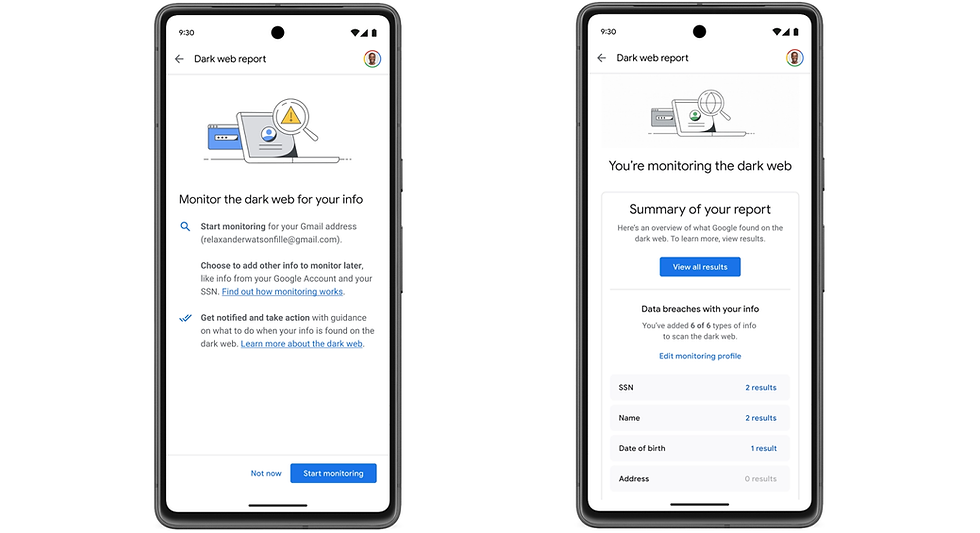
Google is officially pulling the plug on its Google Dark Web Report, a tool that once promised to keep Gmail users and Google One subscribers safe from identity theft. According to recent updates on Google’s support pages, the service will stop scanning for user data on January 15, and the interface itself will vanish by February 15.
For many, this tool was a quiet background utility—something you didn't think about until a red notification dot appeared. For others, it was a primary reason for maintaining a Google One subscription benefit. The retirement marks a shift in how Google approaches consumer security, moving away from scanning hidden marketplaces for passwords and toward scanning public search results for personal contact details.
If you relied on this feature for data breach monitoring, you need to take action before the February deadline. The service is not just pausing; it is being completely removed. This article breaks down exactly why this is happening, what real users experienced during the tool's lifespan, and the specific alternatives you should set up today.
Real User Experiences: Why the Google Dark Web Report Fell Short
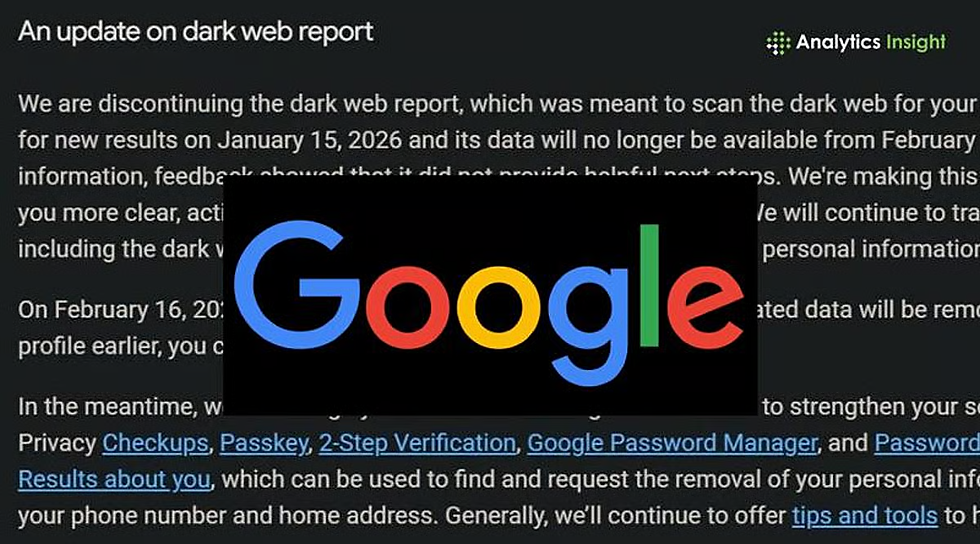
Before discussing where to go next, it is valuable to look at how the tool actually performed. The official reason for the shutdown is that the tool didn't provide "helpful next steps" and lacked user traction. However, the experience of long-term users paints a more complex picture of why the Google Dark Web Report struggled to remain relevant.
The Problem of "Stale" Alerts
A consistent issue reported by users was the significant lag time in reporting breaches. Data breach monitoring is only effective if it allows you to change a password before an account is compromised. Users frequently noted that the Google Dark Web Report would send alerts weeks, sometimes months, after the initial breach occurred.
Comparing this to dedicated security databases, the difference was stark. By the time Google flagged a compromised email, many users had already been notified by other services or had already dealt with the fallout. An alert that arrives three months late isn't a security feature; it's just bad news.
The "Privacy Paradox"
Another friction point that likely hurt adoption was the data requirement. To monitor for sensitive info—like social security numbers or specific financial identifiers—users had to voluntarily hand that data over to Google first.
There is an inherent irony in giving a tech giant more of your private data so they can tell you if your private data is public. Many privacy-conscious users found this trade-off unacceptable. The tool required a level of trust that many were unwilling to give, effectively limiting the tool's utility to basic email scanning.
Duplicate and False Alarms
Usability was also a sticking point. Users often complained about the "Boy Who Cried Wolf" syndrome. The interface would frequently flag the same breach as "new" simply because the dataset was updated, or send terrifying emails about "found data" that turned out to be a password from a service closed ten years ago. When a security tool spams you with redundant information, you stop checking it. That apathy likely contributed to the "low engagement" metrics Google cited when deciding to kill the product.
Subscription Confusion
For a long time, this was a paid feature. People bought Google One plans expecting premium security tools. However, users reported instances where the feature was stripped or altered shortly after they subscribed. When the tool eventually became free for all Gmail users, it devalued the paid subscription for early adopters, creating a confusing value proposition that never quite stabilized.
Essential Data Breach Monitoring Lessons from User Feedback
The failure of this tool teaches us a vital lesson for personal security: don't rely on a "set it and forget it" ecosystem feature. Dedicated services that focus solely on security usually outperform generalist tools bundled with cloud storage. If your data breach monitoring isn't real-time, it isn't working.
Timeline and Facts: Google Dark Web Report Retirement

The shutdown is happening in two distinct phases. If you want to download your history or review current alerts, you have a narrow window.
January 15: Google stops the active scanning process. No new breaches will be detected after this date.
February 15: The "Dark Web Report" interface becomes inaccessible. All historical data and previous alerts within the tool will be deleted.
This affects everyone. Whether you are a free Gmail user or paying for the 2TB+ Google One tiers, the standalone report is gone.
Comparing Google Dark Web Report to "Results About You"
Google isn't abandoning privacy entirely; they are pivoting. The company is directing users to the "Results about you" tool. It is critical to understand that these are two very different things.
The Google Dark Web Report scanned criminal marketplaces (the dark web) for leaked credentials—usernames and passwords.
The Results about you tool scans Google Search for your personal contact info—phone numbers, home addresses, and emails.
This is a change from "account security" to "anti-doxing." While "Results about you" allows you to request the removal of your address from Google Search results, it does not tell you if your Netflix password is being sold by hackers. One protects your privacy from the public; the other protects your accounts from criminals. They are not interchangeable.
Top Data Breach Monitoring Alternatives for 2026
Since Google is stepping back, you need a HaveIBeenPwned alternative or a similar dedicated service to fill the gap. Here are the most effective options based on speed, accuracy, and privacy.
HaveIBeenPwned (HIBP)
This is the gold standard. Founded by security researcher Troy Hunt, HIBP is the database that many other paid services actually use as their source.
Pros: It is free, extremely fast, and respected in the security industry. You can subscribe your email address to receive instant notifications the moment a breach is verified.
Cons: It is a manual tool. It doesn't offer the "one-click fix" or insurance features that paid identity theft services might.
Verdict: For 99% of users, this is the correct replacement for the Google tool.
Mozilla Monitor
If you prefer a polished interface similar to what Google offered, Mozilla Monitor (formerly Firefox Monitor) is the best choice.
How it works: It effectively acts as a user-friendly frontend for the HIBP database but adds a dashboard where you can track multiple emails easily.
Paid Features: They offer a paid tier that also helps remove your data from data broker sites, similar to what "Results about you" does, but more aggressive.
Privacy: Mozilla is a non-profit with a strong reputation for privacy, solving the "trust" issue users had with Google.
Bitwarden / 1Password (Password Managers)
Most modern password managers now include built-in data breach monitoring.
Integration: Since your passwords are already stored in the vault, the manager can instantly flag exactly which account is compromised and help you generate a new password immediately.
Advantage: This closes the loop between "alert" and "action" faster than any standalone report.
Is HaveIBeenPwned a Better Data Breach Monitoring Tool?
Yes. In terms of pure speed and database comprehensiveness, HIBP often alerted users to breaches weeks before the Google Dark Web Report. Because it is community-supported and laser-focused on one task, it doesn't suffer from the corporate bloat or "product pivot" risks that just killed the Google tool.
Action Plan: How to Remove Personal Info from Google

While the Google Dark Web Report is dying, the "Results about you" tool remains a powerful asset for privacy. You should set this up immediately to reduce your digital footprint.
Access the Tool: Go to your Google Account settings and find the "Results about you" section.
Set Up Filters: Input your name, address, phone number, and email.
Enable Notifications: Google will scan its own search index. When it finds a page listing your home address or phone number, it will alert you.
Request Removal: You can request the removal of that search result directly through the dashboard.
Note: This removes the result from Google Search, not the hosting website. However, making the information harder to find is a significant deterrent to casual doxing.
The Future of Free Data Breach Monitoring

The retirement of the Google Dark Web Report signals a trend: tech giants are moving away from offering premium-grade security features for free. Maintaining accurate dark web datasets is expensive and resource-intensive.
We are likely returning to a bifurcated market. On one side, you have community-driven, transparent tools like HaveIBeenPwned. On the other, expensive bundled subscriptions (like NordVPN or specialized identity theft insurance). The middle ground—where Google tried to sit—is disappearing.
If you have been relying on Google to tell you when your passwords are stolen, your safety net is about to be removed. Take ten minutes today to set up a HaveIBeenPwned alert and audit your password manager. The tools have changed, but the threat hasn't.
Frequently Asked Questions
1. When will the Google Dark Web Report officially stop working?
The tool ceases active scanning on January 15, 2026. You will lose access to the dashboard and all historical report data on February 15, 2026.
2. Is there a direct replacement for the Google Dark Web Report within Google One?
No, there is no direct replacement for dark web scanning inside Google One. The feature is being replaced by "Results about you," which monitors search results for personal info but does not check for stolen passwords.
3. Does the "Results about you" tool check for leaked passwords?
No, it does not. "Results about you" only looks for your personal contact details (address, phone number) appearing in public Google Search results, not credentials sold on criminal marketplaces.
4. Is HaveIBeenPwned safe to use for email monitoring?
Yes, HaveIBeenPwned is widely considered safe and is used by security professionals globally. You only need to provide your email address (which is already public) to check for breaches, never your password.
5. Why did Google decide to shut down the Dark Web Report?
Google stated that the tool did not have enough user engagement and failed to provide actionable next steps for users. Additionally, they are streamlining their services to focus on tools like "Results about you" that offer more direct control over Google Search data.
6. Will I get a refund on my Google One subscription because this feature is removed?
Google has not announced any partial refunds for this change. The Google Dark Web Report was recently made free for all users, so it is no longer considered an exclusive paid benefit of the subscription.


