Adobe Apps in ChatGPT: The End of the Subscription Paywall?

Updated: Aug 21

For years, accessing industry-standard creative tools meant paying a monthly "tax" to Adobe. If you just needed to merge two PDF files or brighten a photo for a presentation, the full Creative Cloud subscription felt like overkill. That dynamic shifted on December 10, 2025.
OpenAI and Adobe have integrated Adobe apps in ChatGPT, allowing users to perform edits directly within the chat interface. It is currently free for ChatGPT users. There is no need to download the desktop software, and for many basic tasks, there is no need to pay.
This integration isn't just about convenience; it represents a fundamental change in how we access creative software. We are moving away from complex dashboards toward natural language commands. You ask for a change, and the AI executes it.
Hands-On Experience: Using Adobe Apps in ChatGPT for Real Work
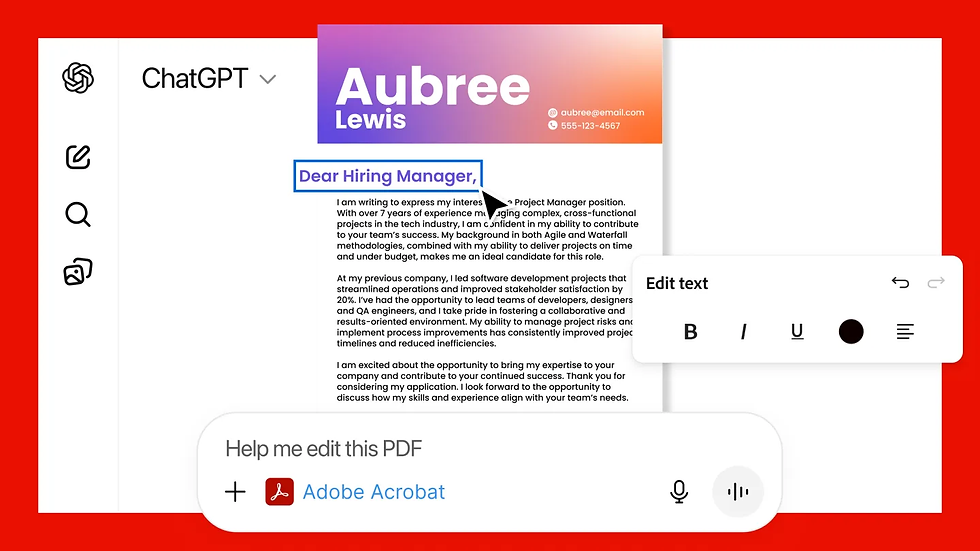
I tested this integration immediately to see if it could replace my usual workflow. My goal was simple: take a raw image, clean it up for a web post, and then combine a few documents into a single PDF report. These are the mundane administrative tasks that usually require opening three different heavy applications.
The process is surprisingly fluid. You don't "open" an app inside the window. You simply tag the tool in your prompt. For example, typing "Adobe Photoshop, help me blur the background of this image" triggers the specific agent.
Photo Editing Workflow with Adobe Apps in ChatGPT
In my test, I uploaded a poorly lit product photo. Instead of fiddling with curves and levels, I typed: "Brighten this and apply a cool tone." The response was immediate. The system provided a preview of the edit along with sliders.
This is the crucial part—sliders. Adobe apps in ChatGPT don't just give you a static result you have to accept or reject. The interface offers adjustment toggles for brightness, contrast, and exposure right in the chat. It felt tactile. I didn't have to re-prompt the AI to "make it a bit brighter." I just dragged the slider.
For the PDF test, I uploaded a messy financial statement and a cover letter. The command "Merge these and redact the phone number" worked seamlessly through the Acrobat integration. It identified the text, allowed me to select the redaction area, and provided a clean download link.
The experience isn't perfect. Complex layering or precise pixel-peeping isn't possible here. But for the 90% of non-designers who just need a "good enough" result quickly, this solution is faster than launching the full Photoshop app. It removes the friction between having a file and finishing the task.
Technical Breakdown: What Features Are Actually Available?

Understanding the boundaries of this tool saves time. You aren't getting the full Creative Cloud suite. You are getting a curated selection of API-driven actions designed for speed.
Photoshop Integration This is not for deep compositing. It handles the "fix it" tasks. You can crop, resize, and adjust lighting (exposure, contrast, highlights). The "Magic Wand" style features are here too—removing backgrounds, blurring distractions, and applying stylized effects like "Glow" or "Glitch."
Adobe Express Integration This handles creation rather than editing. If you need an invitation, a social media banner, or a flyer, Express generates the layout. For branding tasks, you can also use an AI logo generator to quickly explore logo concepts before refining the final design in Adobe Express. It uses templates. You tell it the event details, and it populates the design.
Managing Documents via Adobe Apps in ChatGPT (Acrobat)
For general users, the Acrobat integration is the strongest value proposition. PDF software is notoriously annoying and often expensive. Through Adobe apps in ChatGPT, the functionality covers the essentials that usually sit behind a paywall:
Merging and Splitting: Combine multiple reports into one file or extract specific pages.
Conversion: Turn PDFs into Word documents or image files.
Compression: Shrink large files for email attachments.
Redaction: Black out sensitive information before sharing.
The interface for these PDF tools allows you to see the page thumbnails, making it easy to reorder or select specific pages to keep. This solves the "Edit PDF without subscription" problem that plagues office workers everywhere.
The Privacy Reality: Your Data and Adobe Apps in ChatGPT

Whenever "free" and "big tech" appear in the same sentence, you should worry about your data. The community reaction has been skeptical, and rightfully so. Is Adobe using your family photos to train their next generation of Firefly models?
Here is the official stance: Adobe states that content created or edited within ChatGPT is not used to train their generative AI models. The data doesn't automatically sync to the Adobe Creative Cloud unless you explicitly choose to log in and save it there.
However, you are operating within OpenAI's environment.
Configuring ChatGPT Data Privacy Settings
To ensure your documents and photos aren't being used for model training, you need to look at OpenAI’s settings, not just Adobe’s.
If you are on a free or Plus plan, OpenAI may use your chat history to improve their models by default. If you are uploading sensitive contracts to edit with Acrobat, or personal photos to edit with Photoshop, you should verify your Data Controls.
Go to ChatGPT Settings.
Locate Data Controls.
Switch off "Improve the model for everyone" (or the equivalent setting for your region).
While Adobe provides the tool, OpenAI provides the platform. Security relies on managing both. If you require absolute zero-trust privacy (e.g., for legal documents), offline software remains the only fool-proof option.
Platform Availability and Limitations

The rollout of Adobe apps in ChatGPT is fragmented across devices.
Desktop and Web:This is the full experience. You get Photoshop, Acrobat, and Express. The sliders work well with a mouse, and file management is straightforward.
Mobile (iOS):The iPhone app supports all three integrations. The touch interface for sliders is surprisingly responsive.
Mobile (Android):As of late 2025, Android users only have access to Adobe Express. Photoshop and Acrobat functionalities are delayed. If you are on Android and need to edit a PDF, you will have to wait or use a browser workaround.
The "Open in App" Upsell You will notice buttons encouraging you to "Open in Desktop App." This is Adobe's strategy. They want ChatGPT to be the funnel. You start your edit for free in the chat, hit a limitation (like needing a specific brush), and click the button. It’s a clever way to acquire users, but for the scope of this article, you can ignore those buttons and get a significant amount of work done without them.
Final Thoughts
The integration of Adobe apps in ChatGPT effectively kills the need for "freemium" online PDF editors and sketchy photo-fixing sites. It consolidates these utilities into a clean, ad-free interface. While professional designers won't cancel their subscriptions, the average user just gained a powerful set of free tools.
FAQ
Is using Adobe apps in ChatGPT completely free?
Yes, the features currently available within the chat interface are free for ChatGPT users. You do not need an active Adobe Creative Cloud subscription to use the basic editing, merging, or generation tools.
Do I need an Adobe account to edit photos in ChatGPT?
You can perform edits without signing in, but connecting an account allows you to save your projects to the cloud for later access. Some advanced workflows may eventually prompt for a login to seamlessly transfer files to desktop apps.
Can OpenAI or Adobe see the files I upload?
OpenAI processes the files to enable the interaction, and Adobe processes them to apply the edits. Adobe claims they do not use this data for training. You should disable model training in your ChatGPT settings if you are concerned about OpenAI using your data.
Why can't I see Photoshop on my Android ChatGPT app?
Currently, the Android version of the integration only supports Adobe Express. Photoshop and Acrobat features are available on iOS, Desktop, and Web versions, with Android support planned for a later release.
What is the best way to edit PDF without subscription using AI?
Use the Acrobat agent inside ChatGPT. It allows you to merge, split, compress, and convert PDFs via natural language commands without watermarks or page limits common in other free tools.
