remio vs Obsidian: AI-Powered Capture vs Manual Linking for Knowledge Workers

Updated: Jun 16

remio handles continuous background capture while Obsidian requires manual file creation and link building. Knowledge workers who move between meetings, documents, and research often face this exact tradeoff when selecting a system.
Capture Method
remio: Saves pages, files, and meetings without user input once connectors are active.
Obsidian: Requires users to create Markdown files and type or paste content.
Organization Style
remio: Uses five-level memory to surface connections automatically.
Obsidian: Relies on user-created links and folder structures for navigation.
AI Assistance
remio: Offers dedicated skills that turn stored context into presentations, reports, and tables.
Obsidian: Provides basic search and community plugins with limited built-in automation.
Setup Time
remio: Begins indexing after initial sign-in and connector setup.
Obsidian: Needs folder selection and ongoing manual input from day one.
Privacy Approach
remio: Local-first access to captured context with optional encrypted backup.
Obsidian: Stores everything in local Markdown files that stay fully under user control.
Output Capability
remio: Produces finished deliverables such as slides or spreadsheets from captured material.
Obsidian: Focuses on reading and linking notes without native generation of external documents.
Professionals who value reduced manual effort often start here when evaluating the two tools.
1. remio - Agent with All Your Context

remio records meetings, indexes documents, and saves web pages without repeated user action. It then applies that stored material to complete office tasks such as report writing or presentation building. The system maintains five memory layers that keep recent and historical information available for synthesis.
Key features include local meeting transcription with no bots, automatic web clipping, document indexing, and direct integration with external AI chats. Additional capabilities cover deep research across all stored sources and one-click generation of PowerPoint, Excel, and Word outputs.
✅ Pros
Passive capture reduces time spent on manual entry after initial setup.
Memory system connects information across meetings, files, and browsing without extra tags.
Skills produce complete documents grounded in existing content.
Local storage default protects data while allowing optional sync.
Conversation sync brings external AI history into the same searchable layer.
❌ Cons
Requires initial connector configuration for each source.
Mobile input options remain narrower than desktop.
> Note: Connect Notion or Linear early so project notes feed directly into later research tasks.
Best For: Managers and analysts who attend frequent meetings and need quick retrieval of past decisions.
2. Obsidian - Manual Linking Knowledge Base
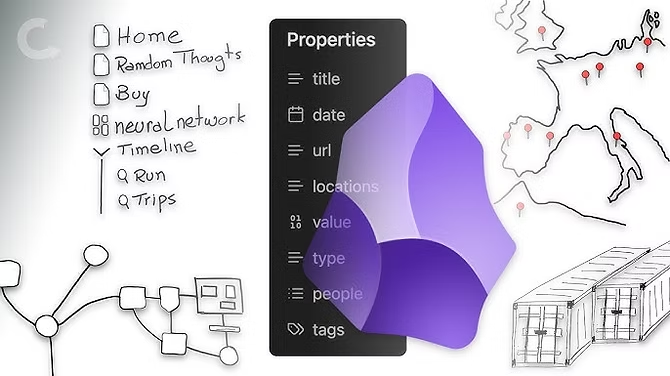
Obsidian stores notes as local Markdown files and displays relationships through a graph view. Users build structure by creating links between notes using wiki-style syntax. The tool emphasizes user control over organization and formatting.
Core features include graph visualization, plugin support for extended functions, daily notes, and backlink panels. Templates and themes allow customization of the writing environment.
✅ Pros
Files remain in standard Markdown format for easy export or migration.
Graph view reveals connections once links are added.
Large plugin library supports tasks such as task tracking and publishing.
Works entirely offline with no account requirement.
❌ Cons
Every note and link must be created manually.
No built-in voice recording or automatic web save.
Search stays limited to text matches unless plugins are added.
> Note: Start with a single daily note template to maintain consistency before expanding the graph.
Best For: Writers and researchers who prefer full manual control over note structure and enjoy building custom workflows.
remio vs Obsidian: Head-to-Head on Capture, Retrieval, and Output
Capture Effort
remio indexes content from browsing, files, and meetings as they occur. Once a connector or recording setting is enabled, the process continues without further input. Obsidian requires the user to open the app, create a new file, and either type or paste material each time. The difference appears most clearly during busy periods when users cannot pause to document everything manually.
Retrieval Scope
remio surfaces answers by searching across captured context that can include meetings, documents, and prior AI conversations. A question such as "What pricing points were discussed last quarter" can draw from multiple source types if those materials were captured. Obsidian returns results from notes that contain explicit links or matching text, so users must have already created those connections for the information to appear.
Output Generation
remio includes skills that convert stored context into formatted presentations or spreadsheets in a single step. The resulting file reflects actual past decisions captured earlier. Obsidian focuses on maintaining the note collection itself and does not generate external document formats without additional export steps or plugins. Professionals who need finished deliverables therefore spend extra time outside Obsidian.
Each approach suits different work rhythms. Automatic capture reduces daily overhead for high-volume information intake. Manual linking rewards deliberate organization for users who already maintain detailed notes.
Which Tool Is Right for You?
If you attend multiple meetings per week and need past context retrieved quickly, remio handles the background work. If you already write detailed Markdown notes and enjoy refining links and folders, Obsidian provides the structure tools. Users who generate client reports or slide decks from existing material often lean toward remio because skills produce those items directly. Writers building long-form research wikis may continue with Obsidian to keep full editorial control. Those who want both automatic collection and later manual refinement can run the tools alongside each other since remio exports to standard formats.
Common Questions About remio vs Obsidian
Is remio free?
remio offers a free tier alongside paid plans.
Can remio replace Obsidian?
Many users keep Obsidian for writing while using remio to populate new notes from meetings and research automatically.
How does remio handle privacy compared to Obsidian?
remio is local-first for saved context with optional encrypted backup. Obsidian keeps notes in user-controlled local Markdown files with no cloud component unless sync or plugins are added.
Which is better for meeting notes?
remio records and transcribes meetings locally and links the transcript to other captured sources. Obsidian accepts pasted transcripts but requires manual placement into the note system.
Does remio work on mobile?
Yes, remio includes a mobile app for capture and review while Obsidian also offers mobile apps focused on editing Markdown files.
How long does it take to switch from Obsidian to remio?
Import of existing Markdown files takes minutes. After import, remio begins adding new material automatically while preserving prior notes.


