The Recent LG TV Update Forced Microsoft Copilot on Users: Fixes and Analysis


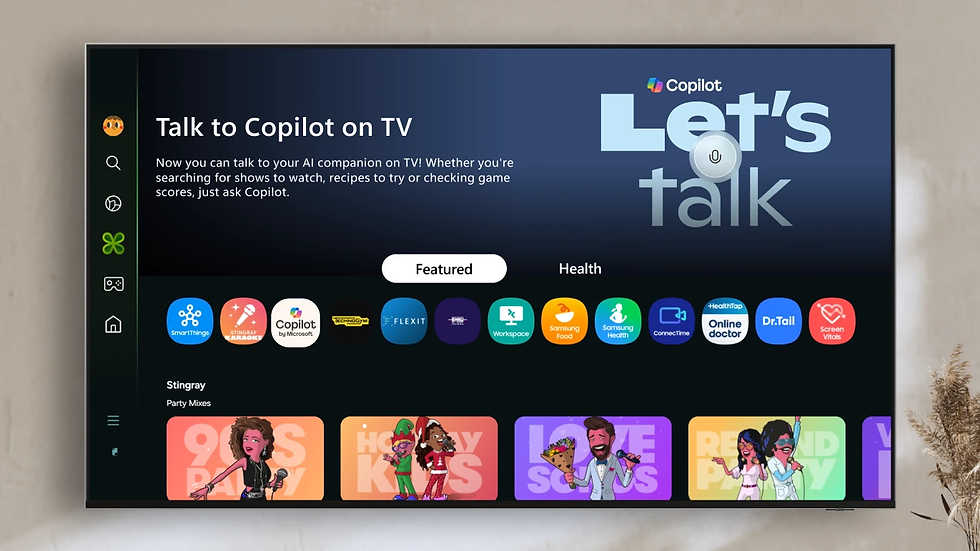
If you turned on your television recently expecting to navigate directly to your HDMI inputs or a streaming app, you might have noticed an intruder on your launch bar. A widespread LG TV update has automatically installed Microsoft Copilot, pinning its icon prominently on the home screen.
This wasn't an optional download. For many owners, the application appeared overnight, occupying prime real estate on the webOS interface. While LG promoted its "AI TV" strategy heavily at CES 2025, the reality for the end-user feels less like a feature upgrade and more like an advertisement they cannot opt out of.
This article breaks down exactly what this update does, why the industry is moving in this direction, and—most importantly—what specific steps you can take to regain control of the display you paid for.
Practical Solutions: Managing the LG TV Update and Microsoft Copilot

Before discussing the corporate strategy behind this move, let’s address the immediate problem. You have a Microsoft Copilot icon you didn't ask for, and you want to clean up your interface.
The reality of modern smart TV firmware is that once an update is applied, rolling it back is nearly impossible without specialized hardware tools. However, you can prevent future intrusions and mitigate the current annoyance.
Network Level Blocking: Using DNS to Stop the LG TV Update
If you want to keep your TV connected to the internet for streaming apps but want to stop LG from pushing new icons, firmware changes, or telemetry data, you need to block their servers at the network level.
This requires accessing your router’s "Block List" or "URL Filtering" settings. For more advanced users, running a PiHole (a network-wide ad blocker) is the gold standard.
Based on technical analysis of webOS traffic, blocking the following domains can stop the TV from communicating with update servers and ad delivery networks:
snu.lge.com
su.lge.com
su-ssl.lge.com
snu-ssl.lge.com
snu-dev.lge.com
su-dev.lge.com
By adding these to your blocklist, you effectively freeze the LG TV update mechanism. The TV will think it is offline regarding firmware checks while still allowing Netflix or YouTube to function (provided those apps don't rely on LG's specific handshake servers).
The "Dumb TV" Approach: Disconnecting webOS Entirely
The most effective method to remove bloatware concerns is to remove the internet connection entirely. This is often referred to as running the device in "Dumb TV mode."
If you factory reset your TV, newer models like the LG 32LR655BPUA allow you to skip the network setup stage during the initial installation. By refusing the Wi-Fi connection and agreeing to only the mandatory legal terms (often separate from the Smart TV terms of service), you get a cleaner interface.
If you have already accepted the updates, you can simply "Forget Network" in the settings or physically unplug the Ethernet cable. Without an internet connection, the Microsoft Copilot web wrapper cannot launch, and the icon becomes a dead link that is easier to ignore.
Hardware Alternatives: Bypassing the Interface
Many long-term owners have abandoned the native OS entirely due to performance degradation. As these TVs age, the software becomes heavier with ads and tracking, leading to input lag on the remote.
The consensus solution is to treat the TV strictly as a monitor. By setting the TV to boot directly to the last used HDMI input, you can rely on external streaming devices that offer better privacy and performance.
Nvidia Shield Pro: Widely considered the best performer for local media playback and 4K upscaling. It is Android-based but far cleaner than TV OS implementations.
Apple TV: Known for a strict no-ad policy on its home screen and high privacy standards.
Projectivy Launcher: If you use an Android-based streaming stick (or a different brand of TV based on Android), installing a third-party launcher like Projectivy allows you to strip away all manufacturer UI elements in favor of a clean, customizable grid.
What the Microsoft Copilot Feature Actually Does on Your TV

The integration of Microsoft Copilot into webOS is part of a larger partnership between LG and Microsoft, but the implementation is currently shallow.
Web-Based Shortcuts vs. Native Apps
Despite the prominent placement, this isn't a deeply integrated native application. When you click the Copilot icon, it essentially launches a browser window directed to the Copilot web interface. It acts as a shortcut rather than a dedicated piece of software optimized for television controls.
This makes the inability to remove it even more frustrating for users. It is essentially a bookmark that LG has decided must live on your main taskbar.
Cannot Delete, Only Hide: The New Bloatware Standard
If you attempt to manage your apps to get rid of it, you will hit a wall. LG's support documentation and user reports confirm that pre-installed "partner" applications cannot be deleted.
The best you can do within the official ecosystem is "hide" the app or move it to the very end of your app scrolling list. This "hide, don't delete" philosophy is becoming standard across the industry, ensuring that paid placements remain on the device regardless of user preference.
The Broader Trend: Why LG and Samsung Are Pushing AI Integration

It is not just an LG TV update. Competitors like Samsung are integrating Google’s Gemini, and the industry is collectively pivoting toward "AI TV." Understanding why this is happening helps explain why it won't stop anytime soon.
The Shift from Hardware Sales to Data Monetization
The profit margins on consumer electronics hardware have thinned over the last decade. A 4K panel that used to cost $2,000 can now be bought for a fraction of that price. To compensate for lower hardware profits, manufacturers have turned their operating systems into ad platforms.
Your usage data—what you watch, when you watch, and how you interact with the interface—is valuable. Forcing an AI assistant like Microsoft Copilot onto the screen isn't just about adding a feature; it's about creating a new touchpoint for engagement and data collection. Every interaction with the AI is a data point that can be monetized.
The Decline of System Performance Over Time
This business model has a side effect: performance rot. As updates add more telemetry, ad slots, and features like Copilot, the processor inside the TV (which cannot be upgraded) struggles to keep up.
Users frequently report that their interface becomes sluggish a year or two after purchase. Menus lag, volume controls delay, and apps crash. This planned obsolescence encourages users to buy new sets not because the screen is broken, but because the software has become unusable.
User Demand for Control and the "Dumb TV" Gap

There is a growing disconnect between what manufacturers are selling and what power users want. The market is saturated with "Smart" TVs, while the demand for high-quality "Non-Smart" displays (or Dumb TVs) is ignored.
Brands like Sceptre used to fill this niche, but finding a high-end OLED panel without an operating system attached is currently impossible. The market has signaled clearly: if you want the best picture quality, you must accept the operating system that comes with it.
Until a manufacturer decides to break ranks and offer a "Pro Monitor" version of their consumer TVs—stripped of ads, AI, and bloatware—users will have to rely on DNS blocks and external streaming boxes to maintain a clean experience.
The forced addition of Microsoft Copilot via this LG TV update is just the latest symptom of a hardware industry trying to become a software services industry, whether the customer agrees to it or not.
FAQ Section
1. Can I completely uninstall Microsoft Copilot from my LG TV?
No, you cannot completely uninstall the application. It is classified as a core system app by LG. The only official option is to move the icon to the end of your app list or hide it from the home screen view using the app editing mode.
2. Will factory resetting my LG TV remove the Copilot update?
Factory resetting will only remove the update temporarily if the TV is not reconnected to the internet. If you reset the TV and connect it to Wi-Fi, the LG TV update will eventually download and reinstall the Microsoft Copilot app automatically.
3. Does the Microsoft Copilot app record my screen or voice?
The current version acts primarily as a web shortcut to the chat interface. However, using the feature requires agreeing to Microsoft's privacy policy, and interaction via the remote's microphone would be subject to data collection for service improvement, typical of AI assistants.
4. How do I skip the internet setup on a new LG TV?
On many newer models, you can press the "Back" or "Exit" button on the remote during the network selection screen of the initial setup. Some firmware versions allow you to select "Connect Later" or "Skip," letting you use the TV solely for HDMI inputs without activating webOS smart features.
5. Why is my LG TV menu slow after the recent update?
Smart TV processors are often underpowered compared to smartphones or computers. When an LG TV update adds new background processes, ads, or features like Copilot, it consumes more system resources, leading to lag and delayed responses from the remote control.