top of page
remio AI Presentation workspace and source materials

Sales presentation tools

Choose a workflow for buyer briefs, company decks and the revisions between sales meetings.

For Windows 10+ (x64) and Apple silicon Macs.

Sales presentation tools

Choose a workflow for buyer briefs, company decks and the revisions between sales meetings.

For Windows 10+ (x64) and Apple silicon Macs.

Download remio
remio AI Presentation workspace and source materials

AI sales presentation tools

Compare five AI sales presentation workflows by source material, branding, revisions and delivery. Choose the fit for your next buyer meeting.

remio

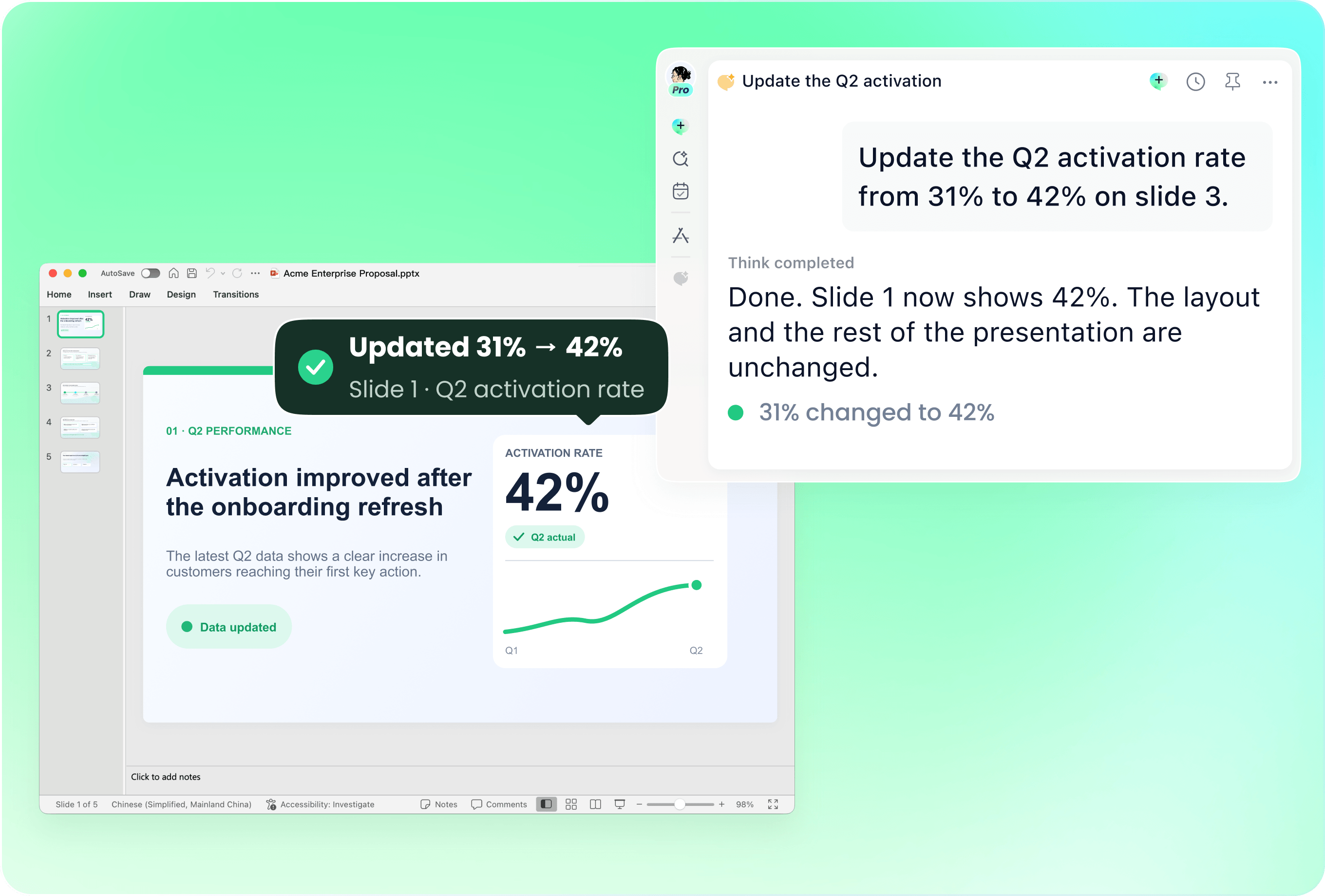
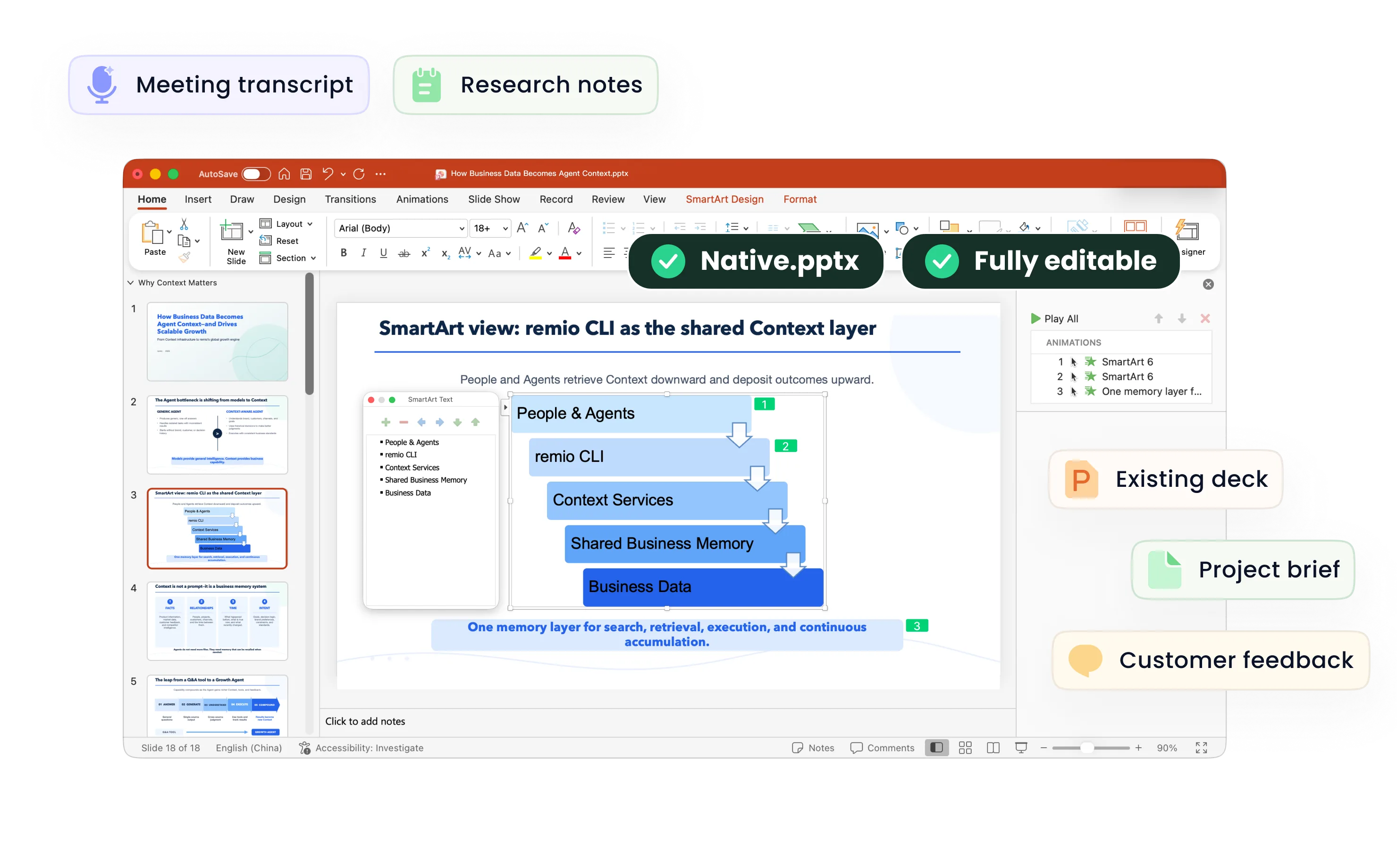
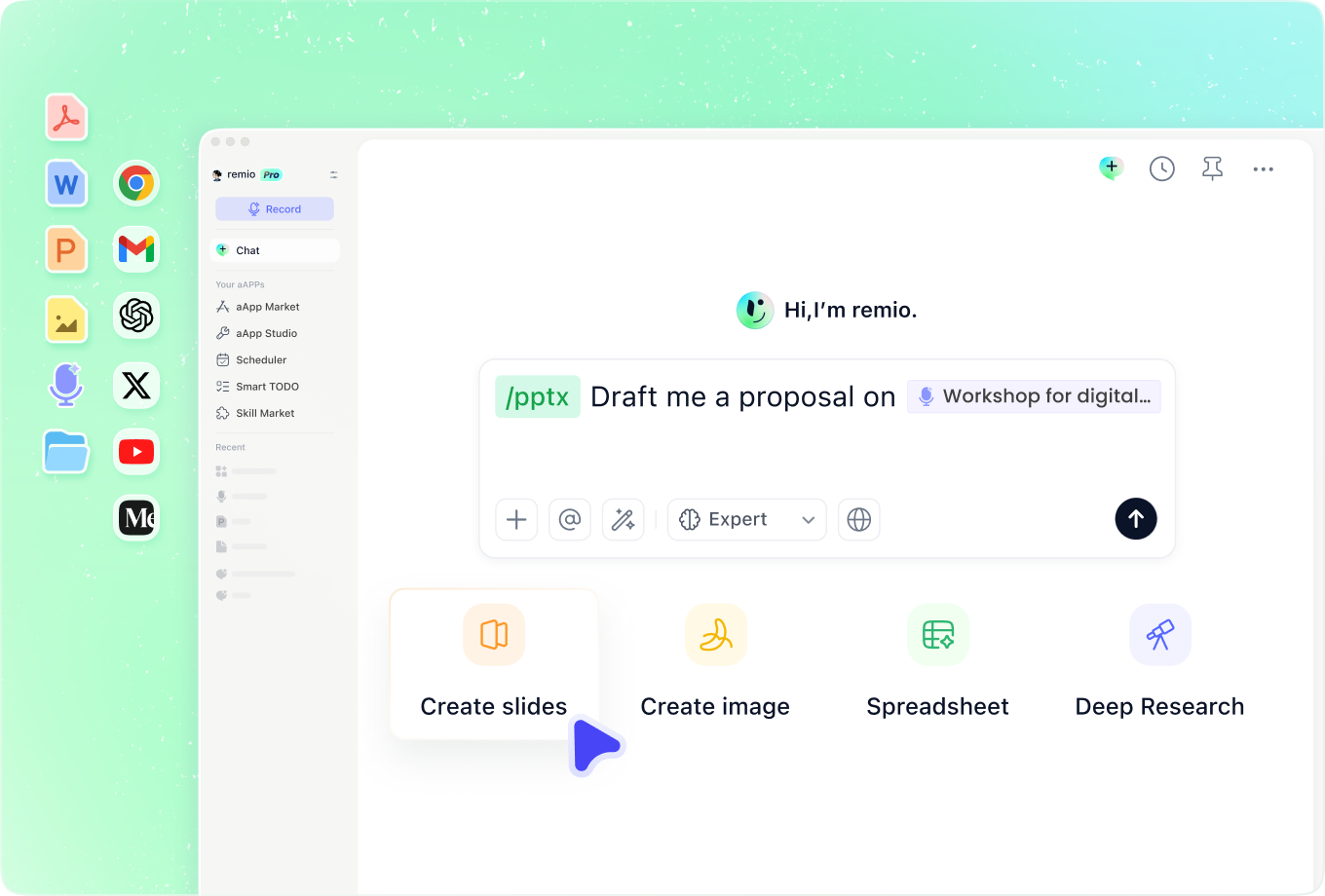
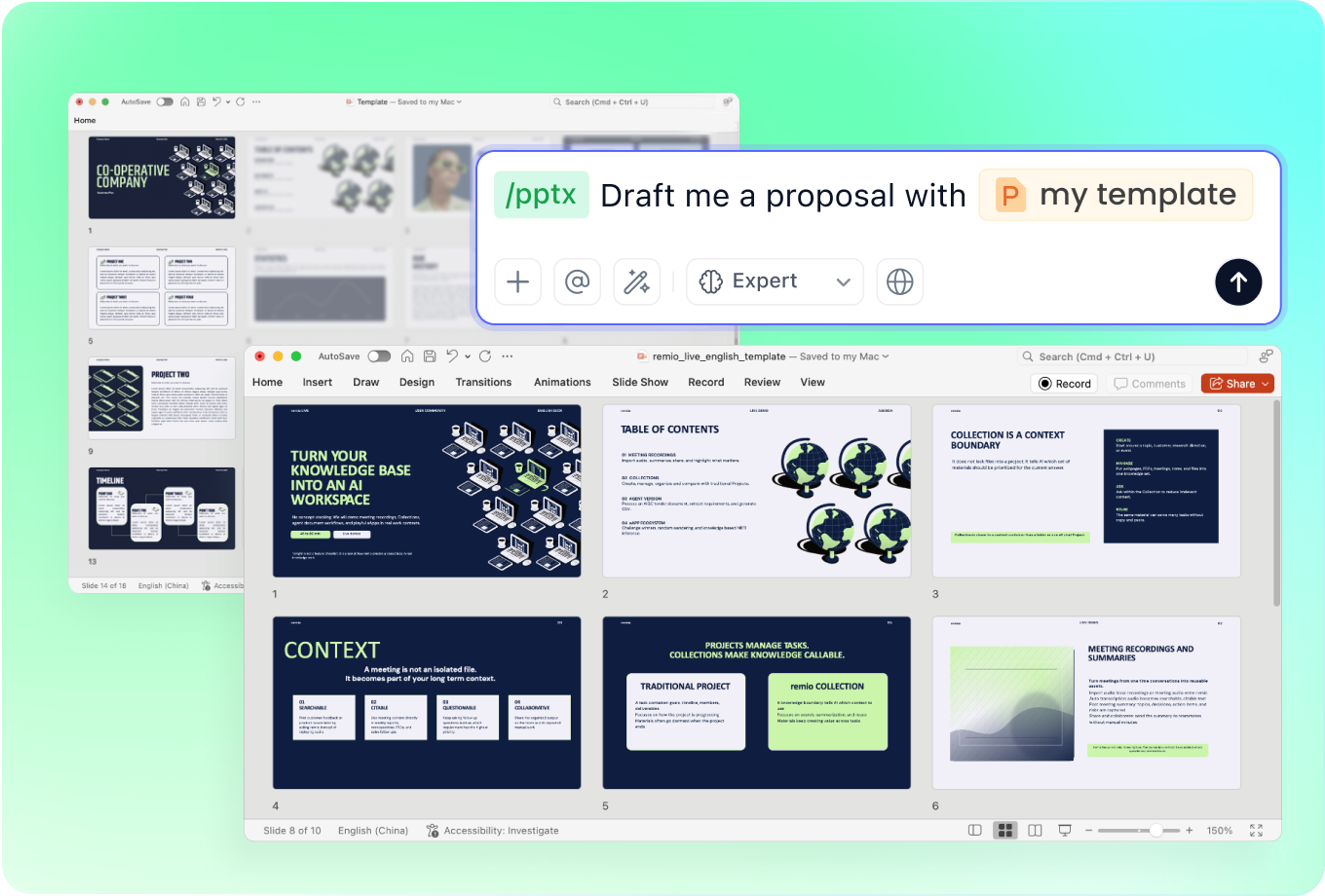
Consider remio when the deck draws on discovery notes, product documents and the context behind an existing presentation. Add the buyer brief and company PowerPoint, then describe the story and revisions you need. Review source facts, commercial assumptions and the final editable deck before sending it to a customer. The desktop workflow runs on Windows x64 and Apple silicon Macs.
Canva

Canva documents AI presentation generation from a prompt, outline review and editing in its design editor. Its Brand Kits and Brand Templates can suit a team already maintaining visual assets there. Test the buyer-specific message, brand consistency and PowerPoint handoff with the material your sales team actually uses.

Gamma

Gamma documents imports from PowerPoint, Word and PDF, custom themes and PowerPoint export. Consider its online presentation workflow when it fits how your team creates and shares decks. Try an account review or proposal revision and inspect the exported charts, text and layout in the environment your customer will use.

Beautiful.ai

Beautiful.ai documents Brand Kits that supply colors, fonts, logos and styling to team templates, shared slides and AI-generated decks. This can fit teams standardizing a recurring presentation format. Check how a real account-specific narrative and a changed metric fit the shared design, along with the controls available to your team.

Prezi

Prezi documents AI drafts from a prompt or uploaded materials and an open, zoomable presentation canvas. Consider that presentation style when the live conversation benefits from moving between ideas. Rehearse the actual buyer meeting and check the sharing or export format you need for a follow-up readout.

Compare with your own material

From source material to a PowerPoint file you can keep updating.

  1. Define the outcome

    Choose the audience, source material and final delivery format.

  2. Use the same sample

    Review a draft and request one realistic revision.

  3. Inspect the result

    Check facts, readability and the output in your target environment.

FAQs

Which sales presentation tool is best for my team?

Start with the sales task: an account review, proposal, discovery recap or product explanation. Compare how each workflow uses your source material, follows your brand and handles the next revision. The best fit depends on the work your team needs to finish.

Can an AI deck use discovery notes and product evidence?

Supply the approved notes, product details and supporting sources, and identify the buyer and decision to support. In remio, combine this context with the current company deck. Check that claims, figures and commitments remain consistent with the approved material.

Should I use the same deck for every customer?

Use a shared company structure where it helps, then adapt the problem, relevant evidence and next step to the account. Remove unrelated slides and check customer names, reporting periods and commercial details before sharing.

How should I compare these tools?

Use one approved buyer brief and company deck. Review the first outline, request the same realistic revision and inspect the final delivery. These descriptions draw on product documentation checked on 10 November 2026; they are a workflow guide rather than a speed or pricing benchmark.

How do I try a sales deck in remio?

Download remio, add your buyer notes and relevant product material, and provide the existing company presentation. Describe the audience, meeting goal and requested changes. Review the outline and refine the editable PowerPoint before your meeting.

AI sales presentation tools

Compare five AI sales presentation workflows by source material, branding, revisions and delivery. Choose the fit for your next buyer meeting.

remio

remio

Consider remio when the deck draws on discovery notes, product documents and the context behind an existing presentation. Add the buyer brief and company PowerPoint, then describe the story and revisions you need. Review source facts, commercial assumptions and the final editable deck before sending it to a customer. The desktop workflow runs on Windows x64 and Apple silicon Macs.

Canva

Canva

Canva documents AI presentation generation from a prompt, outline review and editing in its design editor. Its Brand Kits and Brand Templates can suit a team already maintaining visual assets there. Test the buyer-specific message, brand consistency and PowerPoint handoff with the material your sales team actually uses.

Gamma

Gamma

Gamma documents imports from PowerPoint, Word and PDF, custom themes and PowerPoint export. Consider its online presentation workflow when it fits how your team creates and shares decks. Try an account review or proposal revision and inspect the exported charts, text and layout in the environment your customer will use.

Beautiful.ai

Beautiful.ai

Beautiful.ai documents Brand Kits that supply colors, fonts, logos and styling to team templates, shared slides and AI-generated decks. This can fit teams standardizing a recurring presentation format. Check how a real account-specific narrative and a changed metric fit the shared design, along with the controls available to your team.

Prezi

Prezi

Prezi documents AI drafts from a prompt or uploaded materials and an open, zoomable presentation canvas. Consider that presentation style when the live conversation benefits from moving between ideas. Rehearse the actual buyer meeting and check the sharing or export format you need for a follow-up readout.

Compare with your own material

From source material to a PowerPoint file you can keep updating.

01

Define the outcome

Choose the audience, source material and final delivery format.

02

Use the same sample

Review a draft and request one realistic revision.

03

Inspect the result

Check facts, readability and the output in your target environment.

FAQs

  • Start with the sales task: an account review, proposal, discovery recap or product explanation. Compare how each workflow uses your source material, follows your brand and handles the next revision. The best fit depends on the work your team needs to finish.

  • Supply the approved notes, product details and supporting sources, and identify the buyer and decision to support. In remio, combine this context with the current company deck. Check that claims, figures and commitments remain consistent with the approved material.

  • Use a shared company structure where it helps, then adapt the problem, relevant evidence and next step to the account. Remove unrelated slides and check customer names, reporting periods and commercial details before sharing.

  • Use one approved buyer brief and company deck. Review the first outline, request the same realistic revision and inspect the final delivery. These descriptions draw on product documentation checked on 10 November 2026; they are a workflow guide rather than a speed or pricing benchmark.

  • Download remio, add your buyer notes and relevant product material, and provide the existing company presentation. Describe the audience, meeting goal and requested changes. Review the outline and refine the editable PowerPoint before your meeting.

FAQs

bottom of page