2026年你必须尝试的10大数字笔记本
- Aisha Washington

- 6月5日
- 讀畢需時 12 分鐘

Here are the top 10 digital notebook apps you should try in 2026: remio, Notion, Microsoft OneNote, Evernote, GoodNotes, Apple Notes, Google Keep, Zoho Notebook, Obsidian, and Simplenote. Each digital notebook is designed to help you capture ideas, keep your notebooks organized, and find information quickly. The digital notebook market is projected to be worth over $1 billion in 2025 and will continue to grow over the next decade. Research shows that digital notebook apps with AI features can help people work up to 30% faster and organize their notebooks more efficiently.
Source | Finding |
Gartner | AI-powered digital notebook apps can help people work faster by up to 30%. |
Harvard Business Review | Users remember up to 25% more information with AI-powered digital notebook tools. |
Pew Research Center | People spend up to 50% less time searching for notes in digital notebooks. |
McKinsey & Company | Companies using AI digital notebook tools work 20-30% faster and generate 15-20% more new ideas. |
Key Takeaways
Try top digital notebook apps like Remio, Notion, and Evernote. These apps help you take better notes in 2026.
Use AI features in digital notebooks to work faster. You can get up to 30% more done. You can remember 25% more information.
Keep your notes neat with folders, tags, and clear headings. This makes searching and sorting much easier.
Connect your digital notebook with other tools like calendars. You can also use project management apps. This helps you work better.
Test different apps to find the one you like most. Pick the app that fits your style and needs. This helps you get more done.
Digital Notebook Trends 2026
Productivity Features
In 2026, digital notebook apps will have many helpful features. These features help you get more done each day. Many apps use AI to give you coaching and writing help. Some even track your mood. AI note takers can listen to meetings and write down notes for you. They can also make summaries and list action items. This means you can pay attention to the meeting instead of typing. Some apps work in many languages and connect with chat platforms. You can brainstorm with your team, and AI will show important ideas and send out tasks right away.
Trend | Description |
Personal coaching, writing help, and mood tracking with smart assistants. | |
Data Privacy Measures | Blockchain security, end-to-end encryption, and biometric authentication. |
Integration with Wearables | Smartwatch journaling, voice memos, and IoT-enabled syncing. |
You can use tools to make daily notes and manage tasks. Expandable outlines help you keep things neat. These features help you work faster and keep your notes tidy.
Organize Your Notes
It is easier than ever to organize your notes now. Many apps let you use folders, tags, and colors. For example, Google Keep lets you color your notes and use voice notes. It can also write down what you say. Apple Notes gives you folders, tags, and lets you scan papers. These tools help you find things fast and keep notes in order. Try using tags that go in levels and clear names for your notes. This helps AI sort and search your notes better, so you save time.
Tip: Use clear and simple headings in your notes. This helps AI tools read your notes and makes searching much faster.
Integration Tips
You can save time by syncing your notebook with other tools. Make templates for different kinds of notes. This keeps your work neat and easy to follow. Use tags in levels so AI can organize your notes better. Give your notes clear names and add extra info to each one. This makes it easier to search and sort. Sync your notebook with your calendar, email, and project tools. This saves you time and keeps everything together.
Make templates for each kind of note.
Use tags in levels to organize better.
Name your notes clearly so you can find them.
Add extra info to help you work faster.
Sync your notebook with other tools you use.
Watch your API use and costs if you use many services. Saving content you use a lot can also help you work faster.
Top 10 Digital Notebook Apps

1. remio
remio 3.0 (released April 2026) is the most capable personal knowledge system on this list, built around a complete Agent system rather than a note editor. Connect your sources — web browsing, meetings, local files, Slack, Gmail, Outlook, and even your ChatGPT and Gemini conversation histories — and remio builds a searchable, AI-queryable knowledge base automatically. Nothing needs to be manually organized.
The 3.0 release introduced rOS (remio Agent OS) and 30+ agentic apps (aApps). AK Wiki — an implementation of Andrej Karpathy's LLM Wiki pattern — ships as a built-in aApp, turning your knowledge corpus into a structured wiki with zero manual page creation. Smart Todo extracts action items from meetings. My Headlines generates daily briefings from your saved content. Skills include PPT generation, spreadsheet analysis, deep research, and Browser-Use. One-click connectors for Notion, Linear, Zapier, Stripe, and full MCP standard.
The five-level memory system spans your foundational preferences, session context, daily activity logs, cross-platform AI conversation history (ChatGPT, Gemini, Grok, DeepSeek), and full knowledge corpus. rVault creates automatic backups before any Agent writes to files.
Key Features
Automatic capture from web, meetings, files, emails, and external AI chats
Five-level persistent memory — context that compounds over time
30+ aApps: AK Wiki, Smart Todo, My Headlines, WeChat/Telegram gateway, academic search
Connectors: Notion, Linear, Zapier, Stripe, plus full MCP standard
BYOK: connect OpenAI, Anthropic, Gemini, X-AI, or OpenRouter
Pricing: Free ($0), Pro ($11.6/mo annual), BYOK ($14.9/mo)
2. Notion
Overview
Notion gives you one place to keep your thoughts, notes, tasks, and projects. You can work with your team and edit together at the same time. The app lets you make pages your way and have more than one workspace for home or work. Notion has an AI writing helper and lots of templates.
Pros
Helps you handle projects and clearly see your work steps.
You can use templates to quickly start new notebooks.
Integrates with calendars.
Features AI-powered meeting notes.
Suitable for both individuals and teams.
Cons
It may seem a bit complex at first and has a learning curve.
Some advanced features require a paid subscription to use.
Pricing
Plan | Features Included | Price (USD) |
Free | Personal notes, basic collaboration | $0 |
Plus | Unlimited blocks, advanced collaboration | $8/month |
Business | Team management, advanced security | $15/month |
Enterprise | Custom solutions, admin controls | Custom |
Notion is great if you want to keep notebooks, manage tasks, and work with others.
Key Feature | Ideal Use Case |
Centralized workspace | Keeping thoughts, notes, tasks, and projects |
Collaboration features | Team projects and editing together |
Multiple workspaces | Organizing for home and work |
Customizable pages | Making pages fit your needs |
Task and project management | Planning and doing team projects |
Visual project workflows | Seeing project steps and what needs to be done |
Extensive template library | Starting tasks and projects quickly |
AI writing assistant | Helping you write and sum up info |
Knowledge library (Wikis) | Sharing info and helping new team members |
Calendar integration | Keeping calendars and tasks together |
AI meeting notes | Writing down and summing up meetings |
3. Microsoft OneNote
Overview
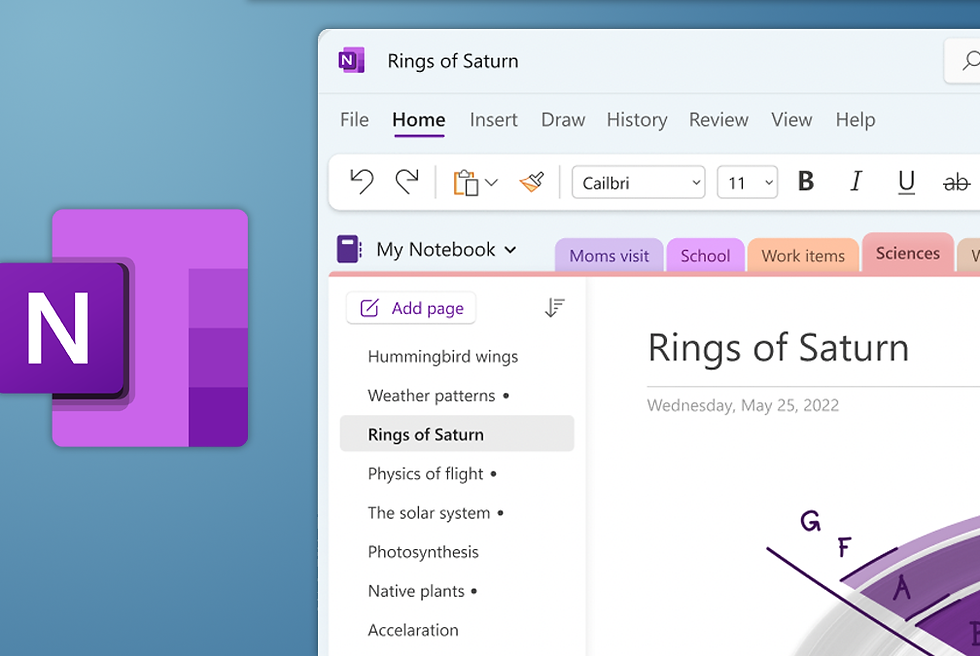
You use OneNote to put info from many places into one spot. The app works with Microsoft 365, so you can add Word, Excel, and PowerPoint stuff. OneNote lets you set up tasks and sync notes with calendars and project tools. You can use other platforms to connect OneNote with more apps.
Pros
Ability to gather information from many sources.
Helps in keeping notebooks organized.
Facilitates sharing of notes.
Supports viewing notes on any device.
Cons
Can become messy if you have many notebooks.
Some features are optimized for Microsoft 365.
Pricing
Plan | Features Included | Price (USD) |
Free | Basic note-taking, cloud sync | $0 |
Microsoft 365 | Full integration, advanced features | $6.99/month |
Enterprise | Team management, admin controls | Custom |
OneNote is a smart pick if you want to save notes from different places and use Microsoft tools.

4. Evernote
Overview
Evernote keeps your notes the same on all your devices. You can sort your notes in a clear order. The app has a strong search tool. Evernote is also good for teams to work together.
Pros
You can see your notebooks anywhere.
The search tool helps you find notes fast.
Evernote lets you work with others and share notes.
Cons
The free plan has some limits.
Paid plans cost more than other free digital notebooks.
Evernote is not made for project management.
Pricing
Plan | Features Included | Price (USD) |
Free | Basic notes, device sync | $0 |
Personal | More storage, advanced search | $10.83/month |
Professional | Team features, integrations | $14.17/month |
Teams | Collaboration, admin controls | Custom |

5. GoodNotes
Overview
GoodNotes gives you a big space for mind maps and diagrams. You can use templates to start creative work. The app lets you draw and write with a stylus. GoodNotes helps you plan and brainstorm with pictures.
Pros
The big canvas allows for detailed diagrams.
Templates help in quickly starting new notebooks.
The app is great for creative people and students.
Cons
Works best on tablets with a stylus.
Some features do not work on every device.
Pricing
Plan | Features Included | Price (USD) |
Free | Basic note-taking, limited templates | $0 |
Full | Unlimited notebooks, all templates | $7.99 one-time |
Premium | Advanced diagramming, cloud sync | $9.99/year |
6. Apple Notes
Overview
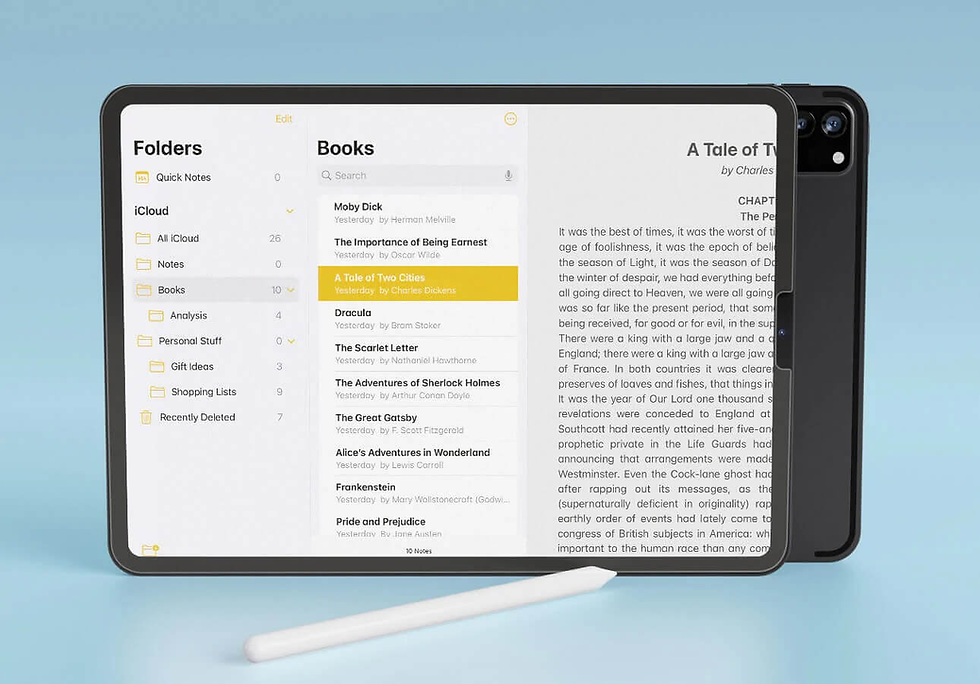
Apple Notes 可在 iPhone、iPad 和 Mac 上运行。您可以更改笔记的外观,添加清单、图片和声音。该应用允许您与他人共享和协作。Apple Notes 具有强大的搜索工具,可帮助您快速查找笔记。
优点
您可以在任何 Apple 设备上查看笔记本。
该应用使用文件夹和标签保持笔记整洁。
您可以轻松与他人协作。
缺点
Apple Notes 最适合与 Apple 产品搭配使用。
某些功能在非 Apple 设备上无法使用。
定价
计划 | 包含的功能 | 价格(美元) |
免费 | 所有功能,云同步 | $0 |
Apple Notes 专为与 Apple 设备良好配合而设计。您可以从任何 Apple 产品访问笔记。这使得随时继续工作和查找笔记变得容易。

7. Google Keep
概述
Google Keep 是 易于快速记笔记使用。您可以使用颜色和语音备忘录。该应用适用于您的所有设备,并与 Google 服务配合使用。
优点
您可以快速创建和整理笔记本。
该应用免费且适合简短笔记。
Google Keep 简单易学。
缺点
Google Keep 缺少一些基本功能,如子列表和高级格式。
您无法锁定笔记或将其共享为 PDF。
该应用不支持数学函数。
定价
计划 | 包含的功能 | 价格(美元) |
免费 | 所有功能,云同步 | $0 |

8. Zoho Notebook
概述
Zoho Notebook 适用于您的所有设备。您可以创建文本、音频、草图或照片形式的笔记。该应用允许您安全共享,并将笔记备份到云端。Zoho Notebook 注重隐私,不使用广告。
优点
您可以使用多种笔记类型满足不同需求。
该应用保存您的笔记本以便备份和轻松访问。
安全共享让您可以与他人协作。
缺点
某些高级功能需要付费计划。
该应用可能与其他笔记应用感觉不同。
定价
计划 | 包含的功能 | 价格(美元) |
免费 | 基本笔记,云同步 | $0 |
高级版 | 高级功能,额外存储 | $4/month |
适用于所有设备
让您创建文本、音频、草图和照片形式的笔记
安全共享以便团队协作
云备份以确保安全和访问
保护您的信息隐私且不使用广告

9. Obsidian
概述
Obsidian 允许您 链接关于特定主题的笔记。该应用使用插件将带标签的项目整理成列表。您可以轻松跟踪任务和想法。Obsidian 因知识管理和研究而受欢迎。
优点
您可以创建链接笔记本以进行深入学习。
插件帮助您快速整理和查找信息。
Obsidian 支持离线工作并使用 Markdown。
缺点
该应用对新用户可能看起来复杂。
某些插件需要设置和学习。
定价
计划 | 包含的功能 | 价格(美元) |
免费 | 个人使用,markdown 支持 | $0 |
Catalyst | 抢先体验,社区支持 | $25 one-time |
商业版 | 商业使用,优先支持 | $50/year |

10. Simplenote
概述
Simplenote 提供一种简洁易用的记笔记方式。您可以在所有设备上同步笔记,并使用标签进行整理。该应用支持 markdown 并保留旧版本。
优点
您可以使用 Simplenote 进行快速、简单的笔记。
该应用免费且适用于多种设备。
标签帮助您保持笔记本有序。
缺点
Simplenote 不允许添加图片或文件。
该应用的工具比其他笔记应用少。
定价
计划 | 包含的功能 | 价格(美元) |
免费 | 所有功能,云同步 | $0 |
Simplenote 是您想要免费数字笔记本进行快速笔记和轻松整理时的不错选择。
使用数字笔记本提高生产力
记笔记最佳实践
您可以通过使用 数字笔记本记笔记来完成更多工作。停止使用纸质笔记本以提高工作效率并保护想法安全。当您在数字笔记本中记录内容时,您不会丢失重要信息。尝试制作思维导图来整理您的想法。从一个主要想法开始,然后在其周围添加较小的细节。这样,您可以将大主题拆分为小部分并将想法联系起来。思维导图帮助您看到重要内容并产生新想法。
使用数字笔记本保持整洁并完成更多工作。
记录信息以便不会忘记任何事情。
思维导图帮助您看到自己的想法并更好地工作。
为每个主题制作思维导图。
将大想法拆分为较小的想法。
链接想法以更好地理解一切。
提示:思维导图非常适合学习和思考新想法。您可以查看一个主题并逐步添加更多想法。
高效整理您的笔记
您可以通过使用文件夹、标签和提醒来保持笔记整洁。这有助于您更快地工作并快速查找笔记。许多应用允许您创建组内组,以便按主题或项目整理笔记。为每个笔记添加标签以便轻松搜索。Evernote 是一个不错的应用,可帮助您保持笔记整洁且易于查找。当您使用标签和文件夹时,您可以专注于工作并完成更多任务。
将笔记保存在笔记本中以保持整洁。
添加标签和提醒以便快速查找笔记。
使用组内组以获得更好的顺序。
注意:保持笔记整洁有助于您集中注意力,并使每天的工作更轻松。
集成以提高生产力
您可以通过将数字笔记本与其他工具链接来完成更多工作。将您的笔记与日历同步以设置提醒和计划任务。使用不同笔记的模板以更快地工作。许多应用具有智能搜索工具以帮助您快速查找信息。下表显示了搜索工具如何帮助您更好地工作并保持专注。
功能 | 描述 |
高效检索 | 链接的笔记帮助您快速查找信息。 |
智能检索 | 智能工具通过查看您的需求来查找细节。 |
AI 组织 | 笔记由智能工具排序以形成想法网络。 |
自动检索 | 您通过使用关键词或记忆立即获得想法,从而减少压力。 |
提示:将您的笔记本与日历和电子邮件链接。这有助于您更好地工作并每天完成更多任务。
比较表
功能概述
选择数字笔记本取决于您的需求。每个应用都有特殊功能来帮助您保持井井有条并完成更多工作。Remio 使用 AI 从多个来源收集信息并回答您的问题。Notion 和 OneNote帮助您处理项目并与他人协作。GoodNotes 和 Apple Notes 适合绘图和创意任务。Obsidian 和 Simplenote 帮助您链接想法并保持简单。
应用名称 | 主要功能 | 优势 |
Remio | AI 驱动搜索,多源集成 | 个性化生产力 |
Notion | 自定义页面、模板、协作 | 灵活的工作空间 |
OneNote | Microsoft 365 集成,任务管理 | 轻松捕获信息 |
Evernote | 强大搜索,笔记层级 | 快速检索笔记 |
GoodNotes | 无限画布,手写笔支持 | 创意记笔记 |
Apple Notes | 文件夹、标签、媒体支持 | 无缝 Apple 集成 |
Google Keep | 颜色编码,语音笔记 | 快速捕获笔记 |
Zoho Notebook | 多格式笔记,注重隐私 | 安全组织 |
Obsidian | 链接笔记,markdown,插件 | 深度知识管理 |
Simplenote | 标签,markdown,版本历史 | 简单快速的笔记 |
提示:选择适合您日常工作方式的功能。这将帮助您保持整洁并完成更多工作。
定价与平台
考虑成本和您使用的设备。有些应用免费,但其他应用需要付费以获取额外工具。大多数应用适用于多种设备,但有些仅适用于 Apple。
应用名称 | 价格 | 平台支持 |
remio | 免费,Pro $8/mo,企业版 | Web, Windows, Mac |
Notion | 免费,Plus $8/mo | Web, Windows, Mac, iOS, Android |
OneNote | 免费,365 $6.99/mo | Web, Windows, Mac, iOS, Android |
Evernote | 免费,Personal $10.83/mo | Web, Windows, Mac, iOS, Android |
GoodNotes | 免费,完整版 $7.99 one-time | iPad, iOS, Mac |
Apple Notes | 免费 | iOS, Mac |
Google Keep | 免费 | 网页版,iOS,Android |
Zoho Notebook | 免费,高级版 $4/月 | 网页版,Windows,Mac,iOS,Android |
Obsidian | 免费,$25 一次性付费,$50/年 | Windows,Mac,Linux,iOS,Android |
Simplenote | 免费 | 网页版,Windows,Mac,iOS,Android |
注意:免费版本适合简单需求。付费版本提供更多工具,帮助您做更多事情。
最适合
选择最适合您工作或工作方式的应用程序。学生需要用于学习笔记和思维导图的应用程序。工作者想要会议笔记和团队工具。创意人士寻找绘图和链接想法的工具。
学生: GoodNotes,Apple Notes,Whimsical,Tanna
专业人士: Remio,Notion,OneNote,Fireflies AI
创意人士: Obsidian,Napkin,GoodNotes,Genei
选择与您工作方式匹配的应用程序。合适的应用程序可以帮助您完成更多工作。
您有很多数字笔记本可供选择。remio stands out 具有强大的 AI 功能。Notion 和 OneNote 可帮助您管理项目。GoodNotes 和 Apple Notes 适合创意任务。Obsidian 和 Simplenote 保持简单。尝试这些提示来找到最适合您的:
测试试用版本 以查看您喜欢的功能。
使用教程来了解每个应用程序的工作方式。
检查同步和搜索是否满足您的需求。
选择与您的风格和目标匹配的应用程序。
常见问题
什么是数字笔记本?
一个digital notebook is an app 让您在设备上书写、保存和组织笔记。您可以将其用于学校、工作或个人想法。许多应用程序可帮助您快速搜索和分类笔记。
数字笔记本如何帮助您保持井井有条?
您可以使用文件夹、标签和颜色来分类笔记。许多应用程序允许您搜索关键词。这使您可以轻松找到所需内容。您还可以为重要任务设置提醒。
您可以在不同设备上使用数字笔记本吗?
大多数数字笔记本支持手机、平板电脑和电脑。您可以在设备间同步笔记。这意味着您可以在一台设备上开始笔记,然后在另一台设备上完成。
数字笔记本对您的信息安全吗?
许多应用程序使用加密来保护您的笔记。您可以设置密码或使用指纹锁。始终检查应用程序的隐私设置以确保信息安全。
哪款数字笔记本最适合学生?
学生通常选择 GoodNotes 或 Apple Notes 来绘制和组织学习笔记。remio is great 如果您想要 AI 驱动的帮助来快速查找信息。尝试不同的应用程序,看看哪款适合您的需求。