Microsoft Copilot Forced Integration: The Reality of the Backlash


For a product meant to simplify digital work, Microsoft’s Copilot is inspiring a significant amount of rage. The promise was a seamless AI assistant that would draft emails, analyze spreadsheets, and manage your schedule. The reality, according to a growing wave of user feedback, feels more like an intrusive, expensive, and often incompetent coworker who refuses to leave your desk.
The core of the issue isn't just that the technology is imperfect—it is the Microsoft Copilot forced integration strategy. From Windows 11 to the humble Notepad, the AI assistant is being pushed into workflows where users didn't ask for it, often accompanied by price increases and performance drags. Users are meme-ing their frustration into relevance, roasting the tool on social media while actively seeking ways to turn it off.
This analysis breaks down why the backlash is happening, the specific technical failures driving users away, and, most importantly, how you can reclaim your digital workspace.
Taking Control Back: How to Disable Microsoft Copilot
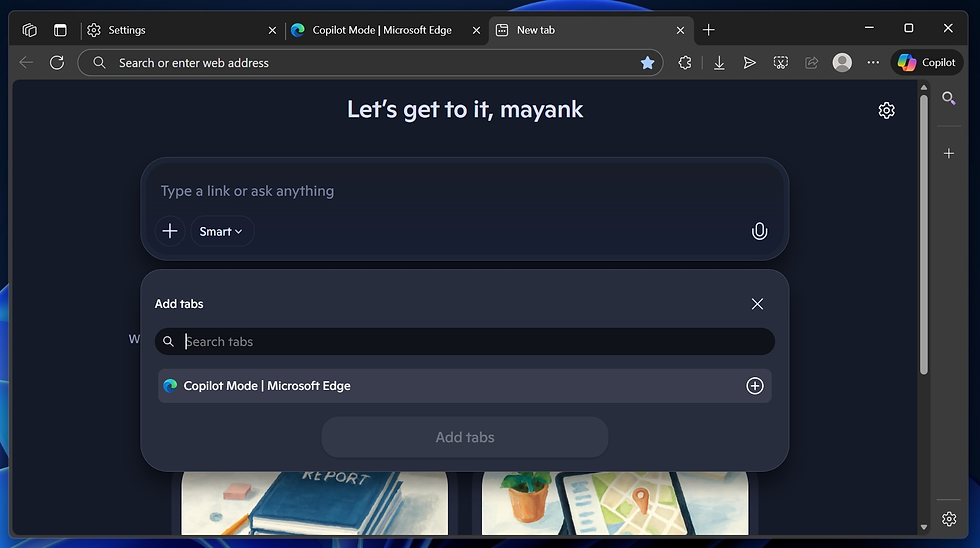
Before analyzing the failures, it is vital to address the immediate need many users have: how to stop the Microsoft Copilot forced integration from disrupting daily tasks. Unlike previous feature updates, Microsoft has made opting out difficult, with some IT administrators noting that standard "Don't allow" policies are failing or merely redirecting users to public versions of the tool.
Avoiding the "AI Tax" on Subscriptions
One of the biggest friction points is the price. The personal M365 subscription price jumped from $6.99 to $9.99, bundling AI features many do not want. For enterprise users, the cost is reportedly $30 per seat monthly.
If you are stuck with a higher personal bill for features you don't use, there is a workaround. Users have reported success by contacting customer support directly. You can request a downgrade to a "Basic" subscription tier that excludes the AI features, effectively rolling back the price to the pre-integration level. It requires human intervention, but it saves money and declutters the license.
Tools for a Cleaner OS
For those demanding a purely technical opt-out, standard settings menus often aren't enough. Users seeking to thoroughly remove the integration—rather than just hiding the icon—are turning to specialized system purification tools. Utilities such as ShutUp10++, Bloatynosy, Winaero Tweaker, Winpilot, and BC Uninstaller have gained traction as effective methods to disable Windows AI features and strip out pre-installed bloatware.
For the most extreme purification, savvy users are recommending a migration to Windows 11 LTSC (Long-Term Servicing Channel). This enterprise-focused version of the OS skips the consumer bloatware, keeping only essentials like Edge and File Explorer, and notably lacks the pre-installed Copilot pushing.
The "Ask First" Prompt Strategy
If you must use the tool, you can mitigate its tendency to ignore "negative constraints." A major flaw in the underlying models (like GPT-4) is that telling the AI what not to do often reinforces the unwanted behavior.
Instead of saying "Do not delete files," which makes the model focus on the concept of deleting, prompt engineers suggest giving it an alternative action: "Before deleting any file, ask for my permission." Replacing a prohibition with a specific procedure yields safer results.
The Branding Problem: Why "Copilot" is Confusing Everyone

A significant driver of the Microsoft Copilot forced integration backlash is confusion. "Copilot" is not a single product. It is a sprawling umbrella term covering dozens of different AI assistants scattered across Outlook, Word, Windows, Teams, Edge, and GitHub.
While they share a name, they do not share brains. Their capabilities, behavior patterns, and reliability vary wildly.
GitHub Copilot: Highly regarded by developers for code completion.
M365 Copilot: Focused on office documents, often struggling with formatting.
Windows Copilot: Integrated into the OS shell, affecting system performance.
This inconsistency creates a branding nightmare. A user might have a great experience with the coding assistant but then encounter a completely incompetent version in Word, leading to a general distrust of the entire ecosystem. It’s a "brand confusion" problem that hits before the user even experiences the specific UX failures.
Usability Breakdowns in the Microsoft Copilot Forced Integration Era

The frustration isn't just about presence; it's about performance. When users are forced to adopt a tool, they expect it to work. Reports from early adopters highlight significant technical regressions.
The "Negative Constraint" Failure
As mentioned in the solutions section, the AI struggles to follow instructions about what not to do. In high-stakes environments, an assistant that ignores "don't" commands is a liability, not a helper.
Formatting Disasters
For knowledge workers, precision is key. Yet, M365 Copilot has been caught inserting invisible characters into code instead of proper indentations, breaking scripts. In Excel, it frequently drops the last line of generated formulas or data, rendering the output untrustworthy. Even in the revamped Paint app, features like "remove background" sometimes add smudges rather than clearing the image.
The "AI Voice" Problem
Management often pressures staff to use AI for email drafting to save time. The result is often the opposite. Copilot-generated drafts are frequently riddled with passive voice, aggressive bullet points, and "upbeat platitudes" that sound robotic.
One corporate trainer noted that she spent more time editing out these "AI trademarks" than she would have spent writing the email from scratch. Worse, when she sent a clean version, her manager—obsessed with AI adoption—ran it back through Copilot, re-inserting the robotic tone she had just removed.
Workplace Surveillance and the "Clippy" Effect
The Microsoft Copilot forced integration has introduced a new, darker anxiety into the workplace: soft surveillance.
The Judgmental Meeting Summary
Copilot in Teams automatically generates meeting summaries. While intended to be helpful, these summaries have made "automated judgments" that no one trained the model to make. Users have reported the AI logging sentiments like "Sam is very stressed from the workload" or "Sam is unsure who is in charge" based on misinterpreted small talk.
This has a chilling effect on culture. Coworkers have stopped chatting at the start of meetings because they fear their offhand comments will be captured, misinterpreted, and distributed to the entire team in an official summary.
Performative Adoption
In some enterprises, usage metrics have become a goal in themselves. Employees report being told to "think of something to ask AI" just to get their usage numbers up. This performative work slows down actual productivity, turning the AI into a burden rather than a tool.
It draws an uncomfortable parallel to "Clippy," the mocked Office assistant from twenty years ago. But unlike Clippy, who could be dismissed, Copilot is baked into the infrastructure, analyzing sentiments and rewriting communication.
Where It Actually Works: The Developer Exception
To be fair, the technology isn't universally broken. When stripped of the Microsoft Copilot forced integration marketing bloat, specific versions of the tool shine.
Developers consistently rate GitHub Copilot as a separate entity from the rest of the mess. It is viewed as a genuinely high-efficiency tool for building data analysis projects and writing boilerplate code, provided the human developer reviews the output.
Similarly, specific "retrieval" tasks in the office suite work well. Users find value in using the AI to dig up information from years-old emails or to perform specific transformations between PDFs and forms. The consensus is clear: Users want AI tools that wait to be asked for help, rather than hovering over them like a "smug intern" interfering with every task.
FAQ
Q: Can I completely uninstall Microsoft Copilot from Windows 11?
A: Standard settings often fail to fully remove it. Users recommend third-party tools like ShutUp10++ or Winpilot to disable the deep system integration effectively.
Q: Why did my Microsoft 365 subscription price increase?
A: Microsoft raised the Personal subscription from $6.99 to $9.99 to cover the inclusion of mandatory AI features. You can contact support to request a downgrade to a non-AI "Basic" plan.
Q: Does Copilot in Teams really record private conversations?
A: It captures audio to generate transcripts and summaries. It has been known to misinterpret casual "small talk" as serious business points or psychological assessments of employees.
Q: Is GitHub Copilot the same as the Windows Copilot?
A: No, they share a name but use different training and integration. GitHub Copilot is specifically optimized for code and is generally better received than the general-purpose Windows version.
Q: Why is my PC running slower after the recent update?
A: Integrated AI features consume significant system resources. Users have reported simpler apps like Calculator taking seconds to load due to the background overhead of AI integration.


