2026 年值得尝试的 Apple Notes 替代工具 Top 10

已更新:6月16日

您正在寻找 2026 年最佳笔记应用吗?有很多 Apple Notes 替代应用可以尝试。以下是前 10 名:remio、Microsoft OneNote、Notion、Obsidian、Bear、Joplin、UpNote、Evernote、Google Keep 和 Simplenote。每款笔记应用都有特殊功能。有些应用非常注重隐私。其他应用则拥有强大的 AI 工具。您可以在许多设备上使用这些应用。这让您随时随地轻松使用最喜欢的笔记应用。如果您想要一款 iPad 笔记应用或日常任务应用,您会在这里找到不错的选择。最佳替代应用为您提供价值和灵活性。尝试这些笔记应用,看看哪一款最适合您。
关键要点
许多笔记应用都有特殊功能。有些具有 AI 工具、隐私设置,并支持多设备使用。这些功能可帮助不同人群满足不同需求。
选择一款适合您日常使用方式的应用。您可能需要快速笔记、团队协作、隐私保护或离线使用。这有助于您获得最佳体验。
remio、Notion 和 Evernote 拥有强大的 AI 并支持多设备同步。Obsidian 和 Joplin 更注重隐私和离线使用。
价格差异很大。有些应用提供免费基础功能。其他应用则需付费才能使用更好工具或云同步。
尝试不同应用,看看您最喜欢哪一款。这有助于您找到适合自己风格、设备和笔记习惯的应用。
选择标准
关键因素
选择最佳笔记应用时,您需要适合生活的工具。最佳笔记应用拥有强大的 AI 功能。这些功能可帮助您快速整理和查找笔记。许多人需要跨平台支持。您可以在手机上开始写笔记,然后在笔记本电脑上完成。best note-taking app 应支持离线使用。这让您随时随地都能使用,即使没有网络。隐私非常重要。最佳笔记应用可保护您的数据安全。您可以控制自己的信息。
以下是选择最佳笔记应用时需要考虑的主要因素:
AI 功能:最佳笔记应用使用 AI 帮助您搜索、整理和撰写笔记。AI 可节省时间并提高效率。
跨平台支持:您需要一款支持所有设备的笔记应用。它应在手机、平板和电脑上都能良好运行。
离线功能:最佳笔记应用支持离线使用和编辑笔记。这对经常旅行或没有 Wi-Fi 的学生和工作者非常有用。
隐私:最佳笔记应用可保护您的笔记安全。寻找具有强大隐私设置和安全云同步的应用。
用户体验:一款优秀的笔记应用应易于使用。您应能快速找到笔记并享受使用过程。
定价:最佳笔记应用可提供良好价值。有些是免费的。其他则有付费计划,提供额外功能。
提示:始终检查您的笔记应用是否支持离线使用并具备云同步功能。这有助于您永不丢失工作内容。
用户需求
您的需求可帮助您选择最佳笔记应用。学生需要用于课堂、学习和关联想法的最佳笔记应用。许多学生在笔记本电脑或平板上使用数字笔记应用。学术用户需要 templates, PDF tools, and offline access。他们也注重隐私和笔记关联以进行研究。
专业人士需要用于会议、项目和撰写笔记的最佳笔记应用。许多人使用带有 AI 的笔记应用来节省时间。离线使用可帮助他们在旅行时工作。隐私和与其他工具协作对工作很重要。
创业者需要用于想法、规划和隐私的最佳笔记应用。他们想要一款能安全保存想法并帮助规划项目的笔记应用。与其他应用协作和离线使用同样重要。
用户类型 | 主要需求 | 最佳笔记应用及功能 |
学生 | 学习笔记、关联、离线、隐私 | Notion AI、Roam Research、离线功能、隐私控制 |
专业人士 | 会议、项目、离线、集成 | Evernote AI、Otter.ai、无缝集成、离线功能 |
创业者 | 想法、隐私、规划、离线 | Obsidian、Roam Research、隐私、离线功能 |
调查显示,71% of users want the best note-taking app 易于使用并适合他们的工作。学生和专业人士都使用数字笔记应用进行工作和学习。创业者最关心隐私和想法管理。最佳笔记应用适合您的需求、支持离线并保护您的笔记安全。
1.remio
概述
remio 作为 AI 笔记和个人上下文工具脱颖而出。您可以使用 remio 捕捉想法、整理思路,并把笔记与网页、文件和会议上下文连接起来。AI Copilot 可让您在写作时提问。AI 搜索工具可帮助您快速找到笔记或来源材料。remio 还可让您直接将网页内容保存到笔记中,方便收集资料。
remio 帮助您把自己的上下文用于写作、研究、总结和后续工作。您可以在支持的设备上使用它,并通过自然语言搜索从笔记、网页捕获、会议和文件中检索信息。
优缺点
优点:
浏览时自动网页抓取,无需手动确认。
强大的 AI 功能,包括基于知识库的 AI 提问功能。
AI 搜索功能,可快速定位之前浏览或编辑的任何信息。
支持本地文件(如 PDF、幻灯片和 Word 文档),无需手动上传。
所有信息本地存储,支持部署私有模型密钥。
缺点:
与第三方软件集成有限。
团队协作功能不佳。
以下是用户对 Remio 与其他笔记应用相比的评分:
您可以看到 remio 在每个评价类别中都获得 perfect scores in every review category。用户喜爱其设计、功能和支持。这款笔记应用因其 AI 搜索工具和易用界面获得高分。
定价
remio offers flexible pricing,适合不同用户。您可以从免费计划开始,尝试核心捕获、搜索和笔记功能。付费计划可能解锁更高级的 AI 或 agent 能力。最新限制和价格请以官网当前页面为准。
2.Microsoft OneNote
概述
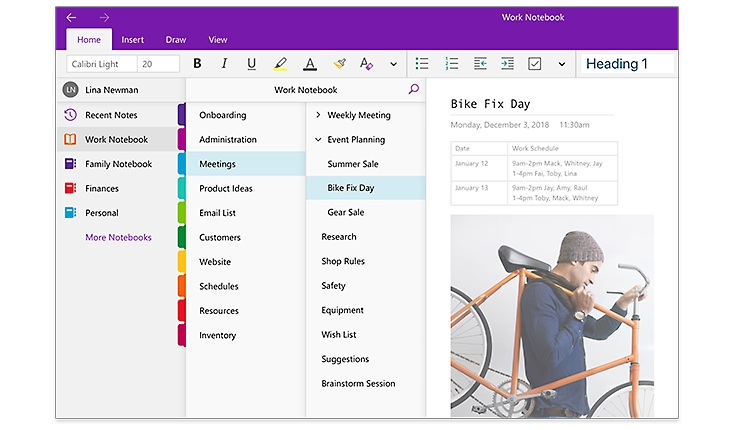
如果您想要一款适用于所有设备的笔记应用,请尝试 Microsoft OneNote。它是 best note-taking app,适合多平台使用。You can use it on Windows, Mac, iOS, iPadOS, and Android。还有网页版,因此您可以在任何浏览器中打开笔记。您可以离线编辑笔记,联网后会自动同步。您可以与他人实时协作。许多人可以在同一页面上书写,就像共享白板一样。您可以将网页保存为图片到笔记本中。您可以使用分区和标签整理笔记。如果您使用 Microsoft Teams 或 Office 365,可以将笔记本放入团队频道中。
功能 | 描述 |
跨平台可用性 | Free on Windows, MacOS, iOS, iPadOS, Android |
基于网页的访问 | Access notes through any browser |
离线编辑和同步 | Edit notes offline, sync later |
实时多用户协作 | Work together on the same page |
网页渲染 | Save webpages as images |
优缺点
OneNote 拥有许多工具可帮助您更好地做笔记。您可以在笔记中绘制、输入或添加图片。最佳笔记应用应帮助您保持井井有条,而 OneNote 做得很好。您可以通过发送链接与朋友或同学共享笔记。实时团队协作让小组项目变得简单。您可以使用 OneNote 进行学习、工作或个人事务。
优点:
Works on almost every device
Free to use with basic features
Strong organization tools
Real-time collaboration
Easy sharing and syncing
缺点:
Some features need a Microsoft account
The interface can feel busy for new users
定价
Microsoft OneNote is a free note taking app。免费版本提供您所需的大部分工具。如果您需要更多存储空间或额外功能,可以订阅 Microsoft 365。这可提供更多云存储空间和更多工具,以获得最佳笔记应用体验。许多人表示免费版本足以满足日常使用。您可以尝试 OneNote,看看它是否是适合您的最佳笔记应用。许多人在阅读评测或试用后选择它作为主要笔记应用。
3.Notion
概述
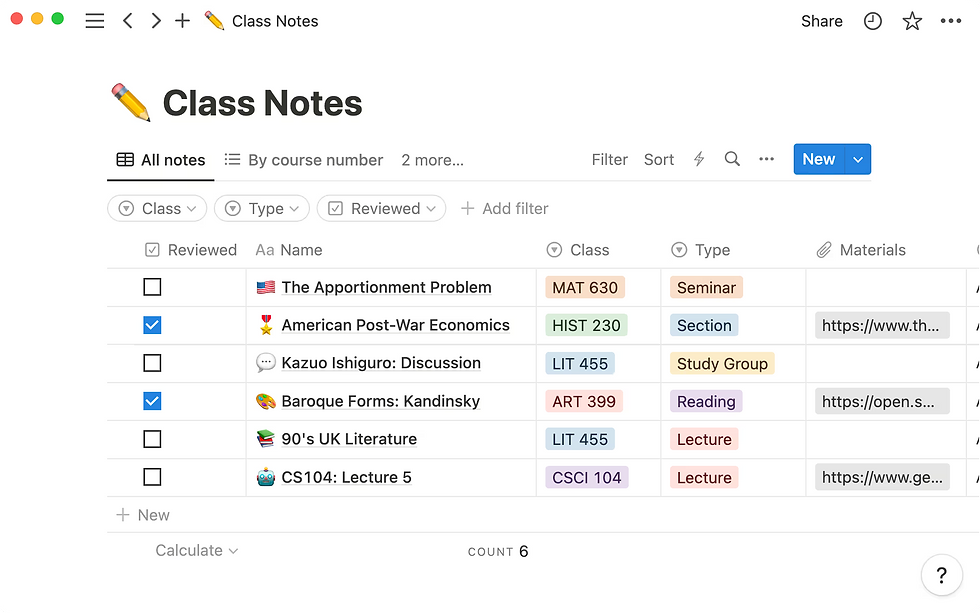
您可以将 Notion 用作 powerful note taking app,几乎适用于任何用途。Notion 可让您在一个地方整理笔记、任务和项目。您可以为学校、工作或个人生活创建页面。Notion 支持多种内容类型,如文本、图片、表格和日历。您可以使用 Notion 在单个工作区中管理文档、电子表格甚至日历。Notion 的 AI 功能可帮助您总结文档、突出要点并在写作时提供想法建议。
许多人出于不同原因使用 Notion。以下是您可以使用这款笔记应用的一些最流行方式:
管理内容并整理产品发布等项目。
使用 AI 工具实时与团队协作,处理会议笔记和任务分配。
通过智能 AI 建议跟踪目标、习惯和待办事项。
将 Notion 与 Google Drive 或 Slack 连接,构建自定义仪表板。
总结文档并轻松查找重要信息。
您还可以找到 Notion 的创意用途。有些人跟踪饮水量、规划婚礼或整理食谱。模板库可帮助您快速开始,使用现成页面如习惯跟踪器和愿景板。
优缺点
Notion 为您提供灵活的笔记应用,满足多种需求。您可以用它 plan your whole life with it。许多用户分享模板和技巧,让学习使用这款笔记应用的新方法变得容易。
优点:
Combines notes, tasks, and databases in one note-taking app
Strong AI features for summaries and suggestions
Real-time team collaboration
Works on web, Windows, Mac, iOS, and Android
Broad integration with third-party tools like Slack and Google Drive
缺点:
Can feel complex for new users
Some features need internet access
您会看到许多关于 Notion 的正面评测帖子。人们喜欢其灵活性和分享想法的大型社区。
定价
Notion 为个人使用提供免费计划。您无需付费即可使用大多数笔记应用功能。免费计划提供无限页面和块。如果您需要更高级的功能,如团队协作或额外存储,可以选择付费计划。Notion 的付费计划起价低廉。学生和教师可免费获得额外功能。许多用户表示 Notion 作为笔记应用提供极佳价值。您可以阅读评测或尝试免费计划,看看是否适合您的需求。
4.Obsidian
概述
Obsidian 以强大方式帮助您管理笔记和想法。许多高级用户喜欢 Obsidian,因为您可以控制自己的数据。您将笔记保存为设备上的 Markdown 文件。这意味着您始终拥有离线访问权限。您无需使用云服务。即使没有网络,Obsidian 也能正常工作,因此您可以随时随地工作。
您可以使用插件自定义 Obsidian。plugin system 可让您添加日历和任务工具等功能。有些插件使用 AI 提供帮助。例如,plugins can suggest tags or summarize notes。许多人使用插件整理信息并创建个人知识图谱。
Obsidian 的图谱视图显示笔记之间的连接。您可以看到想法地图以及主题之间的链接。这有助于您理解复杂主题。该应用还支持离线,因此您可以在没有网络的情况下编辑和搜索笔记。许多专业人士使用 Obsidian 进行研究、写作和项目,因为它非常灵活。
Here is a table that shows why power users like Obsidian:
功能 | 描述 | 对您的益处 |
Notes saved as Markdown files on your device | Full data ownership and privacy | |
离线访问 | Use all features without internet | Reliable note-taking anywhere |
插件自定义 | Add community plugins and themes | Personalize your workflow |
图谱视图 | Visual map of note relationships | Understand and navigate ideas easily |
基于 Markdown | Simple formatting for notes | Easy to use and compatible |
离线功能 | Edit and search notes offline | Always have access to your knowledge |
优缺点
Obsidian 为您提供强大的 offline use and privacy。您可以在没有网络的情况下工作,并将笔记安全保存在设备上。
优点:
Full offline support for note-taking and searching
Local storage for privacy and control
Highly customizable with plugins
Graph view for visualizing connections
Flexible for many workflows
缺点:
Some setup needed for cloud sync
Learning curve for plugins and Markdown
定价
您可以免费使用 Obsidian 的所有主要功能,包括离线使用。如果您想在所有设备上同步笔记或将 Obsidian 用于商业,可以购买付费计划。付费同步可让您的笔记在各处更新,但您仍拥有离线访问权限。许多人发现免费版本已足够,尤其是他们注重离线工作和隐私时。
5.Bear
概述
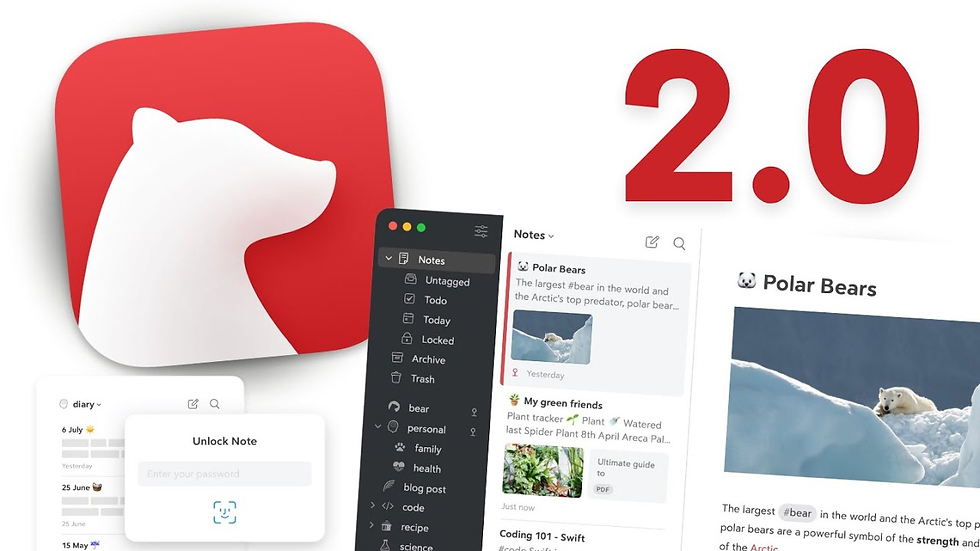
Bear is a top note taking app,适合喜欢简洁美观的 Mac 用户。该应用拥有简洁外观,帮助您专注于笔记。您可以使用 Markdown 通过特殊符号快速设置文本样式。Bear 可让您使用标签和嵌套标签整理笔记。这让查找笔记变得容易。如果您使用 iPad 和 Apple Pencil,可以在 Bear 中绘制和手写。您可以从 28 themes and 15 icons 中选择,以更改 Bear 的外观。如果您想移动笔记,Bear 支持多种导出方式,如 HTML、PDF 和 Markdown。这让您轻松在其他应用中使用笔记。
优缺点
Bear 可让您更改应用的外观和感觉。您可以选择主题、图标并更改笔记样式。许多人表示 Bear 比其他 Mac 笔记应用更具个性化。Bear 因其风格和易用性赢得 Apple 设计奖。您可以将 Bear 与其他应用结合使用,并轻松导入导出笔记。Bear 支持 Apple Pencil,因此您可以绘制和手写内容。这适合创意工作。
优点:
Allows customization of the app's appearance, including themes, icons, and note styles.
Is perceived as more personal compared to other Mac note-taking apps.
Won an Apple Design Award, recognizing its style and ease of use.
Supports integration with other apps, enabling easy transfer of notes in and out.
Works with Apple Pencil, facilitating hand-drawn and handwritten content—ideal for creative tasks.
Cons:
Only supports macOS, limiting accessibility for users on other operating systems.
Lacks advanced features compared to some competing note-taking apps.
Does not integrate AI capabilities, missing out on AI-driven enhancements like smart suggestions or automated organization.
Absent of collaboration features, making it unsuitable for team-based note-sharing or joint editing.
Here is a table that compares Bear and Apple Notes:
Aspect | Bear Notes | Apple Notes |
Design & Customization | 28 themes, 15 icons, typography options; Apple Design Award | Clean design, no customization |
Formatting | Markdown formatting | Rich text formatting |
Apple Integration | Partial; supports Apple Pencil | Deep integration, instant Lock Screen access |
Third-Party Integration | Strong; many export/import options | Limited export options |
Collaboration | Limited | Built-in collaboration |
Bear lets you make your notes look special. But it does not have as many sharing tools as Apple Notes.
Pricing
Bear uses a subscription plan. You can try Bear for free, but some things cost money. The paid plan is about $3 each month. You get all themes, export tools, and syncing on all your devices. Many people think the price is good for a stylish and flexible Mac note app.
6.Joplin
Overview
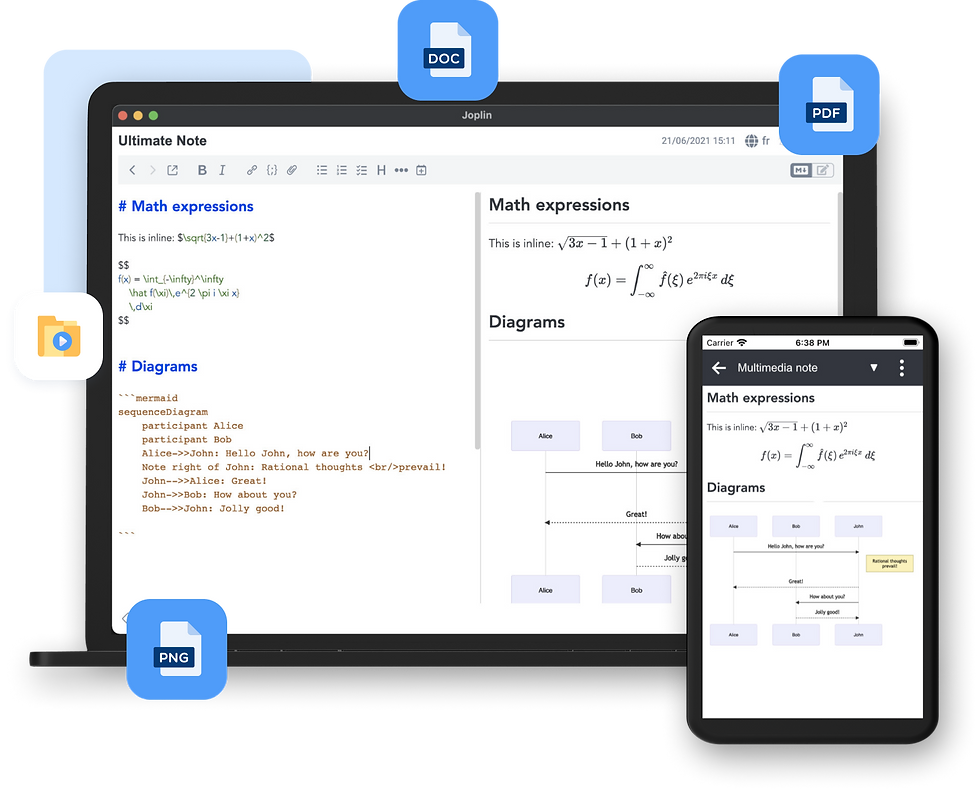
Joplin is a free note-taking app that cares about privacy. You can write notes, make to-do lists, and sort ideas in notebooks. It works on Windows, macOS, Linux, Android, and iOS. You can use Joplin offline, so you do not need internet. You can sync your notes with Dropbox, OneDrive, or Joplin Cloud.
Joplin gives you strong control over your data. You can turn on end-to-end encryption to keep your notes safe. Only you can read your notes if you use this feature. Joplin does not have ads and is light on your device. This helps keep your information private. You can add plugins for more features like markdown or web clippers.
Anyone can look at Joplin’s open-source code. This makes people trust the app and know it is safe for privacy.
Pros & Cons
Pros:
Open-source and ad-free, ensuring good privacy protection.
Supports end-to-end encryption for all notes, enhancing security.
Allows syncing notes with multiple cloud services, offering flexibility in data storage.
Features strong encryption capabilities (though manual setup is required).
Enables customization via plugins, letting users tailor the app to their needs.
Cons:
Encryption is not enabled by default; users must set it up manually to achieve full privacy.
Compared to apps like Standard Notes (which have encryption on by default), Joplin offers more options but less automatic safety, requiring users to take active steps to secure their data.
Feature | Joplin | Standard Notes |
Open-source | Yes | Yes |
End-to-end encryption | Optional (user-enabled) | Default (always on) |
Sync options | Multiple (Dropbox, OneDrive, etc.) | Limited |
Privacy focus | High, but user-dependent | Very high, automatic |
Pricing
Joplin is free and has all the main features. If you want to use Joplin Cloud or get extra help, you can pay for a plan. The free version already gives you privacy and offline use. Paid plans give you more storage and better support, but you do not have to pay to keep your notes safe.
7.UpNote
Overview
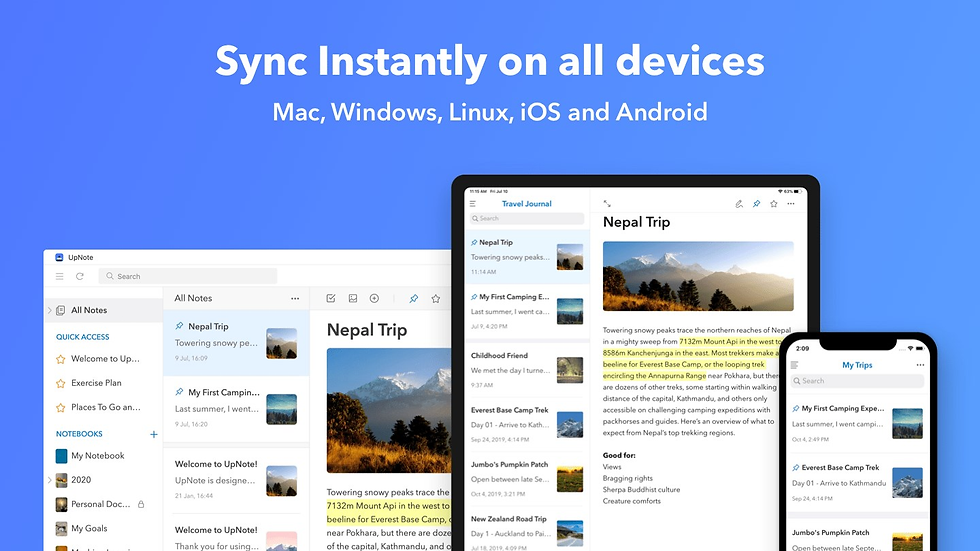
UpNote is a simple app for taking notes. You can write with rich text or Markdown. You can add lists, images, links, and code blocks. The app lets you sort notes into notebooks and sections that fold up. Focus mode helps you block out noise and write better. UpNote has web clippers for Chrome, Safari, and Firefox. You can save things from the web fast. You can lock notes with a passcode for more privacy.
Your notes sync by themselves on all your devices. UpNote works on Mac, Windows, iOS, and Android. You can use it offline, so your notes are always there. You can back up your notes and see old versions. You can share notes with secret web links. You can also export notes as text, PDF, HTML, or Markdown. UpNote has nice themes, like dark mode. The sticky window keeps important notes on top.
Many people say UpNote is easy to use. It helps them stay organized. You can use it for small or big note-taking jobs.
Pros & Cons
Pros:
Enables note locking, backups, and diverse sharing/exporting.
Offers a clean, distraction-free writing experience with offline sync.
Cons:
Lacks advanced teamwork and collaboration tools.
Has limited integration with third-party productivity apps.
May not support specialized file formats, disappointing some users.
Aspect | Positive Feedback Percentage | |
Features and Functionality | 26 positive vs. 1 negative | 100% positive |
Syncing and Cross-platform | 26 positive vs. 1 negative | 100% positive |
User Interface | 26 positive vs. 1 negative | 100% positive |
Value for Money | 26 positive vs. 1 negative | 100% positive |
Organization and Notebooks | 26 positive vs. 1 negative | 100% positive |
UpNote has many good points:
Writing is clean and has no distractions.
Sync is fast and works offline.
You can organize notes with notebooks and folding sections.
You can lock notes and back them up.
You can share and export notes in many ways.
Some people want better teamwork tools. Most users like UpNote because it is simple and has many features.
Pricing
UpNote has a free plan for up to 50 notes. If you need more, you can pay $1.99 each month. You can also buy a lifetime license for about $40. UpNote is one of the cheapest note apps with lots of features.
Note-Taking App | Pricing Model | Key Features / Notes |
UpNote | Free plan limited to 50 notes; Premium at $1.99/month or lifetime license ~$40 | Clean, distraction-free writing; rich formatting; notebook hierarchy; offline sync |
Obsidian | Free; $5/month for sync; $10/month for publishing | Free core app; paid sync and publishing; networked thinking focus |
Standard Notes | Free; $90/year for premium | Encrypted notes; advanced editing and themes in paid plan |
Amplenote | Completely free | Task-focused note-taking with prioritization |
UpNote gives you a lot for your money. It has strong features and a low price. This makes it a smart pick for students and workers.
8.Evernote
Overview
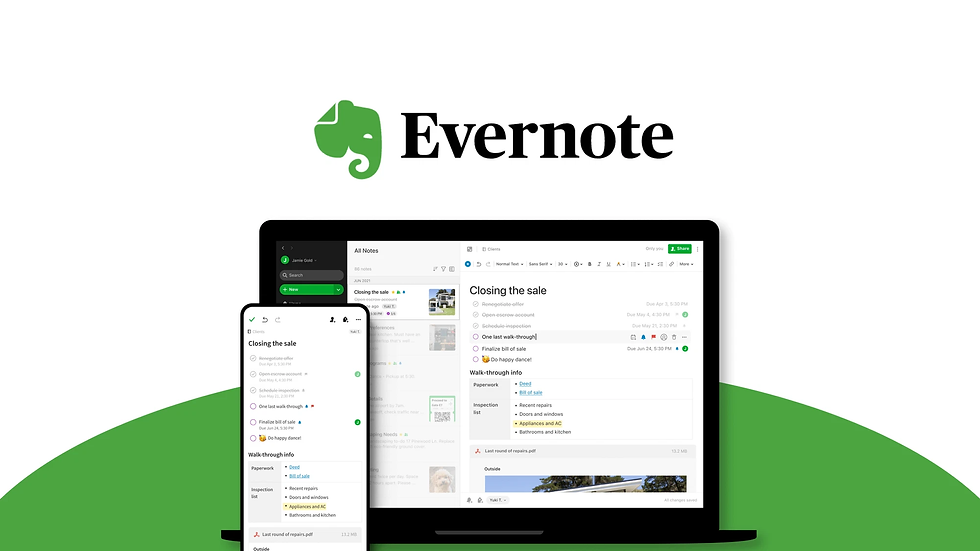
You can use evernote to keep your notes, tasks, and ideas together. The app lets you make notebooks and add tags. You can clip web pages and attach files. You can also scan papers and set reminders. Evernote works on Windows, Mac, iOS, Android, and the web. You can sync your notes on all your devices. The app now opens faster and syncs notes right away. Evernote works better with touch screens, especially on Windows 10. The company made the app easier and more stable.
Recent updates changed evernote in many ways:
Now, notes sync right away on all your devices.
Touchscreen laptops and tablets work better with the app.
Evernote added about 60 changes from what users wanted.
The company started adding AI features, but you can turn them off.
The design is simpler and looks like other popular apps.
Evernote listens to users and tries to help both single users and teams. The app keeps your info private and lets you pick new features.
Pros & Cons
Evernote gives you many tools to manage your notes. You can use it for school, work, or home projects. The app helps you stay neat and find notes fast. You can work alone or share notes with others. You can change your workspace and use templates for different jobs.
Pros:
Works on lots of devices and platforms
Syncs fast and runs better now
Has strong search and ways to organize notes
Supports touchscreens on tablets and laptops
AI features are there if you want them
Cons:
Some people think the price is high
Free plan has fewer features and device sync
Pricing
Evernote has different plans. The free plan only lets you sync notes on a few devices. The Personal plan costs $129.99 each year. It gives you more space and lets you use as many devices as you want. The Professional plan is $169.99 each year. It gives you more upload space and AI features. The Teams plan is $249.99 for each user every year. It is for groups who work together. Many people say evernote costs more than other note-taking apps. The company raised prices to add new features and make the app better.
9.Google Keep
Overview
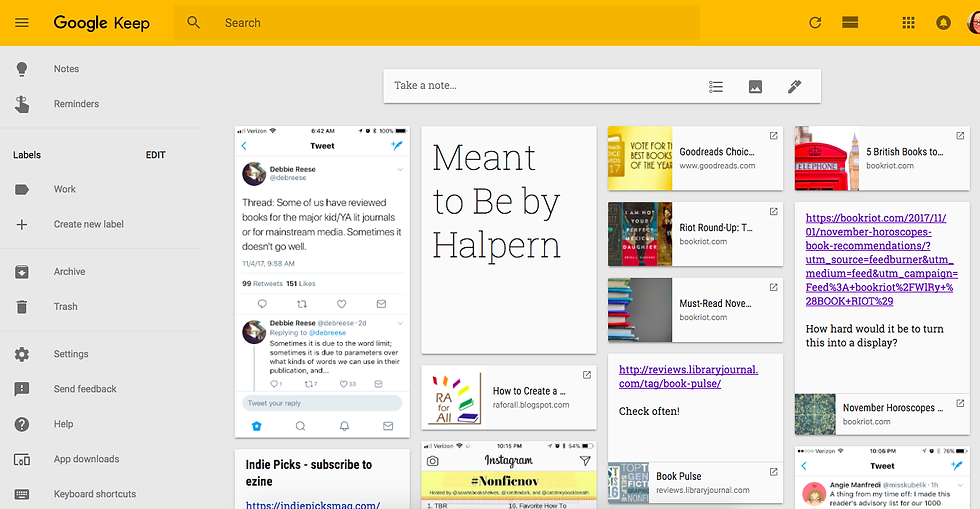
You can use Google Keep to quickly save ideas and lists. The app looks simple and is easy to use. You do not need to set up anything before you start. If you know Gmail or other Google apps, Google Keep will feel familiar. You can make text notes, checklists, and voice memos. The app can listen to your voice and turn it into words. This means you do not have to type every note. You can add pictures to your notes and set reminders that work with Google Calendar.
Google Keep works well with other Google tools. You can change your notes into Google Docs in just a few steps. This helps you turn a small idea into a big project fast. The app keeps your notes the same on all your devices. You can see your notes on your phone, tablet, or computer. Google Keep can also pull words from pictures using special technology. This saves you time when you need to copy text from an image.
Google Keep is easy to start using right away. You do not need to learn anything new or spend time setting it up.
Pros & Cons
Pros:
The app looks clean and is not confusing
You can record your voice and get text
It works well with Google Docs and other Google apps
Cons:
You cannot change how the app looks much
It does not have as many features as some other apps
Working with others is basic
Feature | Benefit to You |
Voice Notes | Save ideas without typing |
Google Docs Integration | Make notes into documents easily |
Universal Access | Use notes on any device |
OCR | Get text from images |
Pricing
Google Keep 如果你有 Google 账户就是免费的。除非你的 Google Drive 已满,否则你无需为额外功能或存储付费。你可以免费获得所有主要工具。如果你想要一个简单且便宜的 note-taking app。
如果你已经在使用 Google 应用,Google Keep 能融入你的日常生活,帮助你保持进度。
10.Simplenote
Overview
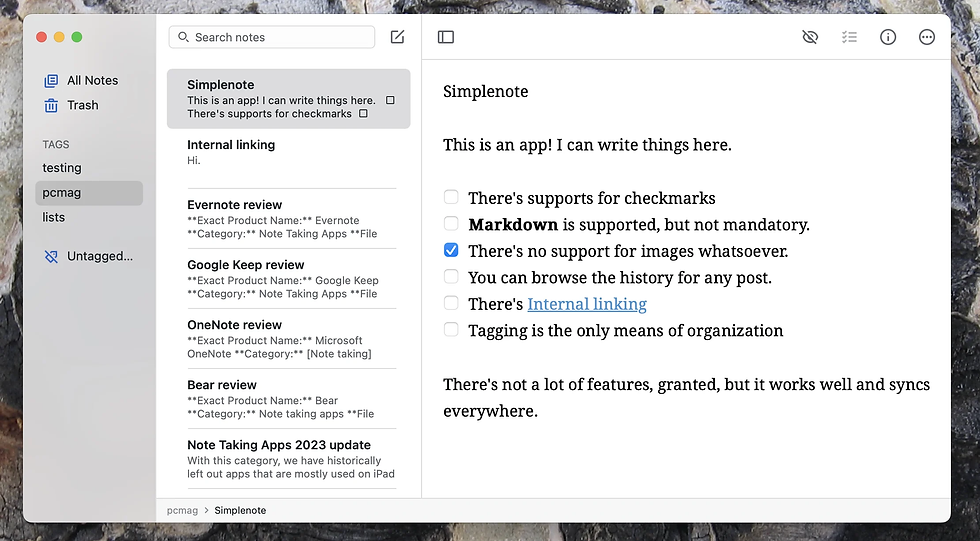
Simplenote 易于使用,外观非常简洁。你可以快速创建文本笔记,并放心它们会立即保存。你的笔记会在 all your devices 上同步,例如手机和电脑。Simplenote 支持 Windows、Mac、Linux、iOS、Android 和网页。你无需学习复杂的工具。该应用专为速度而设计,任何人都能轻松上手。
以下表格展示了 Simplenote 与其他免费笔记应用的不同之处:
Feature | Simplenote | Other Free Note Apps |
Formatting | 仅纯文本 | 富文本、Markdown、图片 |
Organization | 简单标签、即时搜索 | 文件夹、嵌套笔记本 |
Security | 无端到端加密 | 部分提供加密 |
Version History | 是 | 有时 |
Price | 完全免费 | 免费和付费层级 |
Platform Support | 所有主要平台 | 因应用而异 |
你可以使用标签来整理笔记。通过搜索可以快速找到任何笔记。如果你犯了错,可以返回到旧版本。Simplenote 不允许添加图片或表格。你无法使用文件夹或插件。该应用保持简洁,让你专注于写作。
Pros & Cons
Simplenote 快速且帮助你专注于笔记。你可以用它来记录想法、列表或提醒。该应用即使在旧设备上也能良好运行。
Pros:
笔记立即在你所有设备上同步
运行快速,不会拖慢你的设备
使用标签和搜索轻松整理笔记
允许查看和修复笔记的旧版本
Cons:
无法添加图片、表格或富文本
应用没有密码或锁定功能
组织大型项目的方式不多
Pricing
使用 Simplenote 无需支付任何费用。该应用始终免费。没有付费功能或隐藏费用。你注册后即可获得全部功能。Simplenote 的母公司承担费用,因此你无需担心金钱问题。如果你想要一个简单的文本笔记应用,Simplenote 会免费提供你所需的一切。
Best Apple Notes Alternatives Comparison
当你想要一个新的笔记应用时,你应该比较它们。这有助于你挑选最适合自己的应用。每个应用都有其独特之处。有些应用使用 AI 来帮助你。其他应用更注重隐私或支持多设备。
App Name | AI Integration Features | Privacy Focus | Cross-Platform Support |
remio | Advanced AI Copilot, AI search, web capture | Personalized, user-data based,stored locally | macOS, iOS |
Microsoft OneNote | AI-generated summaries, Copilot integration | Standard privacy, cloud-based | Windows, macOS, iOS, Android, Web |
notion | Smart search, AI summaries, automated organization | Standard privacy, cloud-based | Windows, macOS, iOS, Android, Web |
obsidian | AI via plugins, knowledge management | Local storage, strong privacy | Windows, macOS, iOS, Android (via sync) |
bear | Basic AI, offline access | Local storage with encryption | macOS, iOS only |
joplin | Plugin-based AI, markdown support | End-to-end encryption, open-source | Windows, macOS, iOS, Android, Linux |
upnote | AI-powered search, clean writing | Local storage, optional sync | Windows, macOS, iOS, Android |
evernote | AI meeting summaries, collaboration | Standard privacy, cloud-based | Windows, macOS, iOS, Android, Web |
google keep | Basic AI, voice notes, OCR | Standard privacy, cloud-based | Windows, macOS, iOS, Android, Web |
simplenote | No AI, fast syncing | Standard privacy, cloud-based | Windows, macOS, iOS, Android, Linux, Web |
Notion 和 evernote 拥有强大的 AI 工具。Remio 也具备 smart AI 功能。Obsidian 和 bear 保持你的笔记私密且离线。如果你想在任何地方使用笔记,可以尝试 notion、evernote 或 Microsoft OneNote。
Price is important when you choose an app. Here is a table that shows how much each app costs:
App Name | Free Plan | Entry Paid Plan | Higher Tier Plan(s) | Notes on Pricing Structure |
remio | Yes | Premium AI features | Flexible plans, AI included in paid plan | |
Microsoft OneNote | Free with MS 365 | $6.99/month standalone | - | Free with Microsoft 365 subscription |
notion | Yes | $10/month per user (Plus) | $18/month (Business), AI add-on $10/month | Tiered pricing, AI as add-on |
obsidian | Yes (personal) | $50/year (commercial use) | - | Free for personal use, commercial license fee |
bear | Yes | $2.99/year (Pro) | - | Low-cost Pro plan annually |
joplin | Yes | $1.99/month (Cloud) | - | Free core, paid cloud sync |
evernote | Yes | $14.99/month (Personal) | $17.99/month (Professional) | Multiple tiers, free plan available |
upnote | Yes | $1.99/month | Lifetime license ~$40 | Low-cost, lifetime option |
google keep | Yes | N/A | N/A | Free with Google account |
simplenote | Yes | N/A | N/A | Free forever |
Tip: If you want smart AI, notion and evernote are good, but you might pay more. For privacy, obsidian and bear let you keep notes offline. If you want a free app, simplenote and google keep are great picks.
This comparison helps you find the right app for you. Notion and Evernote are good for AI and work on many devices. Remio has AI search, capture, and personal context features. Obsidian and Bear are best for privacy-focused note workflows. When you compare apps, look at features, privacy, and price.
Choosing the Best Note-Taking App
Identify Needs
首先,考虑你将如何使用你的笔记应用。如果你想保留个人笔记,选择一个 simple and fast 的应用。像 evernote 和 Google Keep 这样的应用能帮助你快速记录想法。对于工作,你可能需要更多功能。Notion 和其他笔记应用可帮助处理 team projects 并提供 AI 工具。许多人想要一个能融入日常的笔记应用。选择一个与你的工作方式匹配的应用。每天使用你的应用比拥有所有功能更重要。
Tip: If you use an ipad note-taking app for school, choose one that lets you save notes fast and organize them easily. For work, pick an app that helps you work with others and manage projects.
Compare Features
在选择之前,查看每个笔记应用能做什么。有些应用拥有强大的 AI tools 用于搜索和整理笔记。Notion 适合团队协作和项目跟踪。Evernote 允许快速搜索和从网页保存内容。许多顶级笔记应用支持在所有设备上同步笔记。如果你使用平板电脑,找一个能手写或绘图的 ipad note-taking app。列出你最需要的功能,如离线使用、模板或高级搜索。
Feature | Personal Use | Professional Use |
Quick Capture | Yes | Sometimes |
Collaboration | Rarely | Often |
AI Summarization | Sometimes | Often |
Cross-Platform Sync | Yes | Yes |
Automation | Rarely | Often |
Privacy & Security
选择笔记应用时,隐私非常重要。有些应用将你的笔记保存在设备上,而其他应用使用云端。Obsidian 和 Joplin 通过 local storage and encryption 给你更多控制。Notion 和 evernote 使用云同步,因此请检查它们的隐私设置。寻找端到端加密、密码和双因素登录等功能。有些笔记应用为敏感数据提供特殊选项。始终检查你的应用如何保护你的笔记和搜索历史。
Local storage apps: More privacy, less chance of leaks.
Cloud-based apps: Easier syncing, but make sure they use strong encryption.
Extra security: Passwords, two-factor login, and encrypted search.
Budget
在选择笔记应用前,考虑你想花费多少。许多顶级笔记应用提供免费计划,包含基本工具。Notion、evernote 和 UpNote 有付费计划,可获得更多存储或额外功能。有些 ipad note-taking app 收取一次性费用,而其他需要订阅。比较价格对应的价值。像 Simplenote 这样的免费笔记应用适合简单需求。付费应用通常有更好的搜索、隐私和 AI 工具。
Remember: The best note taking app is the one you use every day, not always the one with the most features.
You can pick from many note-taking apps 除了 Apple Notes 之外。每个应用都有其独特之处。Remio 使用 AI 帮助您捕获笔记、搜索上下文,并复用网页、文件和会议笔记。Microsoft OneNote 支持多种设备。Notion 适合规划和管理项目。Obsidian 适合私密和离线笔记工作流。Bear 是专为 Apple 设备用户设计的时尚应用。
当您停止使用 Apple Notes 时,您可能会遇到一些问题。下表显示了您可能面临的一些常见问题:
挑战类别 | 描述 | 对过渡到新应用的影响 |
同步延迟和失败 | 有时即使网络良好,笔记也不会在所有设备上更新。 | 这可能会让您感到沮丧,并导致每个设备上的笔记不一致。 |
数据丢失 | 如果同步失败,您可能会丢失更改或笔记。 | 您可能会担心丢失重要笔记,并对新应用失去信任。 |
重复笔记 | 您可能会得到同一笔记的多个副本,尤其是使用 Google 账户时。 | 这会占用存储空间,并使查找正确笔记变得困难。 |
替代应用的局限性 | Google Keep 只允许您创建小笔记,有些应用需要付费或需要您信任它们。 | 可能很难找到一个像 Apple Notes 一样简单实用的应用。 |
信任和可靠性问题 | 有些应用并不总是安全,或在所有设备上运行不佳。 | 如果您认为笔记不安全或应用不稳定,您可能不想切换。 |
尝试不同的笔记应用,看看您最喜欢哪一个。Notion 有助于整理您的想法和项目。如果您想更换应用,请先移动笔记并检查同步是否正常。通过尝试功能并查看最适合您的内容,您会找到最佳应用。Notion、Remio 和其他应用可以让日常记笔记更轻松。
常见问题
隐私方面最好的 Apple Notes 替代应用是什么?
您应该尝试 remio 或 Obsidian。这两个应用都允许您将笔记本地存储并使用加密。您可以控制自己的数据,并确保笔记不被他人访问。
我可以将笔记从 Apple Notes 移到另一个应用吗?
是的,您可以从 Apple Notes 导出笔记。大多数应用都支持导入 .txt 或 .md 等文件。请查看新应用的帮助部分,获取逐步指南。
哪款笔记应用在所有设备上表现最佳?
Microsoft OneNote、Notion 支持 Windows、macOS、iOS、Android 和网页。您可以随时随地访问笔记并保持同步。
这些应用支持手写或绘图吗?
Bear 和 Microsoft OneNote 支持手写和绘图,尤其是在 iPad 上。您可以使用 Apple Pencil 或触控笔在笔记中书写或绘图。
提示:尝试不同的应用,看看哪一款最适合您的风格和设备。


