What Is an AI Native Second Brain? A 2026 Step-by-Step Guide to Build Your Personal Knowledge System

What if your notes, files, emails, meetings, and web highlights quietly organized themselves—and whenever you asked a question, a private assistant answered with receipts from your own sources? That’s the promise of an AI Native Second Brain: a system where capture is automatic, organization is mostly invisible, retrieval is conversational, and reviews happen proactively.
The big shift is simple: fewer hours grooming folders, more time thinking with your own, private AI.

What is a second brain today?
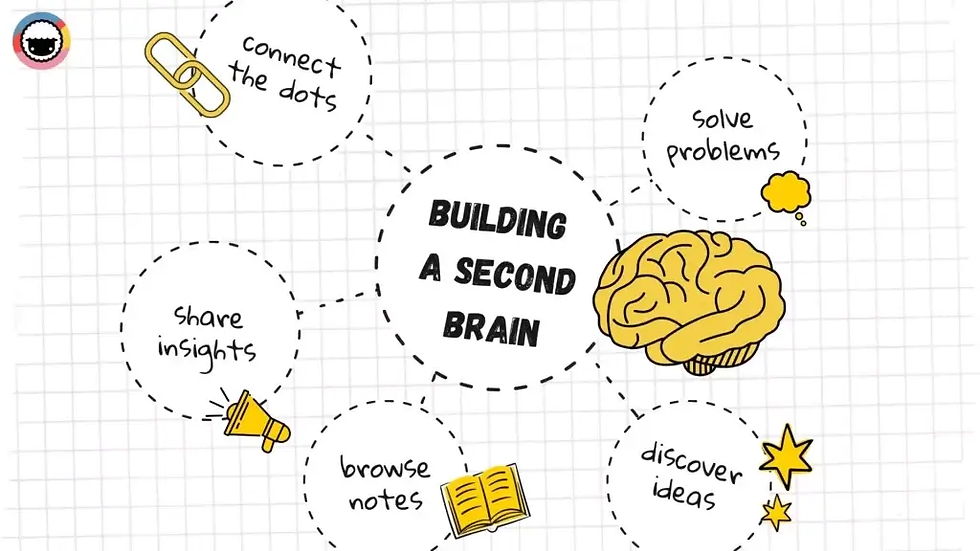
A second brain is a trusted external memory and thinking partner. In 2026, that no longer means a stack of tagged notes you have to babysit. It’s a living, AI‑backed knowledge base that ingests your digital exhaust—documents, emails, web pages, meeting transcripts—and makes it queryable with citations. In practice, that looks like automatic capture from the browser and meetings, on‑device parsing for privacy and speed, retrieval‑augmented generation (RAG) so answers come with sources, and proactive reviews that resurface what matters before you forget.
Classic “second brain” ideas still matter—externalizing ideas, linking concepts, and revisiting insights—but the mechanics have changed. Instead of spending energy on folders and tags, you design a pipeline so your AI can find, cite, and synthesize when you ask.
Why PARA and Zettelkasten struggle at 2026 scale
PARA (Projects, Areas, Resources, Archives) and Zettelkasten shaped a generation of PKM. They remain useful for deliberate thinking and teaching structure. But when information is high‑volume and multi‑modal, their manual overhead and rigidity show.
Maintenance burden. PARA depends on constant filing and periodic audits; the backlog grows fast as inputs multiply. Practitioner explainers in 2024–2025 note tool‑fit caveats and the need for regular cleanups to avoid clutter. See the 1hourguide overview (2024) and ClickUp’s explainer (2025) for balanced takes: the 1hourguide PARA overview and ClickUp’s PARA method explainer both highlight discipline and fit constraints. A complementary perspective discusses automation and “information bankruptcy” resets in Self‑Organizing PARA Note‑Taking Systems.
Retrieval rigidity. Project vs. Area boundaries don’t map neatly onto fluid work. Semantic search and conversation often beat browsing folders for cross‑cutting questions, as summarized by practitioner guides and the sources above.
Missing push and context. Traditional PKM expects you to pull information. In an AI‑native system, the assistant can push timely reviews and compose briefings from related sources—something classic methods didn’t aim to do.
The takeaway: Keep what’s useful from PARA/Zettelkasten (clarity, atomic notes, intentional linking), but let automation handle capture and let AI handle recall, extraction, and synthesis.
The principles of an AI Native Second Brain
An AI Native Second Brain is built on four practical principles.
Automatic, invisible capture. Your system should ingest from where you already work—browser, file system, email, meetings—without extra effort. Lightweight highlights, auto‑saved transcripts, and drag & drop files accumulate into a single knowledge base.
Local‑first parsing and private AI. Whenever possible, keep raw data and indexes on your device. Local processing improves privacy, latency, and reliability, aligning with broader on‑device AI trends from 2025–2026 (e.g., Apple’s on‑device features and Private Cloud Compute discussed in Apple’s newsroom updates). A local‑first stance also simplifies compliance for sensitive materials.
Conversational retrieval with citations (RAG). Instead of hunting folders, you ask: “What did we decide about pricing last quarter?” The assistant retrieves embedded chunks from your sources and answers with citations, following standard retrieval‑augmented generation patterns outlined in Azure’s RAG overview.
Proactive, AI‑guided reviews. Spaced prompts and thematic retros keep knowledge fresh. Education guidance in 2024–2026 reiterates spacing and retrieval practice as effective for long‑term retention; see the Education Development Trust curriculum overview. Your second brain should nudge you with digestible reviews, not ask you to remember to remember.
A quick architecture primer: personal RAG without the jargon
At a personal scale, you don’t need a data center. You need a dependable pipeline that turns raw inputs into queryable, cited answers. The flow is straightforward: capture web clips, files, emails, and transcripts; parse to clean text and metadata; split content into coherent passages (semantic or recursive); embed those chunks and store vectors locally (e.g., SQLite/FAISS); on each question, retrieve the top‑k relevant chunks and draft an answer that quotes or cites them; finally, save useful outputs back into the knowledge base. Common pitfalls—poor chunking, stale embeddings, and over‑eager generation—are covered in practical guidance such as TopQuadrant’s RAG explainer and mitigation tips like evidence‑required prompts summarized by Stardog. For chunking choices and why it matters, see Chroma Research.
Step‑by‑step: build your AI Native Second Brain
You can start simple and grow. Three built paths cover most needs.
Beginner: frictionless start. Use your existing note app (Notion or Obsidian), a web clipper, and a reputable chat model. Clip articles and save files as you go. Ask the model questions and paste relevant snippets for grounding. Set a weekly reminder to review captures. The trade‑off is manual grounding and fewer citations, which is fine for trying the mindset without new infrastructure.
Intermediate (2–3 days): local search plus conversational retrieval. Use an Obsidian vault with a lightweight vector store (e.g., local FAISS/SQLite via a plugin or small app) and a chat interface wired to your vault. Add a file‑watcher that parses new or changed notes and PDFs, applies recursive chunking, enriches metadata, and re‑embeds. Ask questions directly and expect answers with citations. You’ll invest a little setup effort for vastly better grounding and recall.
Advanced (self‑hosted): private RAG with proactive reviews. Run a local LLM (for example, via Ollama) with FAISS/SQLite, semantic chunking, scheduled re‑embeddings, and privacy defaults like disk encryption and API minimization. Build a simple pipeline—watcher → parser → chunker → embedder → retriever → generator—and schedule “digest” prompts that compile weekly or monthly reviews from recent captures. It’s the most private and reliable route, with light maintenance to keep models and indexes fresh. AI native knowledge bases like remio are providing solutions at this level.
Everyday workflows that actually save time
Meetings Calendar: Driven capture produces a transcript with speaker IDs; an AI summary lands in your knowledge base and becomes searchable; action items appear in your weekly review. Cross‑vendor overviews of meeting AI describe this flow; see NoJitter’s feature overview.
Disclosure: remio is our product. As a neutral example of a local‑first workflow, remio supports unlimited recording and transcription with on‑device storage and AI summaries that integrate into its knowledge base; see Unlimited Free Recording & Transcription. Alternatives include Obsidian with local transcription, Notion with a private workspace, or dedicated recorders like Otter paired with careful data governance.
Email and docs auto ingest: PDFs and attachments, parse to text, tag with sender or project metadata, and index for retrieval. Ask questions like “Summarize all vendor contracts expiring this quarter,” and require citations.
Web and research: Highlight passages while reading; the system stores the source URL, title, and context. Each week, a digest surfaces what’s new and what connects to ongoing projects. For chunking quality, Chroma Research explains strategies that improve retrieval.
Files and media: Drag‑drop files; local OCR parses images and slides; embeddings and metadata make them searchable. Proactive prompts ask, “Anything from this week’s captures that relates to the pricing strategy brief?”
Proactive reviews: prompts, cadences, and templates
Spaced practice beats cramming. Education sources in 2024–2026 reinforce spacing and retrieval practice for durable learning; see the Education Development Trust overview. In an AI Native Second Brain, you’ll rely on short, citation‑demanding prompts and light schedules.
Suggested cadence. Weekly: a new‑captures digest that asks your assistant to cite and explain what changed your mind. Monthly: a thematic review per project or area; demote stale topics and promote emerging themes. Quarterly: a system audit—privacy check, index freshness check, and an export/restore test.
Prompt starters. “List the three most decision‑relevant insights I captured this week. For each, quote the source and suggest one follow‑up question.” “Given the last month of meeting notes on Project X, what unresolved decisions remain? Cite exact timestamps or transcript excerpts.” “What conflicting advice did I save about pricing? Present a brief with citations and a decision tree.”
To keep your thinking sharp (and avoid offloading too much), build in active‑recall prompts and self‑explanations. A practical perspective on balancing AI help with cognitive effort is discussed in this remio article on maintaining cognitive skills.
Privacy, ownership, and portability (a lightweight checklist)
Adapting elements from NIST’s AI Risk Management and Privacy Frameworks (organizational tools you can borrow from), here’s a personal checklist. Inventory your data flows—notes, emails, transcripts, highlights—and label sensitive items. Default to local‑first: store raw data and vector indexes on the device and turn on full‑disk encryption. Minimize cloud calls by keeping sensitive content local and maintaining an allowlist for APIs. Track provenance by recording source URLs, authors, dates, and versions for every chunk. Refresh intentionally with scheduled re‑embeddings and model updates while logging changes. Preserve portability with regular exports (markdown plus JSON metadata) and test restores quarterly. Background resources like the NIST AI RMF and NIST Privacy Framework 1.1 update offer useful mental models even for individuals.
Troubleshooting and migration
If answers feel fuzzy, reduce chunk size, increase k, and require citations (“cite or abstain”). Re‑embed stale documents; see mitigation guidance in TopQuadrant. If capture creates noise, introduce source allowlists and priority tags, and archive aggressively—let the net be wide, but the index be smart. If privacy is a worry, move embeddings and the vector database locally, enable disk encryption, and review API logs monthly. Migrating from PARA or Zettelkasten? Don’t bring everything. Start with current projects and core references, and keep classic structures where they still help intentional writing and synthesis.
Where this second brain boosts effectiveness
When capture is automatic, and retrieval is conversational, you feel the gains quickly: decision speed improves, meetings end with clear actions, and weekly reviews take minutes instead of hours. For a practical example of knowledge synthesis and time savings, see this engineer’s perspective on using a private assistant to accelerate weekly summaries and research matrices in An Engineer’s Productivity Revolution.
Next steps
Pick a build path (Beginner, Intermediate, or Advanced) and set up your capture and indexing pipeline this week. Then schedule your first proactive review for next Friday. When in doubt, keep it local‑first, ask for citations, and let the system do the filing so you can think deeper.