2026年に試すべきトップ10のデジタルノートブック


2026年に試すべきトップ10のデジタルノートブックアプリは次のとおりです: remio, Notion, Microsoft OneNote, Evernote, GoodNotes, Apple Notes, Google Keep, Zoho Notebook, Obsidian, and Simplenote. 各デジタルノートブックは、アイデアをキャプチャし、ノートブックを整理し、情報をすばやく見つけるのに役立つように設計されています。デジタルノートブック市場は、$1 billion in 2025 を超えると予測されており、今後10年間も成長を続けます。AI機能を備えたデジタルノートブックアプリは、人々の作業を最大30%高速化し、ノートブックをより効率的に整理できることが研究で示されています。
Source | Finding |
Gartner | AIを活用したデジタルノートブックアプリは、人々の作業を最大30%高速化できます。 |
Harvard Business Review | AIを活用したデジタルノートブックツールを使用すると、最大25%多くの情報を記憶できます。 |
Pew Research Center | デジタルノートブックでメモを探す時間が最大50%短縮されます。 |
McKinsey & Company | AIデジタルノートブックツールを使用する企業は、20〜30%速く作業し、15〜20%多くの新しいアイデアを生み出します。 |
Key Takeaways
Try top digital notebook apps like Remio, Notion, and Evernote. These apps help you take better notes in 2026.
Use AI features in digital notebooks を活用して作業を高速化しましょう。最大30%多くの成果を上げることができます。最大25%多くの情報を記憶できます。
Keep your notes neat with folders, tags, and clear headings. This makes searching and sorting much easier.
Connect your digital notebook with other tools like calendars. You can also use project management apps. This helps you work better.
Test different apps to find the one you like most. Pick the app that fits your style and needs. This helps you get more done.
Digital Notebook Trends 2026
Productivity Features
2026年、デジタルノートブックアプリには多くの便利な機能が搭載されます。これらの機能は、毎日の作業をより効率的にします。多くのアプリがAI to give you coaching やライティング支援を提供します。一部のアプリでは気分をトラッキングする機能もあります。AIノートテイカーは会議を聞き取り、メモを自動作成できます。要約やアクションアイテムのリスト作成も可能です。これにより、タイピングではなく会議に集中できます。一部のアプリは多言語対応で、チャットプラットフォームと連携します。チームでブレインストーミングを行い、AIが重要なアイデアを表示してタスクを即座に割り当てます。
Trend | Description |
スマートアシスタントによるパーソナルコーチング、ライティング支援、気分トラッキング。 | |
Data Privacy Measures | ブロックチェーンセキュリティ、エンドツーエンド暗号化、生体認証。 |
Integration with Wearables | スマートウォッチによるジャーナリング、音声メモ、IoT対応同期。 |
You can use tools to make daily notes and manage tasks. Expandable outlines help you keep things neat. These features help you work faster and keep your notes tidy.
Organize Your Notes
It is easier than ever to organize your notes できるようになりました。多くのアプリでフォルダー、タグ、カラーを使えます。たとえば、Google Keep ではノートに色を付け、音声メモを使用できます。話した内容を書き起こすことも可能です。Apple Notesではフォルダー、タグ、書類のスキャンが利用できます。これらのツールは、素早い検索とノートの整理に役立ちます。階層タグやclear names をノートに付けることを試してみてください。これによりAIがノートをより良くソート・検索できるようになり、時間を節約できます。
Tip: Use clear and simple headings in your notes. This helps AI tools read your notes and makes searching much faster.
Integration Tips
You can save time by syncing your notebook with other tools. Make templates for different kinds of notes. This keeps your work neat and easy to follow. Use tags in levels so AI can organize your notes better. Give your notes clear names and add extra info to each one. This makes it easier to search and sort. Sync your notebook with your calendar, email, and project tools. This saves you time and keeps everything together.
Make templates for each kind of note.
Use tags in levels to organize better.
Name your notes clearly so you can find them.
Add extra info to help you work faster.
Sync your notebook with other tools you use.
Watch your API use and costs if you use many services. Saving content you use a lot can also help you work faster.
Top 10 Digital Notebook Apps

1. remio
remio 3.0 (released April 2026) is the most capable personal knowledge system on this list, built around a complete Agent system rather than a note editor. Connect your sources — web browsing, meetings, local files, Slack, Gmail, Outlook, and even your ChatGPT and Gemini conversation histories — and remio builds a searchable, AI-queryable knowledge base automatically. Nothing needs to be manually organized.
The 3.0 release introduced rOS (remio Agent OS) and 30+ agentic apps (aApps). AK Wiki — an implementation of Andrej Karpathy's LLM Wiki pattern — ships as a built-in aApp, turning your knowledge corpus into a structured wiki with zero manual page creation. Smart Todo extracts action items from meetings. My Headlines generates daily briefings from your saved content. Skills include PPT generation, spreadsheet analysis, deep research, and Browser-Use. One-click connectors for Notion, Linear, Zapier, Stripe, and full MCP standard.
The five-level memory system spans your foundational preferences, session context, daily activity logs, cross-platform AI conversation history (ChatGPT, Gemini, Grok, DeepSeek), and full knowledge corpus. rVault creates automatic backups before any Agent writes to files.
Key Features
Automatic capture from web, meetings, files, emails, and external AI chats
Five-level persistent memory — context that compounds over time
30+ aApps: AK Wiki, Smart Todo, My Headlines, WeChat/Telegram gateway, academic search
Connectors: Notion, Linear, Zapier, Stripe, plus full MCP standard
BYOK: connect OpenAI, Anthropic, Gemini, X-AI, or OpenRouter
Pricing: Free ($0), Pro ($11.6/mo annual), BYOK ($14.9/mo)
2. Notion
Overview
Notion gives you one place で思考、ノート、タスク、プロジェクトを管理できます。チームで共同作業し、同時に編集可能です。ページを自由にカスタマイズでき、ホーム用と仕事用に複数のワークスペースを作成できます。NotionにはAIライティング支援機能と豊富なテンプレートがあります。
Pros
Helps you handle projects and clearly see your work steps.
You can use templates to quickly start new notebooks.
Integrates with calendars.
Features AI-powered meeting notes.
Suitable for both individuals and teams.
Cons
It may seem a bit complex at first and has a learning curve.
Some advanced features require a paid subscription to use.
Pricing
Plan | Features Included | Price (USD) |
Free | Personal notes, basic collaboration | $0 |
Plus | Unlimited blocks, advanced collaboration | $8/month |
Business | Team management, advanced security | $15/month |
Enterprise | Custom solutions, admin controls | Custom |
Notion is great if you want to keep notebooks, manage tasks, and work with others.
Key Feature | Ideal Use Case |
Centralized workspace | Keeping thoughts, notes, tasks, and projects |
Collaboration features | Team projects and editing together |
Multiple workspaces | Organizing for home and work |
Customizable pages | Making pages fit your needs |
Task and project management | Planning and doing team projects |
Visual project workflows | Seeing project steps and what needs to be done |
Extensive template library | Starting tasks and projects quickly |
AI writing assistant | Helping you write and sum up info |
Knowledge library (Wikis) | Sharing info and helping new team members |
Calendar integration | Keeping calendars and tasks together |
AI meeting notes | Writing down and summing up meetings |
3. Microsoft OneNote
Overview
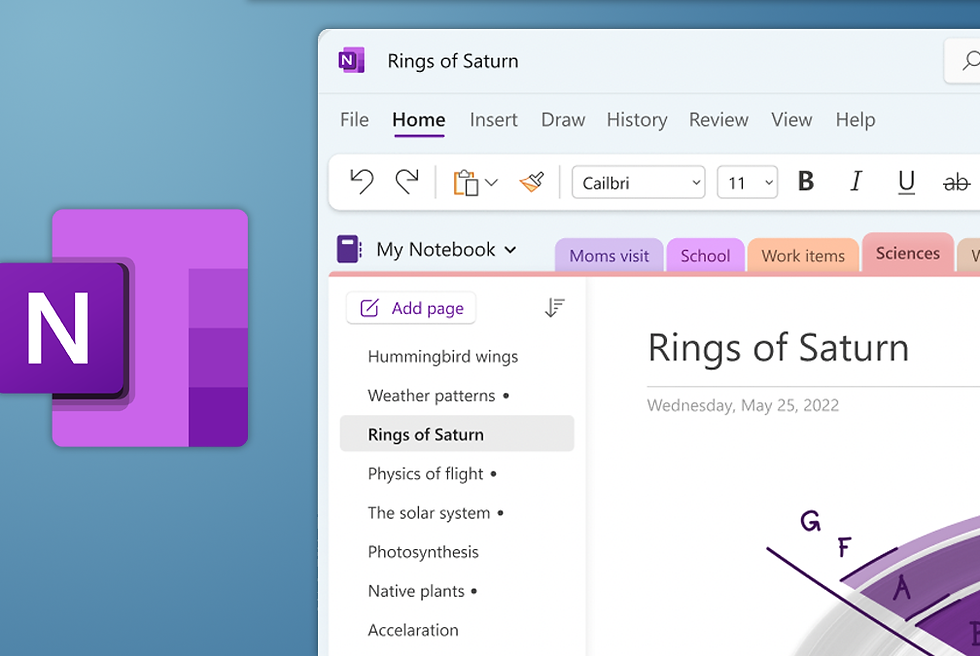
You use OneNote to put info from many places into one spot. The app works with Microsoft 365, so you can add Word, Excel, and PowerPoint stuff. OneNote lets you set up tasks and sync notes with calendars and project tools. You can use other platforms to connect OneNote with more apps.
Pros
Ability to gather information from many sources.
Helps in keeping notebooks organized.
Facilitates sharing of notes.
Supports viewing notes on any device.
Cons
Can become messy if you have many notebooks.
Some features are optimized for Microsoft 365.
Pricing
Plan | Features Included | Price (USD) |
Free | Basic note-taking, cloud sync | $0 |
Microsoft 365 | Full integration, advanced features | $6.99/month |
Enterprise | Team management, admin controls | Custom |
OneNote is a smart pick if you want to save notes from different places and use Microsoft tools.

4. Evernote
Overview
Evernote keeps your notes すべてのデバイスで同期します。ノートを明確な順序で整理でき、強力な検索ツールを備えています。Evernoteはチームでの共同作業にも適しています。
Pros
You can see your notebooks anywhere.
The search tool helps you find notes fast.
Evernote lets you work with others and share notes.
Cons
The free plan has some limits.
Paid plans cost more than other free digital notebooks.
Evernote is not made for project management.
Pricing
Plan | Features Included | Price (USD) |
Free | Basic notes, device sync | $0 |
Personal | More storage, advanced search | $10.83/month |
Professional | Team features, integrations | $14.17/month |
Teams | Collaboration, admin controls | Custom |

5. GoodNotes
Overview
GoodNotes gives you a big space for mind maps and diagrams. You can use templates to start creative work. The app lets you draw and write with a stylus. GoodNotes helps you plan and brainstorm with pictures.
Pros
The big canvas allows for detailed diagrams.
Templates help in quickly starting new notebooks.
The app is great for creative people and students.
Cons
Works best on tablets with a stylus.
Some features do not work on every device.
Pricing
Plan | Features Included | Price (USD) |
Free | Basic note-taking, limited templates | $0 |
Full | Unlimited notebooks, all templates | $7.99 one-time |
Premium | Advanced diagramming, cloud sync | $9.99/year |
6. Apple Notes
Overview
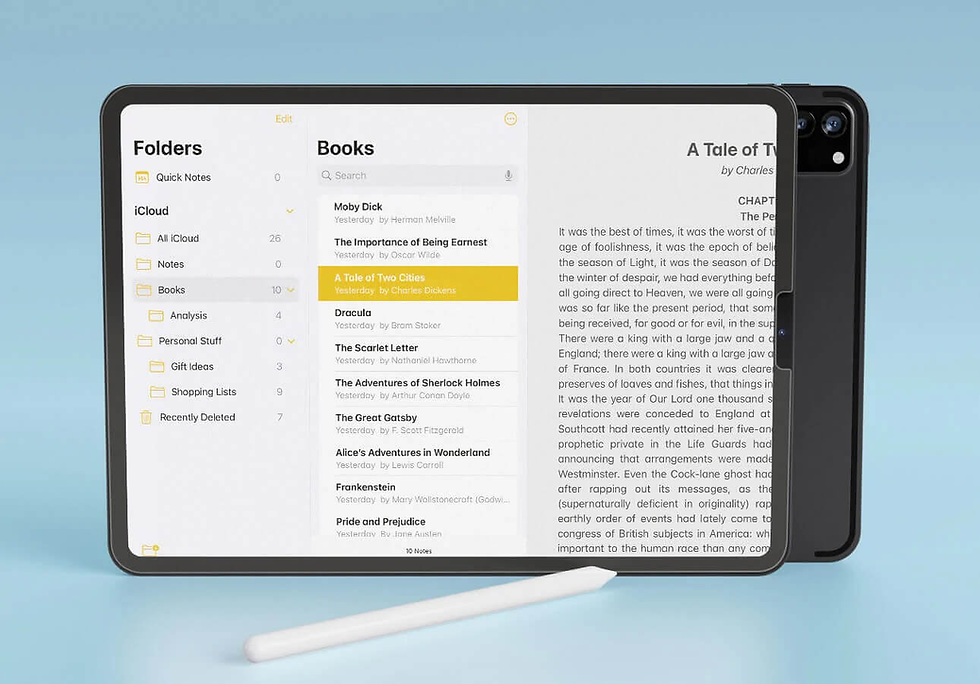
Apple Notes works on iPhone, iPad, and Mac. You can change how notes look, add checklists, pictures, and sound. The app lets you share and work with others. Apple Notes has strong search tools to help you find notes fast.
Pros
You can see your notebooks on any Apple device.
The app keeps notes neat with folders and tags.
You can work with others easily.
Cons
Apple Notes works best with Apple products.
Some features do not work on non-Apple devices.
Pricing
Plan | Features Included | Price (USD) |
Free | All features, cloud sync | $0 |
Apple Notes is made to work well with Apple devices. You can get to your notes from any Apple product. This makes it easy to keep working and find your notes anytime.

7. Google Keep
Overview
Google Keep is easy to use for quick notes. You can use colors and voice memos. The app works on all your devices and with Google services.
Pros
You can make and sort notebooks fast.
The app is free and good for short notes.
Google Keep is simple to learn.
Cons
Google Keep does not have some basic features like sub-lists and fancy formatting.
You cannot lock notes or share them as PDFs.
The app does not let you do math functions.
Pricing
Plan | Features Included | Price (USD) |
Free | All features, cloud sync | $0 |

8. Zoho Notebook
Overview
Zoho Notebook works on all your devices. You can make notes as text, audio, sketches, or photos. The app lets you share safely and backs up your notes in the cloud. Zoho Notebook cares about your privacy and does not use ads.
Pros
You can use many note types for different needs.
The app saves your notebooks for backup and easy access.
Safe sharing lets you work with others.
Cons
Some top features need a paid plan.
The app may feel different from other note apps.
Pricing
Plan | Features Included | Price (USD) |
Free | Basic notes, cloud sync | $0 |
Premium | Advanced features, extra storage | $4/month |
Works on all devices
Lets you make notes as text, audio, sketches, and photos
Safe sharing for teamwork
Cloud backup for safety and access
Keeps your info private and does not use ads

9. Obsidian
Overview
Obsidian lets you link notes about certain topics. The app uses plugins to put tagged items into lists. You can keep track of tasks and ideas easily. Obsidian is liked for managing knowledge and research.
Pros
You can make linked notebooks for deep learning.
Plugins help you sort and find info fast.
Obsidian works offline and uses Markdown.
Cons
The app may look hard for new users.
Some plugins need setup and learning.
Pricing
Plan | Features Included | Price (USD) |
Free | Personal use, markdown support | $0 |
Catalyst | Early access, community support | $25 one-time |
Commercial | Business use, priority support | $50/year |

10. Simplenote
Overview
Simplenote gives you a clean and easy way to take notes. You can sync notes on all your devices and use tags to sort them. The app works with markdown and keeps old versions.
Pros
You can use Simplenote for quick, simple notes.
The app is free and works on many devices.
Tags help you keep notebooks sorted.
Cons
Simplenote does not let you add images or files.
The app has fewer tools than other note apps.
Pricing
Plan | Features Included | Price (USD) |
Free | All features, cloud sync | $0 |
Simplenote is a good pick if you want free digital notebooks for fast notes and easy sorting.
Boost Productivity with Digital Notebooks
Note Taking Best Practices
You can get more done by using digital notebooks for notes. Stop using paper notebooks to work better and keep ideas safe. When you write things in a digital notebook, you do not lose important info. Try making mind maps to sort your thoughts. Start with one main idea, then add smaller details around it. This way, you can split big topics into small parts and link ideas together. Mind maps help you see what is important and come up with new ideas.
Use digital notebooks to keep things neat and get more done.
Write down info so you do not forget anything.
Mind maps help you see your ideas and work better.
Make a mind map for each topic.
Split big ideas into smaller ones.
Link ideas to understand everything better.
Tip: Mind maps are great for studying and thinking of new ideas. You can look at one topic and add more ideas step by step.
Organize Your Notes Efficiently
You can keep notes neat by using folders, tags, and reminders. This helps you work faster and find notes quickly. Many apps let you make groups inside groups, so you can sort notes by subject or project. Add tags to each note to search easily. Evernote is a good app that helps you keep notes neat and easy to find. When you use tags and folders, you can focus on your work and get more done.
Keep notes in notebooks to stay neat.
Add tags and reminders to find notes fast.
Use groups inside groups for better order.
Note: Keeping your notes neat helps you focus and makes it easier to work well every day.
Integration for Productivity
You can get more done by linking your digital notebook with other tools. Sync your notes with your calendar to set reminders and plan tasks. Use templates for different notes to work faster. Many apps have smart search tools to help you find info fast. The table below shows how search tools help you work better and stay focused.
Feature | Description |
Efficient Retrieval | Linked notes help you find info fast. |
Smart Retrieval | Smart tools find details by looking at what you need. |
AI Organization | Notes are sorted by smart tools to make a network of ideas. |
Automatic Retrieval | You get ideas right away by using keywords or memories, so you feel less stress. |
Tip: Link your notebook with your calendar and email. This helps you work better and get more done every day.
Comparison Table
Features Overview
Picking a digital notebook is about what you need. Each app has special features to help you stay organized and get more done. Remio uses AI to gather info from many places and answer your questions. Notion and OneNote help you handle projects and work with others. GoodNotes and Apple Notes are good for drawing and creative tasks. Obsidian and Simplenote help you link ideas and keep things easy.
App Name | Key Features | Benefits |
Remio | AI-powered search, multi-source integration | Personalized productivity |
Notion | Custom pages, templates, collaboration | Flexible workspace |
OneNote | Microsoft 365 integration, task management | Easy info capture |
Evernote | Powerful search, note hierarchy | Fast note retrieval |
GoodNotes | Infinite canvas, stylus support | Creative note-taking |
Apple Notes | Folders, tags, media support | Seamless Apple integration |
Google Keep | Color coding, voice notes | Quick note capture |
Zoho Notebook | Multi-format notes, privacy focus | Secure organization |
Obsidian | Linked notes, markdown, plugins | Deep knowledge management |
Simplenote | Tagging, markdown, version history | Simple and fast notes |
Tip: Pick features that fit how you work each day. This will help you stay neat and get more done.
Pricing & Platforms
Think about cost and what devices you use. Some apps are free, but others need payment for extra tools. Most apps work on many devices, but some are only for Apple.
App Name | Price | Platform Support |
remio | Free, Pro $8/mo, Enterprise | Web, Windows, Mac |
Notion | Free, Plus $8/mo | Web, Windows, Mac, iOS, Android |
OneNote | Free, 365 $6.99/mo | Web, Windows, Mac, iOS, Android |
Evernote | Free, Personal $10.83/mo | Web, Windows, Mac, iOS, Android |
GoodNotes | Free, Full $7.99 one-time | iPad, iOS, Mac |
Apple Notes | Free | iOS, Mac |
Google Keep | 無料 | Web, iOS, Android |
Zoho Notebook | 無料、プレミアム $4/月 | Web, Windows, Mac, iOS, Android |
Obsidian | 無料、$25一括払い、$50/年 | Windows, Mac, Linux, iOS, Android |
Simplenote | 無料 | Web, Windows, Mac, iOS, Android |
注: 無料版はシンプルな用途に適しています。有料版では、より多くのツールを使ってさらに多くのことを行えます。
最適な用途
仕事や働き方に合った最適なアプリを選びましょう。学生は勉強ノートやマインドマップ用のアプリが必要です。社会人は会議ノートやチームツールを求めます。クリエイティブな人は描画やアイデアのリンク機能を探します。
学生: GoodNotes、Apple Notes、Whimsical、Tanna
社会人: Remio、Notion、OneNote、Fireflies AI
クリエイター: Obsidian、Napkin、GoodNotes、Genei
働き方に合ったアプリを選びましょう。適切なアプリは、生産性を大幅に向上させます。
デジタルノートブックには多くの選択肢があります。remio stands out 強力なAI機能が特徴です。NotionとOneNoteはプロジェクト管理に役立ちます。GoodNotesとApple Notesはクリエイティブな作業に適しています。ObsidianとSimplenoteはシンプルさを保ちます。最適なアプリを見つけるためのヒントを試してみてください:
トライアル版を試す 気に入った機能を確認しましょう。
チュートリアルを利用して各アプリの使い方を学びましょう。
同期と検索機能がニーズに合っているか確認しましょう。
スタイルと目標に合ったアプリを選びましょう。
FAQ
デジタルノートブックとは何ですか?
A デジタルノートブックはアプリ で、デバイス上でノートを書いたり保存したり整理したりできます。学校、仕事、個人的なアイデアに利用可能です。多くのアプリでノートを素早く検索・並べ替えできます。
デジタルノートブックは整理にどのように役立ちますか?
フォルダー、タグ、色を使ってノートを分類できます。多くのアプリでキーワード検索が可能です。これにより必要なものを簡単に見つけることができます。重要なタスクのリマインダーを設定することもできます。
異なるデバイスでデジタルノートブックを使えますか?
ほとんどのデジタルノートブックは、スマートフォン、タブレット、コンピューターで動作します。ノートをデバイス間で同期できます。つまり、あるデバイスでノートを始め、別のデバイスで完了できます。
デジタルノートブックは情報の安全性は確保されていますか?
多くのアプリで暗号化を使用してノートを保護しています。パスワードを設定したり、指紋ロックを使用したりできます。アプリのプライバシー設定を確認して、情報を安全に保ちましょう。
学生に最適なデジタルノートブックはどれですか?
学生はしばしばGoodNotesやApple Notesを、描画や勉強ノートの整理に選びます。remio is great AIを活用した高速な情報検索を求める場合に最適です。さまざまなアプリを試して、自分に合うものを見つけてください。