2026年のブックマーク管理のためのRaindrop代替トップ10


2026年に新しいブックマークマネージャーを探していますか? ここでは、試せるトップ10のraindrop代替ツールを紹介します:remio、Start.me、Bookmark Ninja、Pocket、Diigo、Toby、Bookmark OS、Karakeep、Pinboard、Linkwarden。プライバシー、機能、またはコストの理由で新しいブックマークの保存方法を求めるかもしれません。一部のブックマークツールはより多くのデバイスで動作したり、使いやすかったりします。選ぶ際は、使いやすさ、安全性、オープンソースかどうか、AIの使用を考慮してください。ブックマークには、自分に最適なツールが必要です。
主なポイント
多くのブックマークマネージャーには特別な機能があります。一部はAIタグ付けを使用します。一部はチームでブックマークを共有できます。一部はオフラインで動作し、さまざまなニーズに対応します。
プライバシーは重要です。KarakeepやLinkwardenのようなオープンソースツールは、データを自分で制御するのに役立ちます。独自のサーバーをホストできます。
クロスプラットフォーム対応により、どこでもブックマークを使用できます。ウェブ、デスクトップ、モバイルデバイスで簡単に利用可能です。
AIはブックマークの整理、検索、summarize bookmarksに役立ちます。これにより時間と労力を節約できます。
各ツールの価格は異なります。一部は無料で、一部は有料です。予算とニーズに合ったものを選んでください。
ブックマークの移行は簡単です。Raindrop.ioからエクスポートし、HTMLファイルで新しいツールにインポートします。
日常の習慣と必要なことを考えてください。読書、調査、チームでの作業など? それに合ったマネージャーを選びましょう。
ブラウザ拡張機能とモバイルアプリは、ブックマークを素早く保存するのに役立ちます。どこにいても簡単にアクセスできます。
2026年のBest Raindrop Alternatives
1.remio.ai
概要
remioは知識管理のための強力なツールです。ブックマークの保存だけでなく、ブックマークとノートを簡単に収集・整理できます。remio uses smart AI featuresで使いやすいため、2026年のトップチョイスとして選ぶ人が多いです。remioはウェブサイトの内容を自動保存し、ドキュメントをスキャンし、音声メモを録音できます。
AI Features
remioはさまざまな方法でAIを使用する点が異なります。ブラウジング中にウェブコンテンツを自動保存し、情報を失うことはありません。AIcopilotプラグインは質問をしたり要約を取得したりするのに役立ち、ブラウザやアプリ内で実行できます。remioのAI検索はブックマークとノートを素早く見つけます。通常の言葉で検索可能です。AIアシスタントは習慣を学習し、コンテキストを理解します。データに基づいて質問に答え、レポート作成やメール返信を支援します。PDF、Wordファイル、スライドから情報を抽出します。
Tip: remio keeps your bookmarks and data private。情報はデバイス上で安全に保たれます。
Pros
手動クリックなしで全ウェブコンテンツを自動キャプチャ。
スマートAIがブックマークの整理と検索を支援。
読書中にハイライトとコメントが可能。
PDF、PPT、Wordなどのローカルドキュメントを扱える。
終日ライブサポートとトレーニングを提供。
Cons
主にコンピューターで動作
Pricing
remioには無料版と無料トライアルがあります。プレミアムプランは月額$19.90で、全AI機能とフルサポートが利用できます。
Platforms
Web
Mac OS/Windows
iPhone(Upcoming)
2.Start.me
概要
Start.meはカスタマイズ可能なスタートページを提供します。すべてのブックマークとお気に入りサイトを1か所にまとめられます。個人またはチーム用のデジタルボードのように機能します。Start.meはブックマーク、ノート、RSSフィード、タスクの管理を支援します。ダッシュボードを変更し、コンピューター、タブレット、電話で同期できます。
Features
1ページでブックマーク、ノート、フィードを整理。
チームでの共同作業とページ共有が可能。
Pocketなどからブックマークをインポート。
デバイス間で簡単に変更・同期。
Chrome、Edge、Firefox、Safari、Braveと連携。
上級ユーザー向けにAPIアクセスを提供。
オフラインおよびオンプレミスオプションを利用可能。
Pros
シンプルでクリーンなブックマーク管理方法。
安価な年額料金と無料版あり。
チームと共有に適する。
ほぼすべてのデバイスで動作。
アップデートとカスタマーサポートあり。
Cons
一部の特別な機能にはプレミアムプランが必要。
Pricing
Start.meには無料版と年額$20のプレミアムプランがあります。これは最も安価な年額料金の1つで、チームサポートとオフライン利用を求めるユーザーに適しています。
Platforms
Web
iPhone, iPad, Android
Windows, Mac, Linux, Chromebook
On-premises deployment
3.Bookmark Ninja

概要
Bookmark Ninjaはクラウドブックマークマネージャーです。任意のデバイスからブックマークを整理できます。すべてのブックマークを1か所にまとめ、コンピューター、タブレット、電話からアクセス可能です。Bookmark Ninjaは、速くて簡単なブックマーク管理方法を求める人に好まれています。
Features
タグと検索でブックマークを整理。
ダッシュボードでドラッグしてブックマークをグループ化。
リンク切れを検出してブックマークを最新に保つ。
パスワード保護でブックマークを共有。
多くのブラウザとデバイスで動作。
Pros
ブラウザ搭載の任意のデバイスで動作。
タグと強力な検索を使用。
速度重視で高速・軽量。
基本利用にアカウント不要。
パスワード保護でブックマークを共有。
Cons
永久無料プランなし、30日間無料のみ。
動作にインターネットが必要。
他のアプリとの連携が少ない。
Pricing
Bookmark Ninjaは30日間の無料トライアルを提供。その後、年額請求で月額$1.99です。
Platforms
Web-based, works on any device with a browser.
Note: Bookmark Ninja is best for people who want a simple, fast, and tag-based way to manage bookmarks on different devices.
4.Pocket

概要
Pocketは記事、動画、ウェブページのブックマークを保存できます。後で読んだり見たりするために保存可能です。インターネットからものを集めるのが好きな人に適しています。電話やコンピューターでワンクリックでブックマークを保存できます。
Features
記事、動画、ウェブページのブックマークを保存。
タグと検索でブックマークを素早く検索。
テキスト読み上げで記事を聴く。
記事の重要な部分をハイライト。
あなた向けに選ばれた新コンテンツを取得。
すべてのデバイスでブックマークを同期。
Pros
任意のデバイスからブックマークを簡単に保存可能。
広告を除去したクリーンなリーディングビュー。
テキスト読み上げで記事を聴ける。
オフラインで動作し、どこでも読める。
後で読むことを求める人に最適。
Cons
高度な検索など一部の機能にプレミアムプランが必要。
チームやグループでブックマークを共有できない。
Pricing
Pocketには基本機能の無料プランがあります。プレミアムプランは月額$4.99で、高度な検索、無制限ハイライト、永久ライブラリが利用できます。
Platforms
Web
iPhone, iPad, Android
Browser extensions for Chrome, Firefox, Safari, Edge
5.Diigo
概要
Diigoはブックマーク管理とオンライン調査を支援します。ブックマークの保存、ウェブページのハイライト、付箋の追加が可能です。Diigoは個人またはグループプロジェクト向けの情報整理に適しています。多くの学生や教師が学習・調査にDiigoを使用しています。
Features
ブックマークを保存しタグで整理。
ウェブページのテキストをハイライト。
任意のページに付箋を追加。
調査と共有のためのグループ作業。
アウトラインでアイデアを整理。
後で使用するためのウェブページのアーカイブ。
他人とブックマークやノートを共有。
ブックマークとノートを素早く検索。
独自の学習ネットワークを構築。
Pros
ブックマークのハイライトとノート追加が可能。
Diigoはグループ作業と共有をサポート。
ブックマークの分析を提供。
長期利用のためのウェブページアーカイブが可能。
調査と学習に適する。
Cons
一部の高度な機能に有料プランが必要。
新規ユーザーにはインターフェースが煩雑に見える場合がある。
Pricing
Plan Name | Key Features | Pricing Details |
Basic | Bookmarking, highlighting, tagging, limited users | Free |
Standard | Advanced search, offline access, secure encryption, good for small businesses | $5 to $7.95 per user/month (billed yearly) |
Professional | Team tools, priority support, app integration, good for big companies | $40 per user per year (business plan) |
Platforms
Web
iPhone, iPad, Android
Browser extensions for Chrome, Firefox, Safari, Edge
6.Toby

概要
Tobyはタブとブックマークを簡単に整理します。開いているタブをブックマークとして保存し、ワークスペースに配置できます。Tobyは集中力を保ち、気を散らすのを防ぎます。多くの人がブラウザを整理し作業を管理するためにTobyを使用しています。
Features
ドラッグ&ドロップでタブをブックマークとして保存。
プロジェクト用のワークスペースにブックマークをグループ化。
クラウドで全デバイスとブックマークを同期。
リアルタイムで他者と共同作業。
TrelloやTettraなどのツールと連携。
シンプルなナビゲーションのための使いやすいインターフェース。
Pros
タブとブックマークを整理。
乱雑さを減らして集中を支援。
リアルタイム共有でチームワークをサポート。
全デバイスでブックマークを同期。
多くのプロジェクトを抱える人に適する。
Cons
一部の機能に有料プランが必要。
通常のブックマークよりタブ管理に重点を置いている。
Pricing
Tobyには基本機能の無料プランがあります。プレミアムプランはより多くの機能とサポートを提供します。価格は変更される可能性があるため、最新情報はTobyのウェブサイトで確認してください。
Platforms
Web
Chrome, Firefox, Edge browser extensions
7.Bookmark OS
概要
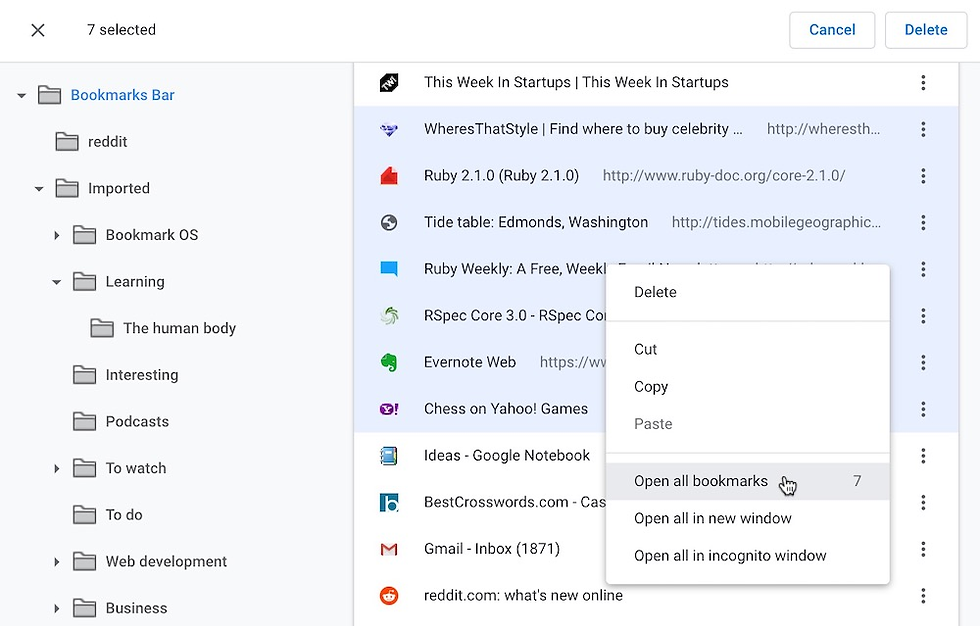
Bookmark OSはブックマークを保持し生産性を高めます。リンクの保存だけでなく、タスク、ノート、ファイルをブックマークに追加できます。デザインは新しく使いやすいです。ブックマークを整理し、各々にノートやファイルを追加できます。すべてが1か所にまとまります。
Features
フォルダ、タグ、アイコンでブックマークをソート可能。
ウェブクリッパーで任意のサイトから保存。
ブックマークにノートとタスクを追加。
OCRでドキュメントをスキャンし画像内のテキストを検索。
全デバイスでブックマークを同期。
ダッシュボードはクリーンで使いやすい。
Pros
ブックマーク、ノート、タスクをまとめて管理可能。
デザインはシンプルでモダン。
多くのデバイスで動作。
ウェブクリッパーでブックマークを素早く保存。
OCRでスキャンしたドキュメントを検索可能。
Cons
一部の機能にプレミアムプランが必要。
無料プランはストレージと機能に制限あり。
Pricing
Bookmark OSには基本ツールの無料プランがあります。より多くの機能が必要な場合、プレミアムプランは年額約$60です。これにより全機能、より多くの検索オプション、追加ストレージが利用できます。
Platforms
Web
Windows, Mac, Linux
iPhone, iPad, Android
Chromebook
8.Karakeep

Overview
Karakeep lets you manage bookmarks with privacy and control. You can run it on your own server, so you own your data. Karakeep is good for people who want open source bookmark managers. The design is simple and has dark mode for easy viewing.
Open Source Features
You host it yourself for full data control.
Use advanced tags with custom styles.
Save bookmarks with a browser bookmarklet.
Handles lots of bookmarks quickly.
Import bookmarks from Pocket easily.
Open source code lets you change and check it.
AI can tag and summarize bookmarks (needs OpenAI API).
Smart previews show rich content.
Full-text search finds bookmarks fast.
Use mobile apps and browser extensions.
Store offline copies of web pages to stop link rot.
No ads or tracking.
RSS can auto-save posts from feeds.
Pros
You control your bookmarks and data.
It is fast and works with big bookmark lists.
Tags and lists help you organize.
AI helps with tagging and summaries.
Open source gives you more control.
Cons
You must set up your own server.
Some AI features need extra setup.
Pricing
Karakeep is free because it is open source. You do not pay for the software, but you might pay for your server or hosting.
Platforms
Web
Windows, Mac, Linux
iPhone, iPad, Android
Browser extensions
9.Pinboard
Overview
Pinboard is a simple way to save bookmarks. You can use it as your own link archive. Pinboard is fast and keeps your data safe. It does not show ads or track you. Many tech fans and developers like Pinboard for its clean look and privacy.
Features
Save and search bookmarks from any device.
Import bookmarks and tweets from other places.
Archive saves copies of bookmarked pages.
Use tags to organize bookmarks.
Connect with Twitter to save favorite tweets.
Use browser and mobile extensions to save bookmarks.
Pros
The design is simple and easy to use.
It works well and rarely goes down.
Backup keeps your bookmarks safe.
Text-based bookmarking is quick and simple.
Good for people who want privacy and speed.
Cons
It has fewer ways to organize bookmarks.
No advanced sorting or visual changes.
Simple design may not fit everyone.
Pricing
Pinboard asks for a one-time fee to join. You can pay each year for extra features like archiving and full-text search. This paid plan keeps the service stable.
Aspect | Details |
Benefits | Simple, no ads, reliable, backup, fast, good for tech users |
Drawbacks | Not many ways to organize, no fancy visuals, may not fit all users |
Pricing Model | Paid from the start, one-time and yearly fees |
Ideal Users | Tech fans, developers, people who care about privacy |
Platforms
Web
Browser extensions for Chrome, Firefox, Safari, Edge
Mobile web access
10.Linkwarden

Overview
Linkwarden helps you save and organize bookmarks. You can keep links and whole web pages. It has tools like collections and tags to sort bookmarks. Linkwarden works for one person or for teams. It is good if you want to protect bookmarks from link rot. It also helps if you have lots of web pages to manage. Many people pick Linkwarden because it lets you control your data and privacy.
Open Source Features
Linkwarden is special because it is open source. You can run it yourself or use the cloud. You can change how it looks and how you log in. AI tagging helps you sort bookmarks fast. Linkwarden saves whole web pages so you do not lose them. You can work with others and set team permissions. The code is open, so you can check or change it.
Here is a table that shows how Linkwarden and Raindrop compare:
Feature | Linkwarden | Raindrop |
Full Webpage Archival | Yes, saves whole web pages | Only some archiving |
AI-based Tagging | Smart AI tagging | Basic tagging |
Collaboration | Strong team controls | Simple sharing |
Public Collections | Advanced controls | Supported |
Self-hosting Option | Yes, you can host it yourself | No |
Customization | You can change it | No changes allowed |
Open-source | Yes | No |
Note: Linkwarden gives you privacy and keeps bookmarks safe. You can use it alone or with a team.
Pros
You can save whole web pages.
AI helps you tag and sort bookmarks.
Teams get strong tools to work together.
You can host it yourself for privacy.
You can change the platform because it is open source.
You can move bookmarks in and out easily.
It works well on phones, tablets, and computers.
Cons
You must set up your own server for full control.
Some features need tech skills to use.
The cloud plan limits how many bookmarks you can keep.
Pricing
Linkwarden is free if you host it yourself. The cloud version has a 14-day free trial. After that, you pay for extra features and help. The cloud plan lets you keep up to 30,000 bookmarks. If you need more, you can get a custom plan. Paid plans give you fast help and updates.
Platforms
You can use Linkwarden on many devices:
Web browser (works on any device)
Windows, Mac, Linux
Mobile devices (works on phones and tablets)
Browser extensions for Chrome, Firefox, Edge
You can host it yourself or use the cloud
Tip: Linkwarden mixes open source with strong support and hosting. You get privacy, flexibility, and good tools for bookmarks.
Comparing Raindrop Alternatives
Feature Comparison
Different bookmark managers have their own special features. Some are good at sorting bookmarks. Others use smart tools like AI. You might want to save articles, PDFs, or YouTube videos. Some tools help you read with no clutter. Others let you work with a group.
Here is a table that shows how popular bookmark managers compare in 2026:
Feature | Bookmark Ninja | Toby | Bookmark OS | Karakeep | Pinboard | Linkwarden | |||
AI Summaries | Yes | Yes | No | No | Yes | Limited | No | No | No |
Save Articles | Yes | Yes | Yes | Yes | Yes | Yes | Yes | Yes | Yes |
Save PDFs | Yes | Yes | Yes | Yes | Yes | Yes | Yes | No | Yes |
Save YouTube Videos | Yes | Yes | Limited | Yes | Yes | Yes | No | No | No |
Knowledge Graph | No | Yes | No | No | Yes | No | No | No | No |
Spaced Repetition | Yes | Yes | No | No | Yes | No | No | いいえ | いいえ |
データエクスポート | はい | はい | はい | はい | はい | はい | はい | いいえ | はい |
ブラウザ拡張機能 | はい | はい | はい | はい | はい | はい | はい | はい | はい |
モバイルアプリ | 近日公開 | はい | はい | はい | はい | はい | はい | はい | はい |
無料プラン | はい | はい | はい | はい | 制限あり | 無料/有料 | はい | はい | 無料/有料 |
読書体験 | クリーン+AIコパイロット | クリーン+AI | クリーン | 柔軟 | クリーン+AI | プレミアム | スタンダード | ミニマル | スタンダード |
RecallやReadwise Readerなどの一部のブックマークマネージャーは、AIを使って要約を作成したり、ナレッジグラフを表示したりします。InstapaperとMatterは、集中して読むのに最適です。Diigoは、ノートを追加したり、他の人と共同作業したりする場合に便利です。
料金概要
ブックマークマネージャーを選ぶ前に、料金を確認することが重要です。一部は無料ですが、他のものは毎月または毎年料金がかかります。最適な価値は、必要な機能によって異なります。
以下は、一部の人気のある代替サービスの開始価格を示す表です:
無料または安価なブックマークマネージャーは、シンプルなニーズや小規模なグループに適しています。
より高価なものは、AIやチームツールなどの追加機能を提供します。
LinkwardenやWallabagなどの一部のサービスでは、技術スキルが必要ですが、独自のサービスを無料で運用できます。
ヒント:使用する機能に合ったプランを選んでください。使用しないものにお金を払わないようにしましょう。
プライバシーとセキュリティ
ブックマークをオンラインで保存する場合、プライバシーは重要です。データが安全に保たれることを望みます。一部のブックマークマネージャーはプライバシーを重視し、データを制御できるようにしています。WallabagやLinkwardenなどのオープンソースツールでは、独自のサーバーを運用できます。つまり、ブックマークの保存場所を選択できます。
他のツールは、強力なセキュリティで保護します。プライベートブラウジング、広告ブロック、または暗号化を備えている場合があります。BraveやFirefoxなどのブラウザには、組み込みのプライバシーツールがあります。これらの機能は、ブックマークと個人情報を安全に保つのに役立ちます。
ブックマークマネージャーのプライバシー機能を常に確認してください。プライバシーが重要なら、オープンソースツールやデータを制御できるものを探してください。
プラットフォームサポート
ブックマークマネージャーを選ぶ際は、お気に入りのデバイスで動作するかどうかを知りたいものです。一部のツールはほぼすべてで動作します。他のものはウェブのみで動作するか、特別なアプリが必要です。決定する前にプラットフォームサポートを確認してください。
以下は、各Raindrop代替サービスが使用できる場所を示す表です:
ブックマークマネージャー | Web | Windows | Mac | Linux | iOS | Android | ブラウザ拡張機能 | オンプレミス / セルフホスト |
remio | ✅ | ✅ | ✅ | ✅ | ✅ | |||
✅ | ✅ | ✅ | ✅ | ✅ | ✅ | ✅ | ✅ | |
Bookmark Ninja | ✅ | ✅ | ✅ | ✅ | ✅ | ✅ | ✅ | ❌ |
✅ | ✅ | ✅ | ✅ | ✅ | ✅ | ✅ | ❌ | |
Diigo | ✅ | ✅ | ✅ | ✅ | ✅ | ✅ | ✅ | ❌ |
Toby | ✅ | ✅ | ✅ | ✅ | ❌ | ❌ | ✅ | ❌ |
Bookmark OS | ✅ | ✅ | ✅ | ✅ | ✅ | ✅ | ✅ | ❌ |
Karakeep | ✅ | ✅ | ✅ | ✅ | ✅ | ✅ | ✅ | ✅ |
Pinboard | ✅ | ✅ | ✅ | ✅ | ✅ | ✅ | ✅ | ❌ |
Linkwarden | ✅ | ✅ | ✅ | ✅ | ✅ | ✅ | ✅ | ✅ |
ヒント:データを完全に制御したい場合は、セルフホスティングまたはオンプレミスオプションのあるツールを探してください。KarakeepとLinkwardenでは、すべてを独自のサーバーで運用できます。
考慮すべき要点:
Webアクセス:ほとんどのブックマークマネージャーはブラウザで動作します。インターネット接続があれば、どのデバイスでも使用できます。
デスクトップアプリ:remioやStart.meなどの一部のツールには、Windows、Mac、Linux用のアプリがあります。ネイティブアプリの体験を求める場合に便利です。
モバイルサポート:携帯電話やタブレットでブックマークを保存する場合は、iOSとAndroidアプリがあるか確認してください。Pocket、Diigo、remioはいずれも強力なモバイルサポートを備えています。
ブラウザ拡張機能:拡張機能を使えば、ブラウジング中にブックマークを簡単に保存できます。トップツールのほとんどは、Chrome、Firefox、Edge、Safari用の拡張機能を提供しています。
セルフホスティング:KarakeepやLinkwardenなどのオープンソースツールでは、独自のサービスをホストできます。これにより、より高いプライバシーと制御が可能になります。
ブックマークを最も使用する場所を考えてください。携帯電話、タブレット、コンピューターを切り替える場合は、強力なクロスプラットフォームサポートのあるツールを選んでください。チームで作業する場合やデータをプライベートに保ちたい場合は、セルフホストオプションを試してみてください。
注:一部の機能は特定のプラットフォームでより良く動作する場合があります。最新のアップデートとアプリのダウンロードについては、公式ウェブサイトを常に確認してください。
適切なプラットフォームサポートを選択することで、どこにいてもブックマークを近くに保つことができます。これにより、ワークフローがスムーズになり、毎日時間を節約できます。
適切なRaindrop代替サービスの選択
ユーザーのニーズ
毎日どのようにブックマークを使用するかを考えてください。研究のためにリンクを保存する人もいれば、後で記事を読みたい人もいます。チームで作業する場合、ブックマークを共有する必要があるかもしれません。ブックマークをプライベートに保ちたい場合もあります。多くのデバイスでブックマークを使用するかもしれません。オフラインアクセスは、旅行中やインターネットが遅い場合に役立ちます。ブックマークを素早く見つけるために、使いやすいインターフェースを探してください。
ニーズと機能を一致させるための表は次のとおりです:
要素 | 探すもの |
デザイン | シンプルなレイアウト、明確なアイコン、役立つ動画 |
機能の豊富さ | マルチタスク、ドラッグアンドドロップ、デバイス間の同期 |
持続可能性 | 定期的なアップデート、活発な開発者 |
不足している機能 | マルチタスク、ショートカット、アプリ接続を確認 |
プライバシーとセキュリティ | 安全なログイン、2要素ログイン、プライバシー制御 |
Tip: If you want to read later, pick a tool with text-to-speech and clean reading views. For knowledge management, look for folders, tags, and strong search.
Feature Priorities
Different people care about different features. You may want AI organization if you have lots of bookmarks. Full-text search helps you find things fast. Teams need tools to share and manage bookmarks together. If you care about privacy, look for encryption and strong security. If you like visual bookmarks, choose a tool with thumbnails and color coding.
Here is a table showing what matters most for each user group:
User Group / Type | Feature Priorities and Needs |
Power Users | Full-text search, automatic sorting, sync on all devices |
Visual Learners | Thumbnails, color coding, easy arrangement |
Researchers and Academics | Annotation, highlighting, sharing |
Casual Users | Simple design, offline access, easy interface |
Privacy-Conscious Users | Encryption, privacy controls, secure sharing |
Teams | Collaboration, shared collections |
Cost-Sensitive Users | Free plans, offline access |
Note: Pick a bookmark manager that fits your workflow. If you want to organize bookmarks visually, choose a tool with easy navigation and a simple interface.
Budget Considerations
Think about your budget before you choose a bookmark manager. Free plans are good for basic needs. They may limit how many bookmarks you can save or change. Paid plans give you more features, like AI search, team support, or extra storage. Some tools charge monthly. Others ask for a yearly fee or one-time payment.
Consider these points when looking at costs:
Free plans work well for simple bookmarking.
Paid plans give advanced features and better support.
Some open-source tools let you host your own service for free, but you may need tech skills.
Check if the price matches the features you use most.
Tip: Always compare the cost with the features you need. Do not pay for extras you will not use.
Platform Compatibility
Think about where you use bookmarks most. Some people use a laptop. Others use a phone or tablet. You might use more than one device each day. Platform compatibility means your bookmarks are always with you. You should check if the manager works on your favorite devices. Some tools work in your web browser. Others have apps for Windows, Mac, or Linux. Many managers have mobile apps for iPhone and Android. Browser extensions help you save bookmarks while you surf.
Some managers work on almost every device. Remio, Start.me, Karakeep, and Linkwarden support web, desktop, mobile, and self-hosting. If you want to use bookmarks everywhere, try one of these. Bookmark Ninja and Pinboard are good if you only use a browser. Pocket and Diigo are great for mobile users. Toby is best for people who use desktop browsers and want to organize tabs.
Tip: If you want privacy and control, pick a manager with self-hosting. Karakeep and Linkwarden let you run your own server. This keeps your data safe and private.
Browser extensions make saving bookmarks easy. Most top managers have extensions for Chrome, Firefox, Edge, and Safari. If you use many browsers, check if the manager supports them. Mobile apps help you save bookmarks when you are out. If you read on your phone, pick a manager with good mobile apps. Remio, Pocket, and Diigo work well on iOS and Android.
Pick a manager that fits your workflow. If you use many devices, choose one with cross-platform sync. If you work with a team, pick a tool that lets you share on all devices. Platform compatibility helps you stay organized. You can get to your bookmarks anywhere. This saves time and keeps your work smooth. Always check the official website for the newest platform updates before you choose.
Migration Tips
Exporting from Raindrop.io
You can move your bookmarks from Raindrop.io to a new manager. Start by exporting your data. Follow these steps:
Log in to your Raindrop.io account on the web.
Click your profile picture in the top right corner.
Select Settings from the menu.
Scroll down to the Export section.
Click Export. Raindrop.io will create an HTML file with all your bookmarks.
Download the file to your computer.
Tip: Save the exported file in a safe folder. You will need it for the next step.
Importing to Alternatives
Most bookmark managers let you import bookmarks from an HTML file. Here is how you can do it for many popular alternatives:
remio: Open remio, go to the import section, and select the HTML file you exported. remio will add your bookmarks to your library.
Start.me: Go to your dashboard, click the settings icon, and choose Import Bookmarks. Upload the HTML file.
Bookmark Ninja: Find the import option in your account settings. Choose the HTML file and start the import.
Pocket: Pocket does not support direct HTML import. You may need to use a browser extension or a third-party tool.
Diigo: Go to the import page, select the HTML file, and upload it.
Toby, Bookmark OS, Karakeep, Pinboard, Linkwarden: These tools also support HTML import. Look for the import or settings menu.
Bookmark Manager | Import Option Location | Supported File Type |
remio | Import section | Markdown |
Dashboard settings | HTML | |
Diigo | Import page | HTML |
Karakeep | Settings > Import | HTML |
Linkwarden | Settings > Import | HTML |
If you cannot find the import option, check the help center or support page of your new tool.
Data Security
You should always protect your data during migration. Here are some best practices:
Keep your export file private. Do not share it with others.
Delete the file from public computers after use.
Check the privacy policy of your new bookmark manager.
Use strong passwords for your new account.
Enable two-factor authentication if your new tool supports it.
Note: If you use a self-hosted or open-source tool, make sure your server is secure. Update your software often to fix security issues.
You can move your bookmarks safely if you follow these steps. Take your time and double-check each step. This way, you keep your bookmarks organized and your data safe.
Future of Bookmark Management
AI Integration
AI is changing how bookmark managers work. In 2026, these tools use smart features to help you. AI can tag and sort bookmarks for you. You do not have to do it yourself. You can search using normal words. The tool understands what you mean. This helps you find links much faster.
AI also helps teams work together. It connects bookmarks that are related. Changes sync right away for everyone. You get tag and category ideas based on your habits. AI watches how you use bookmarks and gives tips. These features make bookmark managers like smart helpers.
Here are some ways AI makes bookmark management better:
AI tags and sorts bookmarks for you.
You can search by asking questions in your own words.
AI connects bookmarks that go together.
Teams can share and sync bookmarks fast.
You get suggestions for new bookmarks you might like.
AI makes bookmark managers smarter. You spend less time sorting and more time learning.
Feature Category | Key Components | Benefits |
Search Capability | AI-driven full-text and contextual search | Find bookmarks faster with simple questions |
Organization | Automatic tagging, categorization, semantic linking | Keep bookmarks neat and easy to use |
Collaboration | Team sharing, workspace tools, real-time syncing | Work together and share knowledge |
Security | Two-factor authentication, enterprise encryption | Keep your bookmarks safe |
Privacy Enhancements
You want your bookmarks to stay private. New bookmark managers work hard to keep your data safe. Many use strong encryption to protect your information. Two-factor authentication adds extra safety. You can choose who sees your bookmarks and how they are shared.
Open-source bookmark managers let you keep your data on your own server. This means you decide where your bookmarks are stored. Some tools block ads and tracking, so no one can see what you save. Privacy rules and updates help stop hackers from getting your data.
Tip: Always check if your bookmark manager uses encryption and privacy controls. This keeps your information safe.
Cross-Platform Sync
You use many devices every day. Bookmark managers now sync your bookmarks on all your devices. You can start reading on one device and finish on another. Cloud-based tools make this easy. Changes and updates happen right away.
Most bookmark managers work with popular browsers and apps. You can save bookmarks from Chrome, Firefox, Safari, or Edge. Some tools connect with Google Docs or Microsoft Office. This helps you keep all your work together.
Sync bookmarks on all your devices.
Use browser extensions to save bookmarks fast.
Connect with other apps for better workflow.
Get updates right away when you add or change bookmarks.
Cross-platform sync helps you stay organized. Your bookmarks follow you everywhere.
Bookmark management will keep changing. AI, privacy, and cross-platform sync make it easier to save, find, and protect your bookmarks. You get smarter tools that fit your digital life.
There are lots of good Raindrop alternatives you can try. Each one has something different to offer:
remio: Uses smart AI for quick searching and help.
Start.me: Lets you make your own dashboard for teams or yourself.
Bookmark Ninja: Organizes bookmarks fast with tags.
Pocket: Gives you a clean place to read and works offline.
Diigo: Lets you highlight and work on research with groups.
Toby: Helps you manage tabs and workspaces.
Bookmark OS: Puts bookmarks, notes, and tasks together.
Karakeep: Is open-source and keeps your data private.
Pinboard: Is simple, private, and always works.
Linkwarden: Is open-source and has strong tools for teams.
Pick the one that matches what you need. If privacy is important, try Karakeep or Linkwarden. If you want smart AI, remio is a great choice. Tell us what you think in the comments!
FAQ
What is a bookmark manager?
A bookmark manager helps you save, organize, and find your favorite web links. You can use it to keep track of websites, articles, and videos you want to visit again.
Why should you use a Raindrop alternative?
You might want more privacy, better features, or a lower price. Some alternatives work on more devices or offer open-source options. You can pick the one that fits your needs best.
How do you move bookmarks from Raindrop.io to another tool?
You export your bookmarks as an HTML file from Raindrop.io. Then, you import that file into your new bookmark manager. Most tools have a simple import option in their settings.
Which Raindrop alternatives offer AI features?
Remio, Linkwarden, and Karakeep use AI to help you organize, search, and tag bookmarks. These tools make it easier to find what you need quickly.
Can you use these bookmark managers on your phone?
Yes, most top alternatives like remio, Pocket, and Diigo have mobile apps. You can save and view bookmarks on your phone or tablet anytime.
Are open-source bookmark managers safe?
Open-source tools let you check the code and control your data. You can host them yourself for extra privacy. Always update your software to stay safe.
Do you need to pay for a good bookmark manager?
You can find free options with basic features. Paid plans give you more tools, like AI search or team support. Choose the plan that matches your needs and budget.
How does AI help with bookmark management?
AI can tag, sort, and search your bookmarks. You can ask questions in your own words. The AI finds the right links fast and gives you smart suggestions.


