2026年に試すべきApple Notes代替トップ10


2026年の最高のノート取りアプリをお探しですか? 試せるApple Notesの代替アプリがたくさんあります。トップ10は次のとおりです: remio, Microsoft OneNote, Notion, Obsidian, Bear, Joplin, UpNote, Evernote, Google Keep, and Simplenote。各ノート取りアプリには特別な機能があります。一部のアプリはプライバシーを非常に重視しています。他のアプリには強力なAIツールがあります。これらのアプリは多くのデバイスで使用できます。これにより、お気に入りのノート取りアプリをどこでも簡単に使用できます。iPad用ノート取りアプリや日常タスク用のアプリをお探しなら、ここで良い選択肢が見つかります。最高の代替アプリは価値と柔軟性を提供します。これらのノート取りアプリを試して、自分に最適なものを見つけてください。
Key Takeaways
多くのノート取りアプリには特別な機能があります。一部にはAI tools、プライバシー設定があり、多くのデバイスで動作します。これらの機能は、さまざまなニーズを持つ人々を支援します。
毎日どのように使用するかに合ったアプリを選んでください。クイックノート、チームワーク、プライバシー、またはオフライン使用を希望するかもしれません。これにより最高の体験が得られます。
remio, Notion, and Evernoteは強力なAIを持ち、多くのデバイスで同期します。Obsidian and Joplinはプライバシーとオフライン使用をより重視しています。
価格は大きく異なります。一部のアプリは基本機能が無料です。他のアプリはより良いツールやクラウド同期のために有料です。
さまざまなアプリを試して、どれが一番好きか確認してください。これにより、あなたのスタイル、デバイス、ノート取りの方法に合ったものが見つかります。
Selection Criteria
Key Factors
最高のノート取りアプリを選ぶ際には、あなたの生活に合ったツールを求めます。最高のノート取りアプリには強力なAI機能があります。これらの機能はノートを整理し、素早く見つけるのに役立ちます。多くの人がクロスプラットフォームサポートを必要とします。電話でノートを開始し、ラップトップで完了できます。best note-taking appはオフラインで動作する必要があります。これにより、インターネットなしでもどこでも使用できます。プライバシーは非常に重要です。最高のノート取りアプリはデータを安全に保ちます。自分の情報を自分で管理できます。
最高のノート取りアプリを選ぶ際に考慮すべき主な点は次のとおりです:
AI Features: 最高のノート取りアプリはAIを使用して検索、整理、ノート作成を支援します。AIは時間を節約し、生産性を向上させます。
Cross-Platform Support: すべてのデバイスで動作するノート取りアプリを求めます。電話、タブレット、コンピュータでうまく動作する必要があります。
Offline Functionality: 最高のノート取りアプリはオフラインでノートを使用および編集できます。これは旅行中やWi-Fiがない学生や労働者に最適です。
Privacy: 最高のノート取りアプリはノートを安全に保ちます。強力なプライバシー設定と安全なクラウド同期を備えたアプリを探してください。
User Experience: 良いノート取りアプリは使いやすいものです。ノートを素早く見つけ、アプリの使用を楽しむ必要があります。
Pricing: 最高のノート取りアプリは良い価値を提供します。一部は無料です。他のアプリには追加機能の有料プランがあります。
Tip: Always check if your note-taking app works offline and has cloud sync. This helps you never lose your work.
User Needs
あなたのニーズは最高のノート取りアプリの選択に役立ちます。学生は授業、勉強、アイデアのリンクに最高のノート取りアプリを必要とします。多くの学生はラップトップやタブレットでデジタルノート取りアプリを使用します。アカデミックユーザーはtemplates, PDF tools, and offline accessを求めます。また、研究のためのプライバシーとノートリンクも重視します。
プロフェッショナルは会議、プロジェクト、ノート作成に最高のノート取りアプリを求めます。多くの人が時間を節約するためにAI搭載のノート取りアプリを使用します。オフライン使用は旅行中の作業に役立ちます。プライバシーと他のツールとの連携は仕事に重要です。
起業家はアイデア、計画、プライバシーに最高のノート取りアプリを必要とします。アイデアを安全に保ち、プロジェクトを計画するノート取りアプリを求めます。他のアプリとの連携とオフライン使用も重要です。
User Type | Main Needs | Best Note-Taking Apps & Features |
Students | Study notes, linking, offline, privacy | Notion AI, Roam Research, offline functionality, privacy controls |
Professionals | Meetings, projects, offline, integration | Evernote AI, Otter.ai, seamless integration, offline functionality |
Entrepreneurs | Ideas, privacy, planning, offline | Obsidian, Roam Research, privacy, offline functionality |
Surveys show that 71% of users want the best note-taking appは使いやすく、自分の仕事に合うものです。学生とプロフェッショナルの両方が仕事や学校でデジタルノート取りアプリを使用します。起業家はプライバシーとアイデア管理を最も重視します。最高のノート取りアプリはあなたのニーズに合い、オフラインで動作し、ノートを安全に保ちます。
1.remio
Overview
remioはパーソナルナレッジマネジメントのための主要なノート取りアプリとして際立っています。remioを使用してアイデアをキャプチャし、思考を整理し、日常タスクを管理できます。このノート取りアプリは高度なAIを使用してよりスマートに作業するのを支援します。AI Copilotを使用すると、書きながら質問をして即座に回答を得られます。AI検索ツールを使用して、数秒で任意のノートやアイデアを見つけることができます。remioではWebコンテンツを直接ノートに保存することもできます。これにより、お気に入りのサイトからリソースを簡単に収集できます。
remioの個人化されたアシスタントは日常の行動から学習します。レポートの作成、メールへの返信、スケジュールの管理を支援します。remioはさまざまなデバイスで使用できるため、ノートはどこにでも付いてきます。ノート取り体験はスムーズで高速です。自然言語を使用して情報を検索できるため、検索ツールは非常に強力です。
Pros & Cons
Pros:
Automatic web scraping during browsing without the need for manual confirmation.
Powerful AI capabilities, including knowledge base-based AI ask functionality.
AI search feature for quickly locating any previously browsed or edited information.
Support for local files such as PDFs, slides, and Word documents without manual uploads.
All information is stored locally, with support for deploying private model keys.
Cons:
Limited integration with third-party software.
Not very good for team collaboration.
Here is how users rate Remio compared to other note-taking apps:
You can see that remio has perfect scores in every review category. ユーザーはデザイン、機能、サポートを愛しています。このノート取りアプリはAI検索ツールと使いやすいインターフェースで高評価を得ています。
Pricing
remio offers flexible pricingすべてのユーザー向けです。主要なノート取り機能を試すために無料プランから始められます。有料プランではより高度なAIツール、追加ストレージ、プレミアムサポートが解放されます。あなたのニーズと予算に合ったプランを選択できます。remioは強力なAIと検索ツール機能を備えたノート取りアプリとして優れた価値を提供します。
2.Microsoft OneNote
Overview
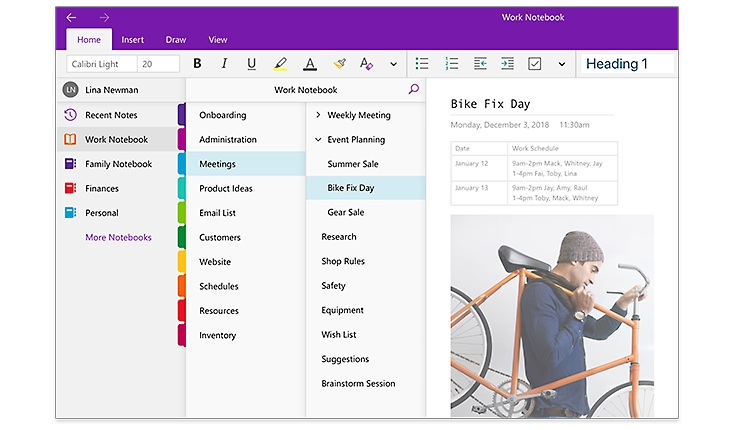
If you want a note taking app for every device, try Microsoft OneNote. It is the best note-taking app for using on many platforms. You can use it on Windows, Mac, iOS, iPadOS, and Android. There is also a web version, so you can open notes in any browser. You can edit notes offline and they will sync when you go online. You can work with others at the same time. Many people can write on one page, like a shared whiteboard. You can save webpages as images in your notebook. You can keep notes organized with sections and tags. If you use Microsoft Teams or Office 365, you can put notebooks in your team channels.
Feature | Description |
Cross-platform availability | Free on Windows, MacOS, iOS, iPadOS, Android |
Web-based access | Access notes through any browser |
Offline editing and sync | Edit notes offline, sync later |
Real-time multi-user collaboration | Work together on the same page |
Webpage rendering | Save webpages as images |
Pros & Cons
OneNote has many tools to help you make better notes. You can draw, type, or add pictures to your notes. The best note-taking app should help you stay organized, and OneNote does this well. You can share notes with friends or classmates by sending links. Real-time teamwork makes group projects simple. You can use OneNote for school, work, or personal things.
Pros:
Works on almost every device
Free to use with basic features
Strong organization tools
Real-time collaboration
Easy sharing and syncing
Cons:
Some features need a Microsoft account
The interface can feel busy for new users
Pricing
Microsoft OneNote is a free note taking app. The free version gives you most tools you need. If you want more storage or extra features, you can get a Microsoft 365 subscription. This gives you more cloud storage and more tools for the best note-taking app experience. Many people say the free version is enough for daily use. You can try OneNote and see if it is the best note-taking app for you. Many people pick it as their main note-taking app after reading a review or trying it.
3.Notion
Overview
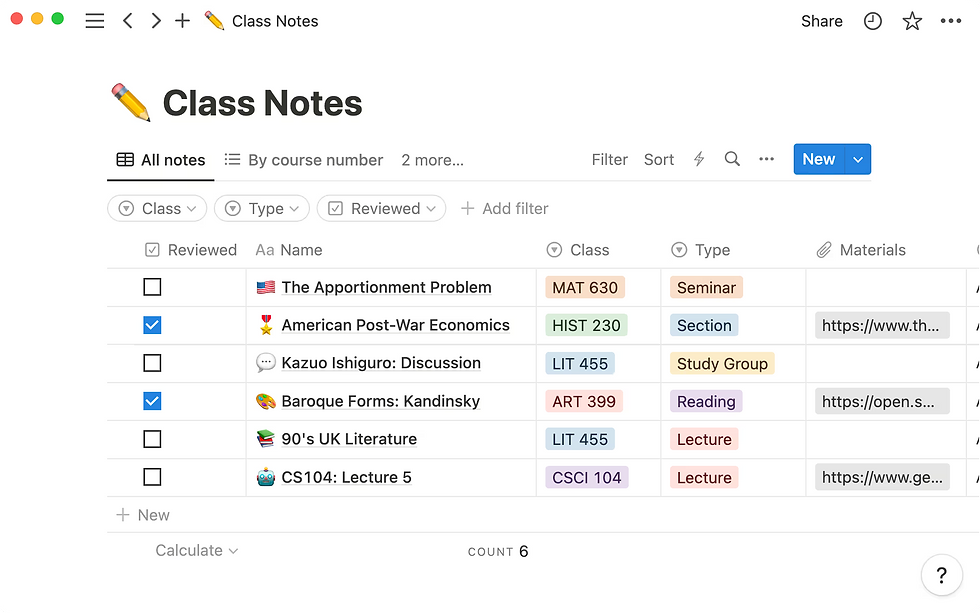
You can use Notion as a powerful note taking app for almost any purpose. Notion lets you organize your notes, tasks, and projects in one place. You can create pages for school, work, or personal life. Notion supports many types of content, such as text, images, tables, and calendars. You can use Notion to manage documents, spreadsheets, and even your calendar in a single workspace. Notion’s AI features help you summarize documents, highlight key points, and suggest ideas as you write.
Many people use Notion for different reasons. Here are some of the most popular ways you can use this note-taking app:
Manage content and organize projects like product launches.
Work with your team in real time using AI tools for meeting notes and task assignments.
Track your goals, habits, and to-do lists with smart AI suggestions.
Connect Notion with Google Drive or Slack to build custom dashboards.
Summarize documents and keep important information easy to find.
You can also find creative uses for Notion. Some people track their water intake, plan weddings, or organize recipes. The template gallery helps you start quickly with ready-made pages like habit trackers and vision boards.
Pros & Cons
Notion gives you a flexible note taking app that fits many needs. You can plan your whole life with it. Many users share templates and tips, making it easy to learn new ways to use the note-taking app.
Pros:
Combines notes, tasks, and databases in one note-taking app
Strong AI features for summaries and suggestions
Real-time team collaboration
Works on web, Windows, Mac, iOS, and Android
Broad integration with third-party tools like Slack and Google Drive
Cons:
Can feel complex for new users
Some features need internet access
You will see many positive review posts about Notion. People like the flexibility and the large community that shares ideas.
Pricing
Notion offers a free plan for personal use. You can use most note taking app features without paying. The free plan gives you unlimited pages and blocks. If you want more advanced features, such as team collaboration or extra storage, you can choose a paid plan. Notion’s paid plans start at a low monthly price. Students and teachers can get extra features for free. Many users say Notion gives great value as a note-taking app. You can read a review or try the free plan to see if it fits your needs.
4.Obsidian
Overview
Obsidian helps you manage notes and ideas in a strong way. Many power users like Obsidian because you control your data. You save notes as Markdown files on your device. This means you always have offline access. You do not need to use cloud services. Obsidian works well even without internet, so you can work anywhere.
You can change Obsidian with plugins. The plugin system lets you add things like calendars and task tools. Some plugins use AI to help you. For example, plugins can suggest tags or summarize notes. Many people use plugins to organize information and make a personal knowledge graph.
Obsidian’s graph view shows how your notes connect. You see a map of your ideas and links between topics. This helps you understand hard subjects. The app also works offline, so you can edit and search notes without internet. Many professionals use Obsidian for research, writing, and projects because it is flexible.
Here is a table that shows why power users like Obsidian:
Feature | Description | Benefit to You |
Notes saved as Markdown files on your device | Full data ownership and privacy | |
Offline Accessibility | Use all features without internet | Reliable note-taking anywhere |
Plugin Customization | Add community plugins and themes | Personalize your workflow |
Graph View | Visual map of note relationships | Understand and navigate ideas easily |
Markdown-Based | Simple formatting for notes | Easy to use and compatible |
Offline Functionality | Edit and search notes offline | Always have access to your knowledge |
Pros & Cons
Obsidian gives you strong offline use and privacy. You can work without internet and keep notes safe on your device.
Pros:
Full offline support for note-taking and searching
Local storage for privacy and control
Highly customizable with plugins
Graph view for visualizing connections
Flexible for many workflows
Cons:
Some setup needed for cloud sync
Learning curve for plugins and Markdown
Pricing
You can use Obsidian for free with all main features, including offline use. If you want to sync notes on all devices or use Obsidian for business, you can buy paid plans. The paid sync keeps your notes updated everywhere, but you still have offline access. Many people find the free version is enough, especially if they care about offline work and privacy.
5.Bear
Overview
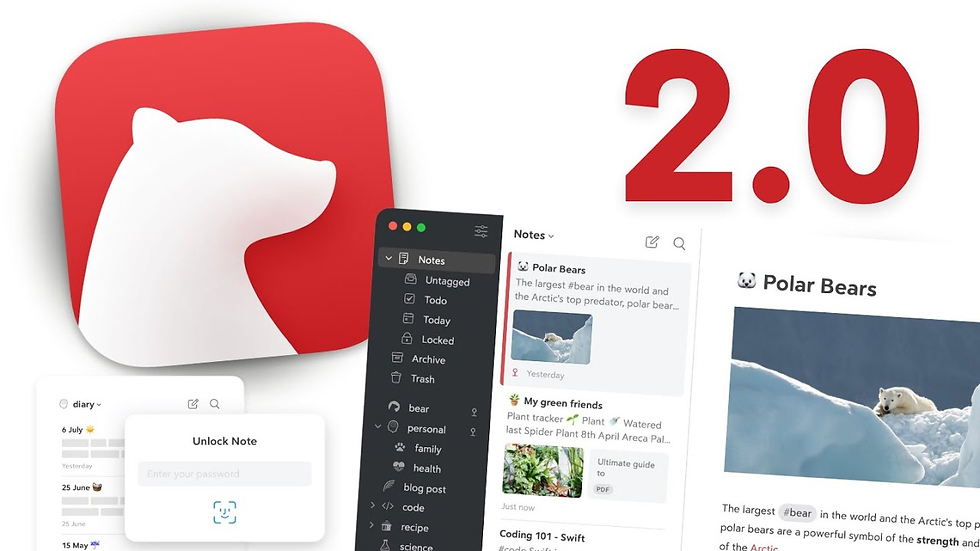
Bear is a top note taking app for Mac users who like things simple and pretty. The app has a clean look that helps you focus on your notes. You can use Markdown to style your text fast with special symbols. Bear lets you organize notes with hashtags and tags inside other tags. This makes finding notes easy. If you use an iPad and Apple Pencil, you can draw and write by hand in Bear. You can pick from 28 themes and 15 icons to change how Bear looks. If you want to move your notes, Bear lets you export them in many ways like HTML, PDF, and Markdown. This makes it easy to use your notes in other apps.
Pros & Cons
Bear lets you change how the app looks and feels. You can pick themes, icons, and change your notes’ style. Many people say Bear feels more personal than other Mac note apps. Bear won an Apple Design Award for its style and how easy it is to use. You can use Bear with other apps and move notes in and out easily. Bear works with Apple Pencil, so you can draw and write by hand. This is good for creative work.
Pros:
Allows customization of the app's appearance, including themes, icons, and note styles.
Is perceived as more personal compared to other Mac note-taking apps.
Won an Apple Design Award, recognizing its style and ease of use.
Supports integration with other apps, enabling easy transfer of notes in and out.
Works with Apple Pencil, facilitating hand-drawn and handwritten content—ideal for creative tasks.
Cons:
Only supports macOS, limiting accessibility for users on other operating systems.
Lacks advanced features compared to some competing note-taking apps.
Does not integrate AI capabilities, missing out on AI-driven enhancements like smart suggestions or automated organization.
Absent of collaboration features, making it unsuitable for team-based note-sharing or joint editing.
Here is a table that compares Bear and Apple Notes:
Aspect | Bear Notes | Apple Notes |
Design & Customization | 28 themes, 15 icons, typography options; Apple Design Award | Clean design, no customization |
Formatting | Markdown formatting | Rich text formatting |
Apple Integration | Partial; supports Apple Pencil | Deep integration, instant Lock Screen access |
Third-Party Integration | Strong; many export/import options | Limited export options |
Collaboration | Limited | Built-in collaboration |
Bear lets you make your notes look special. But it does not have as many sharing tools as Apple Notes.
Pricing
Bear uses a subscription plan. You can try Bear for free, but some things cost money. The paid plan is about $3 each month. You get all themes, export tools, and syncing on all your devices. Many people think the price is good for a stylish and flexible Mac note app.
6.Joplin
Overview
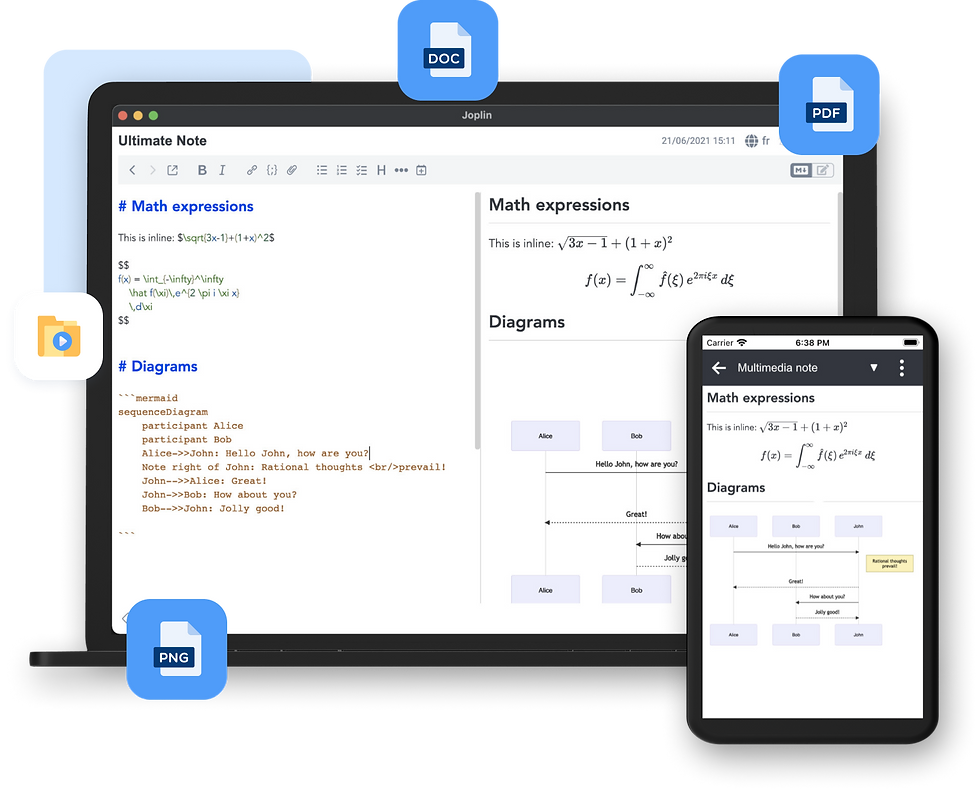
Joplin is a free note-taking app that cares about privacy. You can write notes, make to-do lists, and sort ideas in notebooks. It works on Windows, macOS, Linux, Android, and iOS. You can use Joplin offline, so you do not need internet. You can sync your notes with Dropbox, OneDrive, or Joplin Cloud.
Joplin gives you strong control over your data. You can turn on end-to-end encryption to keep your notes safe. Only you can read your notes if you use this feature. Joplin does not have ads and is light on your device. This helps keep your information private. You can add plugins for more features like markdown or web clippers.
Anyone can look at Joplin’s open-source code. This makes people trust the app and know it is safe for privacy.
Pros & Cons
Pros:
Open-source and ad-free, ensuring good privacy protection.
Supports end-to-end encryption for all notes, enhancing security.
Allows syncing notes with multiple cloud services, offering flexibility in data storage.
Features strong encryption capabilities (though manual setup is required).
Enables customization via plugins, letting users tailor the app to their needs.
Cons:
Encryption is not enabled by default; users must set it up manually to achieve full privacy.
Compared to apps like Standard Notes (which have encryption on by default), Joplin offers more options but less automatic safety, requiring users to take active steps to secure their data.
Feature | Joplin | Standard Notes |
Open-source | Yes | Yes |
End-to-end encryption | Optional (user-enabled) | Default (always on) |
Sync options | Multiple (Dropbox, OneDrive, etc.) | Limited |
Privacy focus | High, but user-dependent | Very high, automatic |
Pricing
Joplin is free and has all the main features. If you want to use Joplin Cloud or get extra help, you can pay for a plan. The free version already gives you privacy and offline use. Paid plans give you more storage and better support, but you do not have to pay to keep your notes safe.
7.UpNote
Overview
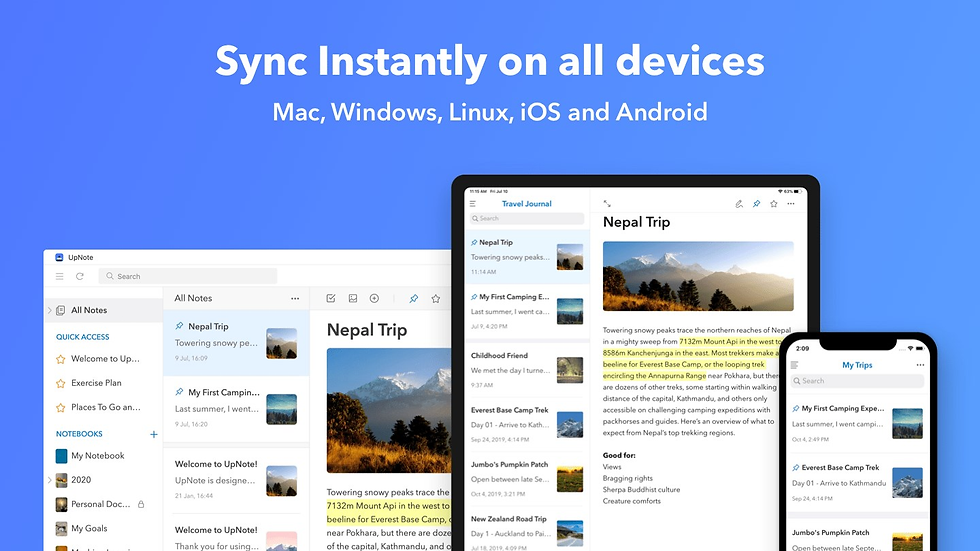
UpNote is a simple app for taking notes. You can write with rich text or Markdown. You can add lists, images, links, and code blocks. The app lets you sort notes into notebooks and sections that fold up. Focus mode helps you block out noise and write better. UpNote has web clippers for Chrome, Safari, and Firefox. You can save things from the web fast. You can lock notes with a passcode for more privacy.
Your notes sync by themselves on all your devices. UpNote works on Mac, Windows, iOS, and Android. You can use it offline, so your notes are always there. You can back up your notes and see old versions. You can share notes with secret web links. You can also export notes as text, PDF, HTML, or Markdown. UpNote has nice themes, like dark mode. The sticky window keeps important notes on top.
Many people say UpNote is easy to use. It helps them stay organized. You can use it for small or big note-taking jobs.
Pros & Cons
Pros:
Enables note locking, backups, and diverse sharing/exporting.
Offers a clean, distraction-free writing experience with offline sync.
Cons:
Lacks advanced teamwork and collaboration tools.
Has limited integration with third-party productivity apps.
May not support specialized file formats, disappointing some users.
Aspect | Positive Feedback Percentage | |
Features and Functionality | 26 positive vs. 1 negative | 100% positive |
Syncing and Cross-platform | 26 positive vs. 1 negative | 100% positive |
User Interface | 26 positive vs. 1 negative | 100% positive |
Value for Money | 26 positive vs. 1 negative | 100% positive |
Organization and Notebooks | 26 positive vs. 1 negative | 100% positive |
UpNote has many good points:
Writing is clean and has no distractions.
Sync is fast and works offline.
You can organize notes with notebooks and folding sections.
You can lock notes and back them up.
You can share and export notes in many ways.
Some people want better teamwork tools. Most users like UpNote because it is simple and has many features.
Pricing
UpNote has a free plan for up to 50 notes. If you need more, you can pay $1.99 each month. You can also buy a lifetime license for about $40. UpNote is one of the cheapest note apps with lots of features.
Note-Taking App | Pricing Model | Key Features / Notes |
UpNote | Free plan limited to 50 notes; Premium at $1.99/month or lifetime license ~$40 | Clean, distraction-free writing; rich formatting; notebook hierarchy; offline sync |
Obsidian | Free; $5/month for sync; $10/month for publishing | Free core app; paid sync and publishing; networked thinking focus |
Standard Notes | Free; $90/year for premium | Encrypted notes; advanced editing and themes in paid plan |
Amplenote | Completely free | Task-focused note-taking with prioritization |
UpNote gives you a lot for your money. It has strong features and a low price. This makes it a smart pick for students and workers.
8.Evernote
Overview
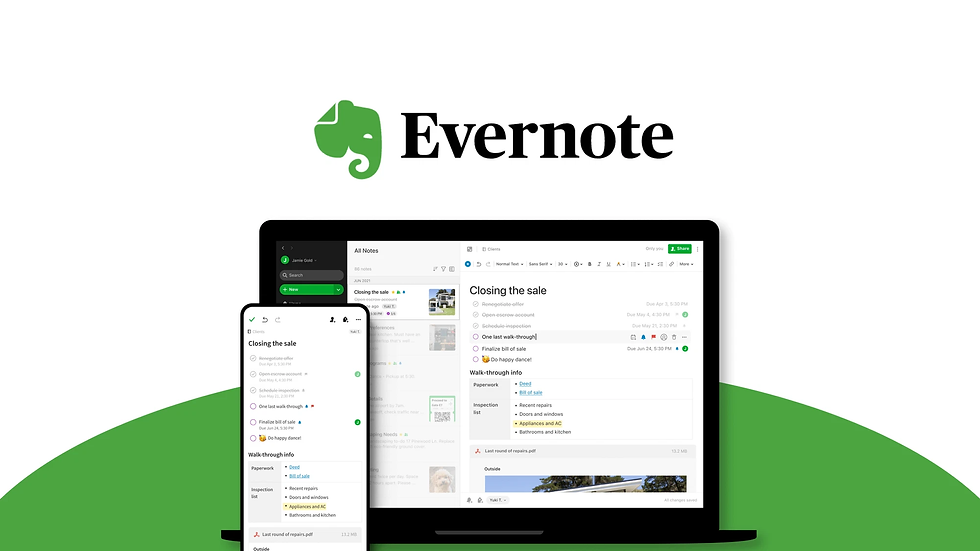
You can use evernote to keep your notes, tasks, and ideas together. The app lets you make notebooks and add tags. You can clip web pages and attach files. You can also scan papers and set reminders. Evernote works on Windows, Mac, iOS, Android, and the web. You can sync your notes on all your devices. The app now opens faster and syncs notes right away. Evernote works better with touch screens, especially on Windows 10. The company made the app easier and more stable.
Recent updates changed evernote in many ways:
Now, notes sync right away on all your devices.
Touchscreen laptops and tablets work better with the app.
Evernote added about 60 changes from what users wanted.
The company started adding AI features, but you can turn them off.
The design is simpler and looks like other popular apps.
Evernote listens to users and tries to help both single users and teams. The app keeps your info private and lets you pick new features.
Pros & Cons
Evernote gives you many tools to manage your notes. You can use it for school, work, or home projects. The app helps you stay neat and find notes fast. You can work alone or share notes with others. You can change your workspace and use templates for different jobs.
Pros:
Works on lots of devices and platforms
Syncs fast and runs better now
Has strong search and ways to organize notes
Supports touchscreens on tablets and laptops
AI features are there if you want them
Cons:
Some people think the price is high
Free plan has fewer features and device sync
Pricing
Evernote has different plans. The free plan only lets you sync notes on a few devices. The Personal plan costs $129.99 each year. It gives you more space and lets you use as many devices as you want. The Professional plan is $169.99 each year. It gives you more upload space and AI features. The Teams plan is $249.99 for each user every year. It is for groups who work together. Many people say evernote costs more than other note-taking apps. The company raised prices to add new features and make the app better.
9.Google Keep
Overview
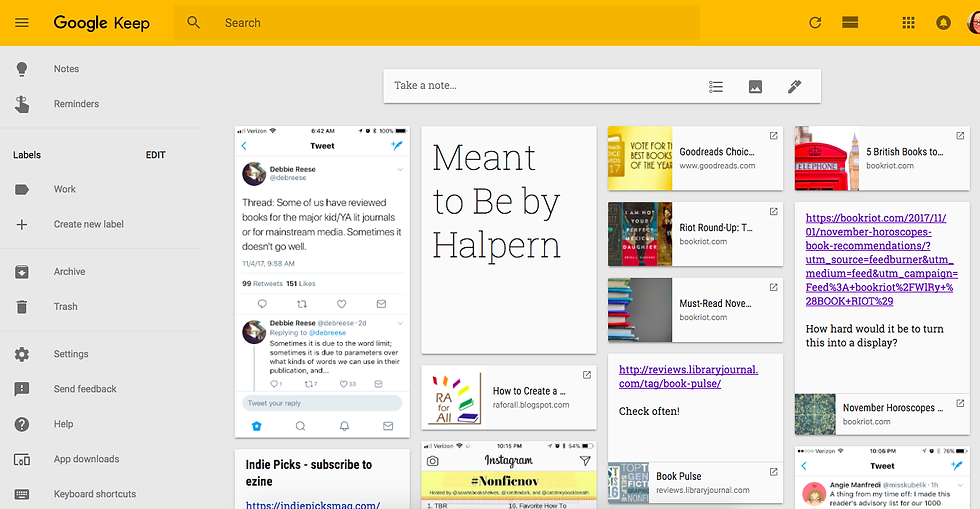
You can use Google Keep to quickly save ideas and lists. The app looks simple and is easy to use. You do not need to set up anything before you start. If you know Gmail or other Google apps, Google Keep will feel familiar. You can make text notes, checklists, and voice memos. The app can listen to your voice and turn it into words. This means you do not have to type every note. You can add pictures to your notes and set reminders that work with Google Calendar.
Google Keep works well with other Google tools. You can change your notes into Google Docs in just a few steps. This helps you turn a small idea into a big project fast. The app keeps your notes the same on all your devices. You can see your notes on your phone, tablet, or computer. Google Keep can also pull words from pictures using special technology. This saves you time when you need to copy text from an image.
Google Keep is easy to start using right away. You do not need to learn anything new or spend time setting it up.
Pros & Cons
Pros:
The app looks clean and is not confusing
You can record your voice and get text
It works well with Google Docs and other Google apps
Cons:
You cannot change how the app looks much
It does not have as many features as some other apps
Working with others is basic
Feature | Benefit to You |
Voice Notes | Save ideas without typing |
Google Docs Integration | Make notes into documents easily |
Universal Access | Use notes on any device |
OCR | Get text from images |
Pricing
Google KeepはGoogleアカウントがあれば無料です。Google Driveが満杯でない限り、追加機能やストレージにお金を払う必要はありません。主なツールはすべて無料で利用できます。これにより、シンプルで安価なものを求めるならGoogle Keepは賢い選択です。note-taking app.
すでにGoogleアプリを使っている場合、Google Keepは日常に溶け込み、予定を管理するのに役立ちます。
10.Simplenote
Overview
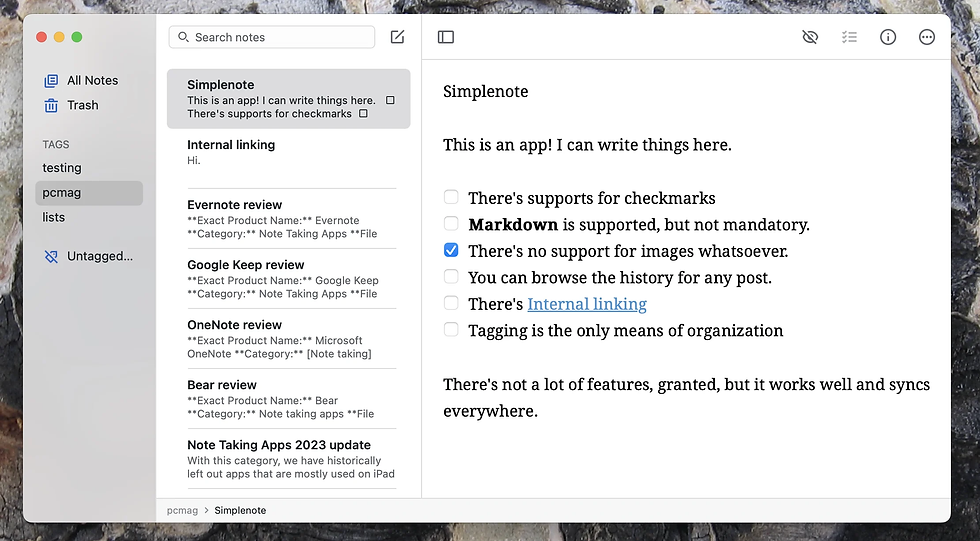
Simplenoteは使いやすく、見た目もとてもシンプルです。テキストノートを素早く作成でき、すぐに保存されます。ノートはall your devices(スマートフォンやパソコンなど)で同期されます。SimplenoteはWindows、Mac、Linux、iOS、Android、Webで動作します。難しいツールを覚える必要はありません。アプリは速度を重視して作られており、誰でも簡単に使えます。
ここではSimplenoteが他の無料ノートアプリとどう違うかを示す表です:
Feature | Simplenote | Other Free Note Apps |
Formatting | Plain text only | Rich text, Markdown, images |
Organization | Simple tags, instant search | Folders, nested notebooks |
Security | No end-to-end encryption | Some offer encryption |
Version History | Yes | Sometimes |
Price | Completely free | Free and paid tiers |
Platform Support | All major platforms | Varies |
タグを使ってノートを整理できます。検索ですばやくノートを見つけられます。ミスをした場合は古いバージョンに戻せます。Simplenoteでは画像や表を追加できません。フォルダーやプラグインは使えません。アプリは基本的な機能に絞っているので、ただ書くことに集中できます。
Pros & Cons
Simplenoteは素早く動作し、ノート作成に集中できます。アイデア、リスト、リマインダーなどに使えます。古いデバイスでも快適に動作します。
Pros:
すべてのデバイスですぐにノートを同期
高速で動作し、デバイスを遅くしない
タグと検索でノートを簡単に整理
ノートの旧バージョンを表示・復元可能
Cons:
画像、表、リッチテキストを追加できない
アプリにパスワードやロック機能がない
大規模プロジェクトの整理方法が少ない
Pricing
Simplenoteの利用に料金は一切かかりません。アプリは常に無料です。有料機能や隠れた料金はありません。サインアップですべての機能が利用できます。Simplenoteの親会社が費用を負担しているため、金銭面の心配はありません。テキストノート用のシンプルなアプリをお探しなら、Simplenoteは必要なすべてを無料で提供します。
Best Apple Notes Alternatives Comparison
新しいノートアプリを選ぶ際は比較することをおすすめします。これにより、自分に最適なアプリを選べます。各アプリには独自の特徴があります。一部のアプリはAIを活用し、他のアプリはプライバシーや複数デバイス対応を重視しています。
Here is a table that shows how the top 10 apple notes alternatives compare on AI features, privacy, and platform support:
App Name | AI Integration Features | Privacy Focus | Cross-Platform Support |
remio | Advanced AI Copilot, AI search, web capture | Personalized, user-data based,stored locally | macOS, iOS |
Microsoft OneNote | AI-generated summaries, Copilot integration | Standard privacy, cloud-based | Windows, macOS, iOS, Android, Web |
notion | Smart search, AI summaries, automated organization | Standard privacy, cloud-based | Windows, macOS, iOS, Android, Web |
obsidian | AI via plugins, knowledge management | Local storage, strong privacy | Windows, macOS, iOS, Android (via sync) |
bear | Basic AI, offline access | Local storage with encryption | macOS, iOS only |
joplin | Plugin-based AI, markdown support | End-to-end encryption, open-source | Windows, macOS, iOS, Android, Linux |
upnote | AI-powered search, clean writing | Local storage, optional sync | Windows, macOS, iOS, Android |
evernote | AI meeting summaries, collaboration | Standard privacy, cloud-based | Windows, macOS, iOS, Android, Web |
google keep | Basic AI, voice notes, OCR | Standard privacy, cloud-based | Windows, macOS, iOS, Android, Web |
simplenote | No AI, fast syncing | Standard privacy, cloud-based | Windows, macOS, iOS, Android, Linux, Web |
Notionとevernoteには強力なAIツールがあります。Remioにもsmart AI 機能があります。Obsidianとbearはノートをプライベートかつオフラインで保持します。どこでもノートを使いたい場合は、notion、evernote、Microsoft OneNoteをお試しください。
Price is important when you choose an app. Here is a table that shows how much each app costs:
App Name | Free Plan | Entry Paid Plan | Higher Tier Plan(s) | Notes on Pricing Structure |
remio | Yes | Premium AI features | Flexible plans, AI included in paid plan | |
Microsoft OneNote | Free with MS 365 | $6.99/month standalone | - | Free with Microsoft 365 subscription |
notion | Yes | $10/month per user (Plus) | $18/month (Business), AI add-on $10/month | Tiered pricing, AI as add-on |
obsidian | Yes (personal) | $50/year (commercial use) | - | Free for personal use, commercial license fee |
bear | Yes | $2.99/year (Pro) | - | Low-cost Pro plan annually |
joplin | Yes | $1.99/month (Cloud) | - | Free core, paid cloud sync |
evernote | Yes | $14.99/month (Personal) | $17.99/month (Professional) | Multiple tiers, free plan available |
upnote | Yes | $1.99/month | Lifetime license ~$40 | Low-cost, lifetime option |
google keep | Yes | N/A | N/A | Free with Google account |
simplenote | Yes | N/A | N/A | Free forever |
Tip: スマートなAIを求めるならnotionやevernoteが適していますが、費用がかかる場合があります。プライバシーを重視するなら、obsidianやbearでノートをオフライン保存できます。無料アプリをお探しなら、simplenoteやgoogle keepが優れた選択肢です。
この比較により、自分に合ったアプリを見つけやすくなります。NotionとevernoteはAI機能と複数デバイス対応に優れています。Remioはスマートアシスタントと強力なAIを備えています。Obsidianとbearはプライバシー重視に最適です。アプリを比較する際は、機能、プライバシー、価格を確認してください。これにより、ニーズに合った最適なノートアプリを選べます。
Choosing the Best Note-Taking App
Identify Needs
まず、ノートアプリをどのように使うかを考えましょう。個人的なノートを保存したい場合は、simple and fastなアプリを選びましょう。evernoteやGoogle Keepはアイデアを素早く書き留めるのに役立ちます。仕事用なら、より多くの機能が必要です。Notionなどのノートアプリはteam projects やAIツールに適しています。多くの人は日常のルーチンに合ったノートアプリを求めています。自分の働き方に合ったアプリを選びましょう。毎日使うアプリであることが、すべての機能を備えていることよりも重要です。
Tip: iPadのノートアプリを学校で使う場合は、ノートを素早く保存・整理できるものを選びましょう。仕事用なら、共同作業やプロジェクト管理を支援するアプリを選んでください。
Compare Features
選ぶ前に、各ノートアプリの機能を比較しましょう。一部のアプリにはノート検索・整理用の強力なAI tools があります。Notionはチーム作業やプロジェクト追跡に適しています。Evernoteは高速検索やWebからの保存が可能です。トップクラスのノートアプリの多くは、すべてのデバイスでノートを同期できます。タブレットを使う場合は、手書き入力できるiPad向けノートアプリを探しましょう。オフライン利用、テンプレート、高度な検索など、必要な機能をリストアップしてください。
Feature | Personal Use | Professional Use |
Quick Capture | Yes | Sometimes |
Collaboration | Rarely | Often |
AI Summarization | Sometimes | Often |
Cross-Platform Sync | Yes | Yes |
Automation | Rarely | Often |
Privacy & Security
ノートアプリを選ぶ際、プライバシーとセキュリティは非常に重要です。一部のアプリはノートをデバイス上に保存し、他のアプリはクラウドを利用します。ObsidianとJoplinはlocal storage and encryptionにより、より高い制御を提供します。Notionとevernoteはクラウド同期を使用するため、プライバシー設定を確認してください。エンドツーエンド暗号化、パスワード、二要素認証などの機能を探しましょう。一部のノートアプリには機密データ向けの特別なオプションがあります。アプリがノートや検索履歴をどのように保護しているかを常に確認してください。
Local storage apps: More privacy, less chance of leaks.
Cloud-based apps: Easier syncing, but make sure they use strong encryption.
Extra security: Passwords, two-factor login, and encrypted search.
Budget
ノートアプリを選ぶ前に、予算を考慮しましょう。トップクラスのノートアプリの多くは基本機能が使える無料プランを提供しています。Notion、evernote、UpNoteにはより多くのストレージや追加機能のための有料プランがあります。一部のiPad向けノートアプリは一回限りの料金ですが、他のアプリはサブスクリプションが必要です。価格に見合った内容を比較してください。Simplenoteのような無料ノートアプリはシンプルな用途に適しています。有料アプリは検索、プライバシー、AIツールが優れていることが多いです。
Remember: The best note taking app is the one you use every day, not always the one with the most features.
You can pick from many note-taking apps Apple Notes以外にも、それぞれのアプリには特別な特徴があります。RemioはスマートAIを使ってノートを取るのを助けてくれます。Microsoft OneNoteは多くのデバイスで動作するので、どこでも使えます。Notionは計画やプロジェクト管理に適しています。Obsidianはノートをプライベートに保ち、オフラインで使用できます。BearはAppleデバイスを使う人向けのスタイリッシュなアプリです。Joplinはノートを安全に保ちたい人向けに作られています。UpNoteは使いやすく、コストもかかりません。Evernoteはノートを取ったり同期したりするのに強力です。Google Keepは素早く何かを書きたいときに便利です。Simplenoteはシンプルで基本的なノートに適しています。
Apple Notesの使用をやめると、いくつかの問題が発生する可能性があります。以下の表は遭遇する可能性のある一般的な問題を示しています:
Challenge Category | Description | Impact on Transition to New App |
Syncing Delays and Failures | インターネット接続が良好でも、ノートがすべてのデバイスで更新されないことがあります。 | これによりイライラし、各デバイスでノートが異なる状態になる可能性があります。 |
Data Loss | 同期が機能しない場合、変更やノートが失われる可能性があります。 | 重要なノートを失うことを心配し、新しいアプリを信頼できなくなるかもしれません。 |
Duplicate Notes | 特にGoogleアカウントを使用している場合、同じノートのコピーが複数作成されることがあります。 | これによりストレージが埋まり、正しいノートを見つけるのが難しくなります。 |
Limitations of Alternatives | Google Keepでは小さなノートしか作成できず、一部のアプリは有料または信頼が必要な場合があります。 | Apple Notesと同じくらい簡単で便利なアプリを見つけるのが難しくなることがあります。 |
Trust and Reliability Concerns | 一部のアプリは常に安全とは限らず、すべてのデバイスでうまく動作しない場合があります。 | ノートが安全でない、またはアプリが安定していないと思う場合、切り替えたくないかもしれません。 |
さまざまなノートアプリを試して、自分に最適なものを見つけてみてください。Notionはアイデアやプロジェクトを整理するのに役立ちます。アプリを変更する場合は、まずノートを移動して同期が機能するかを確認してください。機能を試して自分に最も役立つものを見つけることで、最適なアプリが見つかるでしょう。Notion、Remioなどのアプリは日常のノート取りをより簡単にしてくれます。
FAQ
プライバシー重視のApple Notes代替として最適なものは?
remioまたはObsidianをお試しください。どちらのアプリもノートをローカルに保存し、暗号化を使用できます。データを自分で管理し、ノートを他人から安全に保てます。
Apple Notesから別のアプリにノートを移動できますか?
はい、Apple Notesからノートをエクスポートできます。ほとんどのアプリで.txtや.mdなどのファイルをインポートできます。新しいアプリのヘルプセクションでステップバイステップのガイドを確認してください。
すべてのデバイスで最適に動作するノートアプリはどれですか?
Microsoft OneNote、NotionはWindows、macOS、iOS、Android、ウェブで動作します。どこからでもノートにアクセスでき、すべてを同期した状態に保てます。
これらのアプリは手書きや描画をサポートしていますか?
BearとMicrosoft OneNoteは、特にiPadで手書きや描画をサポートしています。Apple Pencilやスタイラスを使ってノートに書き込んだりスケッチしたりできます。
Tip: さまざまなアプリを試して、自分のスタイルやデバイスに最適なものを見つけてください。


