top of page
Create Editable Word Documents with AI
Turn notes, research, and reference files into an editable Word document. Review the result in remio and keep working in DOCX.
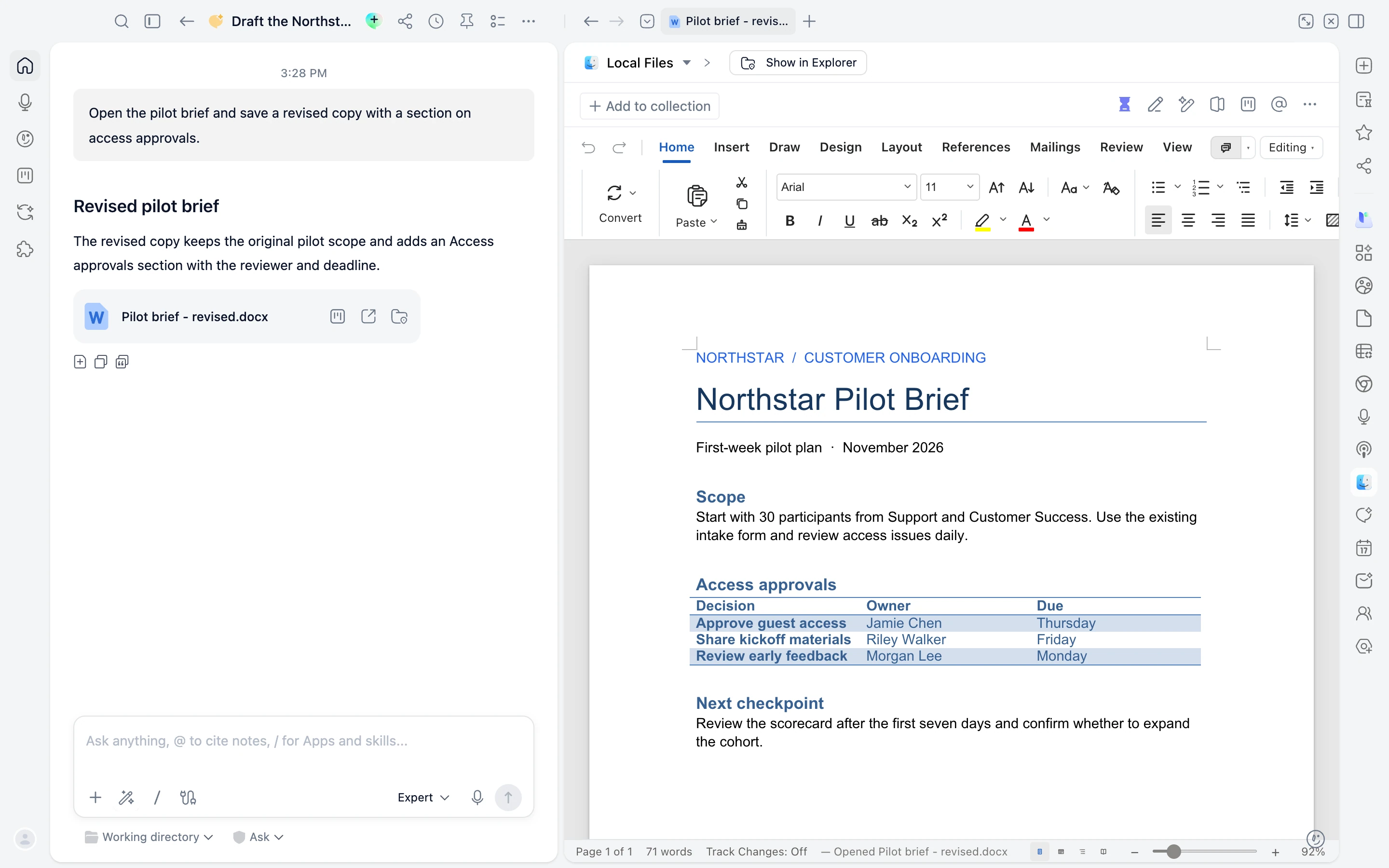
Turn project notes into a brief you can share
Start with meeting notes, the project outline, and a decision log. Ask for a two-page project brief with the objective, scope, owners, and open decisions. Identify gaps for review and include source references for key decisions.
Use the same workflow for a client briefing or an internal handoff. If the final deliverable is a slide deck, see Word to PowerPoint.
Draft and revise a DOCX in remio
- Attach documents or use @ to select project materials from your knowledge base.
- Request a DOCX. Describe the audience, length, sections, and any formatting or wording you want preserved.
- Open the result, check dates and decisions against your source files, and ask for targeted changes or a separate revised copy.
Word document questions
Will I get an editable Word file?
Yes. Ask for a DOCX explicitly. You can open and continue editing the result in a compatible Word editor.
Can I use a Word document I already have?
Attach the document and name the sections you want to revise. Request a separate copy to keep the original.
See the guide to working with documents.
More office workflows
bottom of page