Use your remio knowledge with other agents
Open the Agent Booster setup in remio and follow the instructions for your supported agent, such as Claude Code, Codex, or Cursor. Choose the context the task needs and review the agent’s access and approvals. Use the CLI when you want to work with supported remio actions from a terminal.
Access another computer
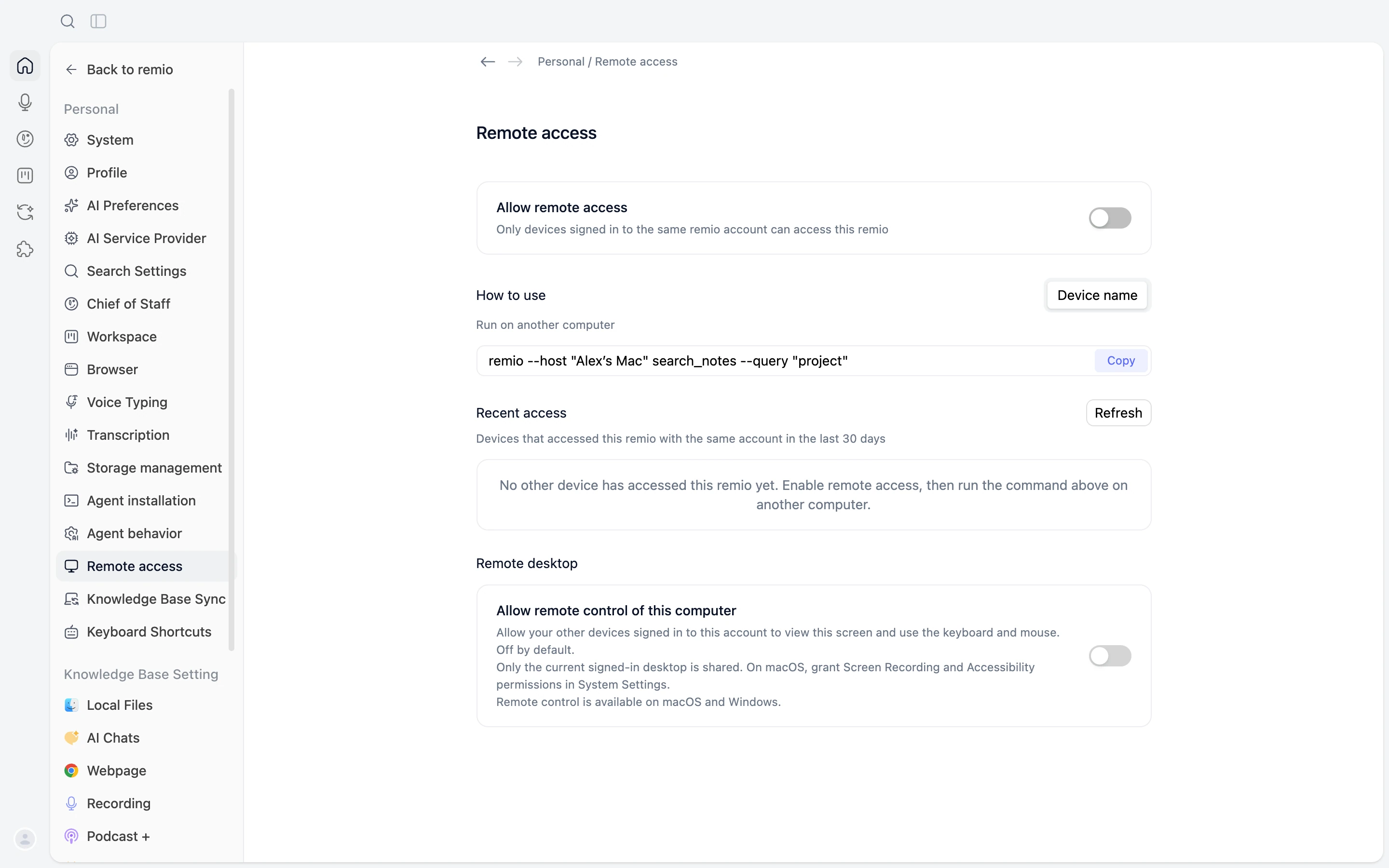
Turn on Allow remote access on the computer you want to use when required for your connection. Sign in to the same account on participating devices, choose the computer, and check that remio is running there. Files stay with their host unless you download or transfer a copy. Screen control has its own permission.
For cross-device syncing of supported knowledge items, see Connected sources and sync. For phone access, see remio for Mobile.
FAQ
Where do I connect an external agent?
Open Agent Booster in remio and follow the setup for your supported agent. Choose the context and review its access settings.
Why can’t I reach another computer?
Check that the host is online, remio is running, both devices use the same account, and Allow remote access is enabled where required.
Does remote access copy the original files to my device?
Files remain on the host unless you download or transfer a copy. Use the available preview or download option when you need the result locally.