Chief of Staff is the dedicated conversation for reviewing what needs attention and taking the next action. Earlier versions called it Main Chat.
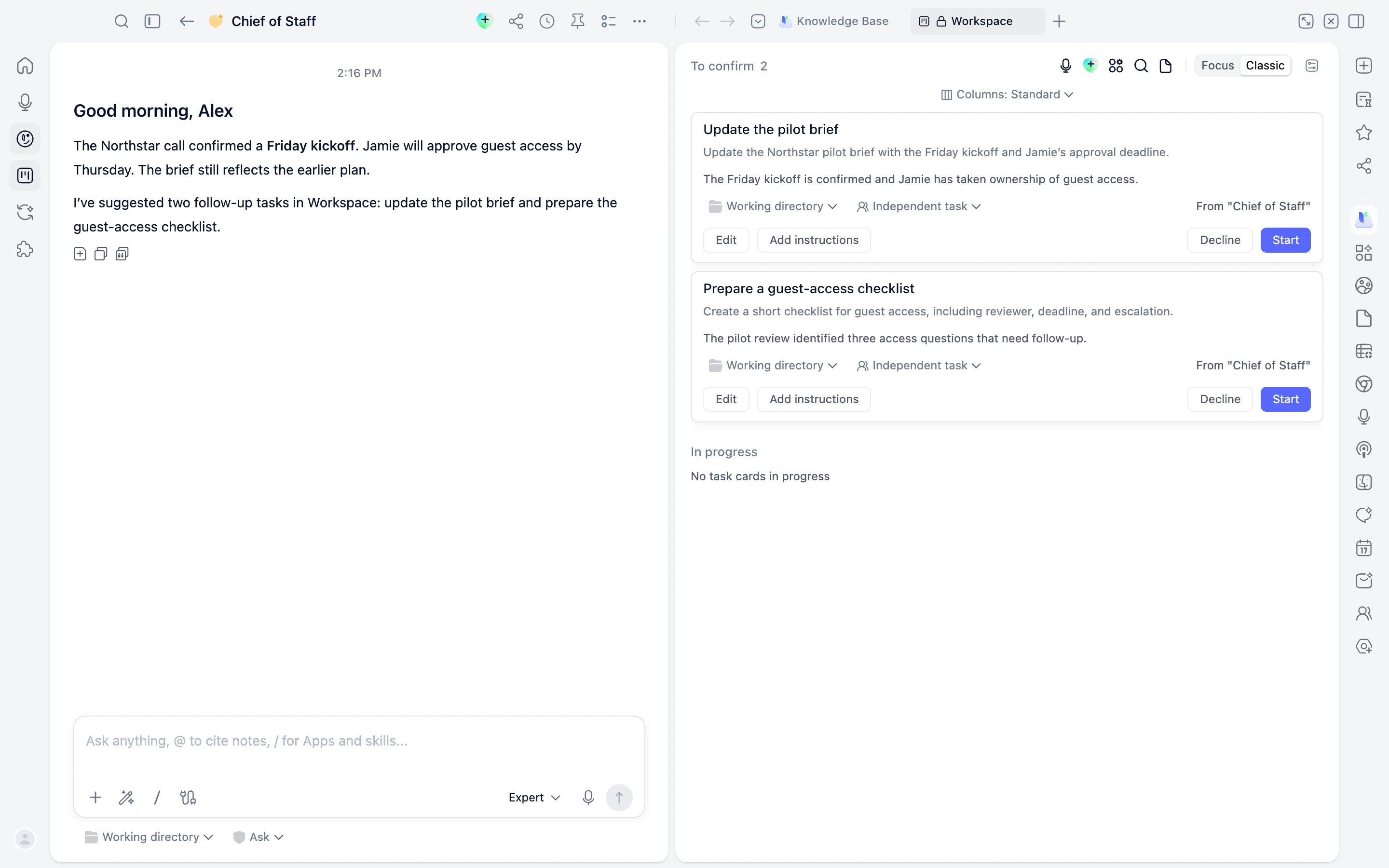
Review and follow up
Select Chief of Staff in the desktop sidebar, below Record.
Ask for a review of a project, recent decisions, or outstanding commitments. Add or connect relevant sources if remio needs more context.
Check the items and their sources. Choose the follow-up you want, such as drafting a reply or turning decisions into a project brief. Review any action that asks for approval.
Add continuing work to Workspace and use the card to check progress or send a follow-up.
Chief of Staff starts a fresh conversation each week. Find previous weeks in Recents. Review follow-up settings in remio and enable proactive follow-ups if you want them.
FAQ
Where can I find last week’s conversation?
Chief of Staff starts a fresh conversation each week. Open Recents to find an earlier week.
What should I do when a suggested follow-up needs approval?
Open the proposed action, check its sources and details, then decide whether to approve it.
Can I choose whether remio proactively follows up?
Review the follow-up settings and enable proactive follow-ups if you want them.